
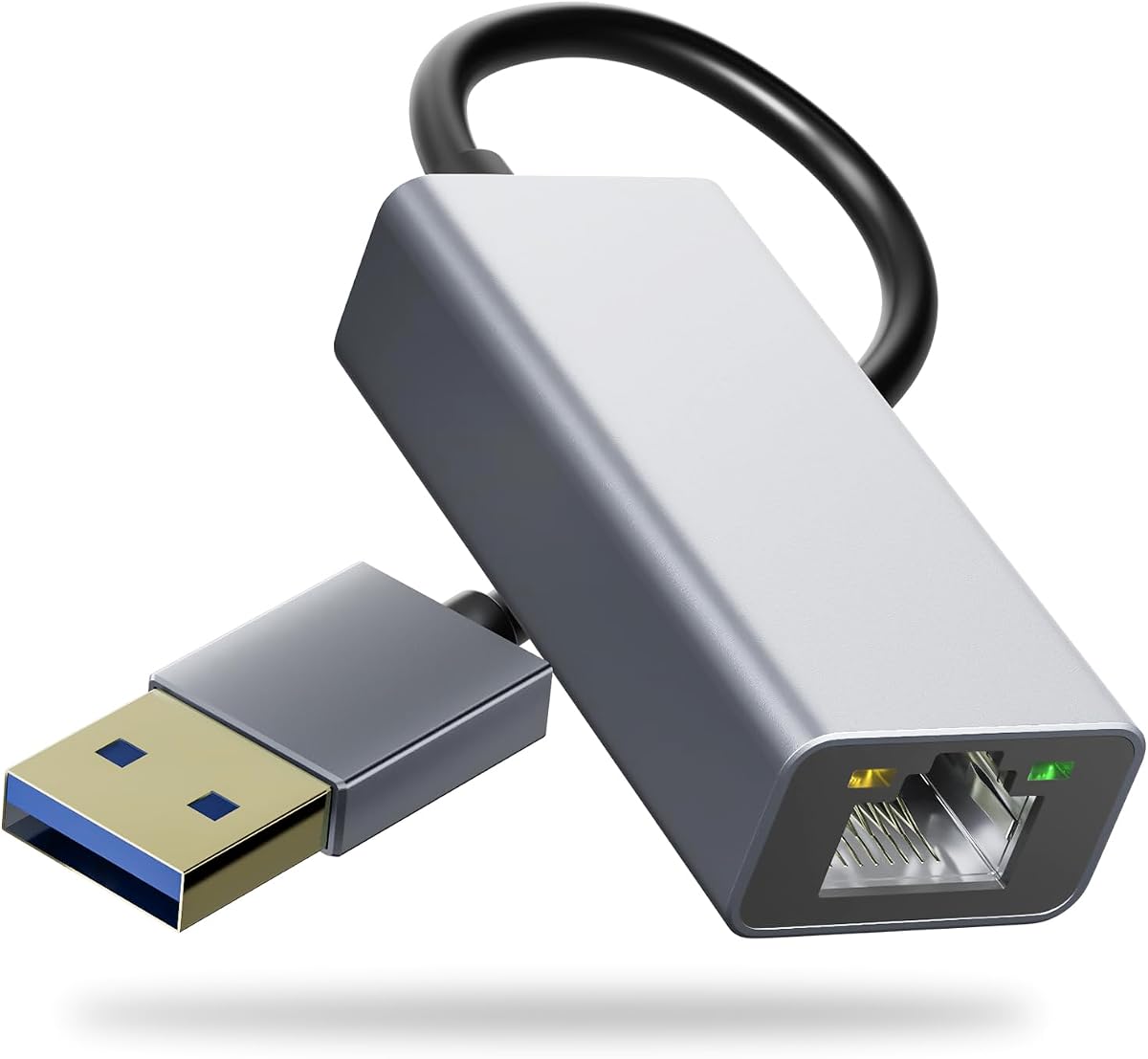
UGREEN USB 3.0 Ethernet Adapter
4.6Editor score
Gigabit wired network support
Compatible with Switch OLED
Compact USB-A adapter design
This guide compares the 10 best Ethernet adapters for Nintendo Switch, including USB-A, USB-C, official, portable, and gigabit models for gaming.
Ethernet adapters give a Nintendo Switch a more consistent alternative to Wi-Fi, especially when online games feel inconsistent or a crowded network slows downloads. A useful adapter must fit the Switch dock, connect to a wired network, support the speeds your internet plan can deliver, and avoid complicated setup.
The products in this guide include official Nintendo hardware and general-purpose USB-to-Ethernet adapters from TP-Link, UGREEN, JEMDO, Plugable, Cyberguys, and HORI. We compared their stated connection standards, device compatibility, installation requirements, portability, and practical fit for docked Nintendo Switch gaming.
Each review explains the adapter's strongest benefits, possible limitations, and the situations in which it makes the most sense. Ratings and product details reflect the supplied listing information, while prices and availability can change, so readers should verify the current listing before purchasing.
4.6Editor score

4.6Editor score

4.7Editor score
The comparison below places every adapter side by side, emphasizing connection type, stated maximum speed, Switch compatibility, and setup requirements so you can quickly narrow the field before reading the detailed reviews.






The TP-Link UE306 is a USB 3.0 Type-A to RJ45 adapter built around a simple goal: adding a stable Gigabit Ethernet connection to devices that lack a native network port. It carries a 4.6 rating and explicitly supports the Nintendo Switch, making it a straightforward choice for docked gaming and other USB-powered systems.
We may earn a commission when you buy through this link, at no additional cost to you.
Its most useful features are easy to appreciate. The adapter supports 10, 100, and 1000Mbps connections, draws power through USB 3.0 without a separate power supply, and is backward compatible with older USB versions. The listing also states that no driver is needed for the Nintendo Switch, Windows 11, Windows 10, Windows 8.1, Windows 8, or Linux.
The main limitation is that it is a general-purpose USB adapter rather than a Nintendo-specific accessory. You will need a suitable Ethernet cable and access to the Switch dock's USB-A port, so handheld play does not benefit directly. Its 1Gbps ceiling also does not guarantee full-speed internet performance if the router, cable, or internet service supports less.
This is a strong recommendation for a Nintendo Switch owner who wants dependable dock-based online play, especially someone who also uses laptops or tablets and wants one compact adapter for several devices. It combines confirmed Switch support, straightforward setup, gigabit capability, and a highly portable form without adding specialized software requirements.
A physical Ethernet connection can avoid the variable performance associated with crowded Wi-Fi networks. The UE306's stated 1000Mbps capability provides ample headroom for ordinary online gaming, downloads, and streaming while the Switch is connected through the dock.
Beyond the Switch, the adapter supports compatible PCs, laptops, tablets, and Ultrabooks. That makes it a practical shared accessory for travel, home offices, and setup areas where adding a temporary wired connection is easier than relying on Wi-Fi.
We may earn a commission when you buy through this link, at no additional cost to you.
The HORI Nintendo Switch Wired Internet LAN Adapter is the most purpose-specific option in this guide. It is officially licensed by Nintendo, plugs into the Nintendo Switch Dock, and carries a 4.7 rating. That focus makes it an attractive alternative for owners who value a dedicated accessory over a general USB network dongle.
We may earn a commission when you buy through this link, at no additional cost to you.
The adapter promises a fast and stable wired internet connection, making it particularly relevant for online multiplayer. Unlike a USB-A adapter that must be positioned beside the dock and connected through a cable, this model connects directly to the dock. The included case also makes it easier to store the accessory when it is not being used.
Its obvious trade-off is flexibility. This is designed for the Switch rather than laptops, tablets, desktop computers, or other products with USB ports. It also does not present the same 1000Mbps specification or broad device compatibility claimed by several USB adapters, so buyers should not expect it to function as a general-purpose networking tool.
Choose the HORI adapter when your priority is an uncomplicated, officially licensed connection for docked Nintendo Switch gaming. It removes uncertainty about third-party compatibility and avoids requiring a separate Ethernet cable, making it particularly well suited to a dedicated Switch entertainment setup.
Connecting directly to the Switch Dock keeps the arrangement simple and avoids occupying one of the dock's USB-A ports. That makes the adapter especially convenient for players who keep the console permanently docked beside a television.
Official Nintendo licensing distinguishes this adapter from general-purpose network hardware. It is designed specifically around the Switch experience rather than requiring buyers to interpret a broad list of operating-system and port compatibility.
We may earn a commission when you buy through this link, at no additional cost to you.
The UGREEN USB to Ethernet Adapter is a budget-minded, multipurpose option for Nintendo Switch owners. Its USB 3.0 interface, stated 1000Mbps maximum speed, and 4.6 rating make it a compelling choice when you want gigabit connectivity without moving to a dedicated Nintendo accessory.
We may earn a commission when you buy through this link, at no additional cost to you.
The listing specifically says the adapter is compatible with both the Nintendo Switch and Switch OLED. It is driver-free for Windows 11, Windows 10, Windows 8.1, Windows 8, macOS, and Chrome OS, with additional compatibility extending to desktop PCs, laptops, TV boxes, and numerous USB-A devices.
Its portable design is a meaningful advantage because the adapter is small enough to carry in a briefcase or pocket. The trade-offs are familiar for this category: it requires a separate Ethernet cable, and the Switch needs to be docked for the USB connection. A small status light and direct USB form also mean it will not provide the same integrated appearance as the HORI dock-specific model.
This is a well-balanced recommendation for buyers who want an affordable adapter for both Switch gaming and other USB-equipped devices. Choose it when a compact gigabit adapter, broad compatibility, and driver-free setup matter more than a dedicated proprietary dock connector.
Compatibility with major desktop and laptop platforms means the adapter remains useful after the console is moved. It can provide a temporary wired network port for devices that lack built-in Ethernet or for locations where Wi-Fi is unreliable.
The stated 1000Mbps capability is designed to support online gaming, HD video, uploads, and downloads. Real-world results will still depend on the internet plan, router, Ethernet cable, and any other device sharing the network.
We may earn a commission when you buy through this link, at no additional cost to you.
This USB 3.0 to Gigabit LAN adapter is a versatile option with a 4.5 rating. It adds a physical RJ45 connection through a USB-A plug and supports 10, 100, and 1000Mbps Ethernet, covering the basic needs of a docked Nintendo Switch as well as laptops, tablets, and other compatible systems.
We may earn a commission when you buy through this link, at no additional cost to you.
Its strongest advantage is the breadth of the feature set. The listing identifies driver-free operation for Windows 11, Windows 10, Windows 8.1, macOS, Chrome OS, and the Nintendo Switch, while also mentioning compatibility with MacBook Air, MacBook Pro, Dell XPS, HP Spectre, Lenovo ThinkPad, Surface Pro, Chromebook, and Steam Deck.
The adapter includes Wake-on-LAN, Auto MDIX, and full- and half-duplex support, making it relevant beyond the Switch. However, the actual speed is limited by the connected USB port, and older systems such as Windows 7, Windows XP, and Linux may require a one-time driver installation. The Nintendo Switch compatibility is also specifically framed around docked mode.
This is a reasonable choice for a mixed-device household that wants a single inexpensive wired-network adapter. It is particularly useful if you value broad compatibility and technical features more than a compact form factor or a dedicated Nintendo connection method.
Using Ethernet avoids Wi-Fi interference from walls, distance, and crowded radio environments. For a docked console, that can provide a steadier path to the router, although the overall experience still depends on network conditions.
Wake-on-LAN and Auto MDIX make the adapter more versatile for computer users. These functions are not central to Switch gaming, but they add value when the same adapter is used with office or home-office systems.
We may earn a commission when you buy through this link, at no additional cost to you.
The UGREEN Aluminum USB to Ethernet Adapter combines a 4.6 rating, 1000Mbps capability, and explicit support for the Nintendo Switch and Switch OLED. Its USB-A connector allows it to work through the dock, and the aluminum shell gives it a more substantial feel than a basic plastic dongle.
We may earn a commission when you buy through this link, at no additional cost to you.
The listing emphasizes durability as much as speed. The aluminum housing is described as aiding heat dissipation, while reinforced construction around the cable connection is intended to withstand repeated bending and handling. A yellow-green LED provides a quick indication that the adapter is active.
Installation is driver-free for current Windows versions, macOS, Chrome OS, and Android, although Windows XP, Windows 7, Windows Vista, and Linux require the manufacturer's drivers. For the Switch, the adapter is used with the dock's Ethernet port. As with other USB models, an Ethernet cable is also required.
This adapter is well suited to buyers who want one durable wired-network accessory for a Switch and a collection of compatible computers. It combines broad platform support, a sturdy housing, and gigabit specifications, making it a practical middle ground for home and travel use.
The metal enclosure is intended to provide durability and efficient heat dissipation. That makes the adapter look and feel more appropriate for a permanent desk setup than an extremely lightweight travel accessory.
The built-in LED removes some of the uncertainty involved in troubleshooting a wired connection. A visible status light can help confirm that the adapter is receiving power and communicating with the connected system.
We may earn a commission when you buy through this link, at no additional cost to you.
The UGREEN USB-C to Ethernet Adapter is a compact, 4.7-rated option for compatible USB-C devices. It supports 1000Mbps Ethernet and is listed as compatible with the Nintendo Switch, Switch OLED, laptops, tablets, smartphones, and Steam Deck devices with USB-C or Thunderbolt 4 or 3.
We may earn a commission when you buy through this link, at no additional cost to you.
Unlike a USB-A-only dongle, this adapter may be more natural for modern systems that omit a full-size RJ45 port. Its reinforced cable tail, wear-resistant port, and aluminum alloy shell are designed for repeated use, while the LED indicator provides a simple operating-status cue.
Compatibility still depends on the device and how the Switch is connected. A console requires dock use, and the dock's available ports and the specific system configuration must be considered. Older Windows versions and Linux require drivers, even though major current platforms work without them.
This is a strong pick for a USB-C-centered setup or a Nintendo Switch owner who also uses modern portable devices. Its high rating, gigabit specification, and durable construction make it a versatile wired-network solution, provided the connection method suits your equipment.
Modern laptops and tablets increasingly rely on USB-C for peripheral connections. This adapter adds a Gigabit Ethernet port without requiring users to carry a separate USB-A-to-Ethernet accessory.
The compact body is easy to carry, while the aluminum alloy housing and reinforced cable connection are intended to withstand regular transport. That balance suits users who need an adapter at home, in a dorm, or while traveling.
We may earn a commission when you buy through this link, at no additional cost to you.
The JEMDO 2-in-1 Ethernet Adapter differentiates itself with a housing that contains both USB-C and USB-A connectors. It carries a 4.7 rating, supports up to 1000Mbps, and is explicitly listed as compatible with the Nintendo Switch and Switch OLED.
We may earn a commission when you buy through this link, at no additional cost to you.
The dual-connector design is helpful for users who move between modern USB-C systems and older USB-A equipment. The product is also presented as driver-free across a wide selection of operating systems, including macOS, Linux, and Android, with additional support for laptops, desktop computers, smartphones, and televisions.
The broad compatibility list is extensive, so buyers should still confirm that their particular device supports the appropriate USB data connection. For the Switch, the adapter must be used with the dock. The ABS shell and flexible PVC cable are described as resistant to abrasion, impact, and bending, although they are not as rigid as an aluminum-bodied model.
Choose the JEMDO adapter if having both USB-C and USB-A in one unit is important. It offers an attractive combination of portability, gigabit speed, and device flexibility, particularly for travelers or mixed-device households that want to avoid carrying multiple network adapters.
The integrated Type-C and Type-A plugs reduce the need to carry separate adapters for different computers. That convenience is particularly useful for users who alternate between a USB-C laptop and a traditional USB-A desktop.
The small, lightweight housing is designed to fit in a pocket or bag. It can provide a wired connection in offices, hotels, or other locations where a trusted Ethernet outlet is available and wireless service is uncertain.
We may earn a commission when you buy through this link, at no additional cost to you.
The Plugable USB 3.0 to Gigabit Ethernet Adapter is a 4.6-rated option with an emphasis on network features and broad system support. It supports the Nintendo Switch in docked mode and uses an ASIX AX88179B controller, adding functionality beyond a basic plug-and-play network connection.
We may earn a commission when you buy through this link, at no additional cost to you.
Automatic driver installation through Windows Update is available on Windows 11, Windows 10, Windows 8.x, Windows 7, and Windows XP. The adapter also has built-in driver support for macOS 11 and newer. Additional listed functions include Energy Efficient Ethernet, jumbo frames, VLAN tagging, and checksum offload, making it suitable for users with more advanced networking requirements.
It is not compatible with smart TVs, and a Nintendo Switch owner will need the dock and an Ethernet cable. Because it has more feature depth than a basic adapter, it may be more than some console-only buyers need, but that depth benefits users who also connect it to office computers and network equipment.
Plugable is a strong recommendation for a home office or technically inclined user who wants Switch compatibility alongside advanced Ethernet functions. Lifetime support from a North American connectivity team adds further appeal for buyers who may need help with deployment or troubleshooting.
VLAN tagging, jumbo frames, checksum offload, and Energy Efficient Ethernet make the adapter more relevant to advanced networking setups. These features provide room for growth beyond console gaming without replacing the accessory immediately.
Automatic Windows installation and built-in macOS support simplify initial setup. While the adapter is designed for broad use, Smart TV compatibility is explicitly excluded, so the intended environment should always be checked before purchase.
We may earn a commission when you buy through this link, at no additional cost to you.
The Cyberguys USB 3.0 to Ethernet Adapter is a compact 4.7-rated network dongle designed for simple gigabit connectivity. It supports the Nintendo Switch and Switch OLED and works with laptops, desktops, and USB-A devices, making it a practical choice for console owners who also need a portable computer accessory.
We may earn a commission when you buy through this link, at no additional cost to you.
The listing states that no drivers are required for Windows 11, Windows 10, Windows 8.1, Windows 8, macOS, Chrome OS, the Nintendo Switch, or Switch OLED. It uses a USB 3.0 interface and an advanced chipset to support 1000Mbps wired connections for gaming, streaming, and large file transfers.
The adapter does not include an Ethernet cable, and a docked console is required. Actual throughput remains constrained by the slower part of the chain, including the internet service, router, cable, and network activity. Its simple USB-A design is less adaptable to USB-C-only computers than the JEMDO or UGREEN USB-C options.
This is an attractive pick for users who want a small, straightforward adapter with confirmed support for both current Switch models. It works particularly well for travel, temporary desk setups, and homes where a wired connection offers a welcome alternative to crowded Wi-Fi.
Driver-free support across Windows, macOS, Chrome OS, and the Switch makes the adapter easy to deploy. Users can move between a docked console and a compatible computer without learning a separate setup process for each device.
The lightweight housing is easy to place in a pocket, laptop bag, or travel case. Its primary value comes from having a wired option available wherever a compatible USB-A device and an Ethernet outlet can be found.
We may earn a commission when you buy through this link, at no additional cost to you.
The UGREEN USB 3.0 to 1000Mbps Network Adapter combines a 4.6 rating with a distinctive reinforced design. It is compatible with the Nintendo Switch and Switch OLED and offers a USB-A connection that can also be used with many desktop PCs, laptops, and TV boxes.
We may earn a commission when you buy through this link, at no additional cost to you.
Its braided cable is intended to improve durability and resist the bending or wear associated with frequently transported adapters. The aluminum shell is described as stylish, anti-fingerprint, and anti-corrosion, while USB 3.0 supports a stated maximum network speed of 1000Mbps.
Setup is driver-free for Windows 11, Windows 10, Windows 8.1, Windows 8, macOS, Chrome OS, the Switch, and Switch OLED. A separate Ethernet cable is required, and the Switch must be connected through its dock. The connection is therefore less integrated than the HORI design and more dependent on cable placement.
This UGREEN model is a good final recommendation for a Nintendo Switch owner who values a reinforced, travel-ready adapter and may also use it with computers. Its gigabit support, broad compatibility, and durable construction make it a dependable general-purpose choice.
A braided cable is intended to better withstand repeated bending, pulling, and transport. That makes the adapter well suited to a portable setup where it may be connected and disconnected frequently rather than left permanently installed.
The adapter's support for major operating systems and both Switch models lets it serve as a shared network accessory. It can move between docked gaming and a compatible computer without requiring a separate driver for the main supported platforms.
We may earn a commission when you buy through this link, at no additional cost to you.
The best Ethernet adapter for a Nintendo Switch depends on dock design, connection method, portability, and the other devices you expect to use. These factors help separate a dedicated console accessory from a more versatile USB network adapter.
Start by confirming that the listing explicitly supports Nintendo Switch use, ideally in the configuration you own. The standard Switch and Switch OLED can use compatible USB-A adapters through the dock, but the adapter still needs a path to the console's network connection. Dedicated products may connect directly to the dock, while general USB-A models usually require the dock's USB port and an Ethernet cable.
Most Nintendo Switch docks expose a USB-A port, so a USB-A Type-A adapter is the most straightforward general-purpose choice. USB-C adapters can also support the Switch when the dock or connection arrangement permits, and they are valuable for modern laptops. If you own a mixture of USB-A and USB-C equipment, a dual-connector adapter may reduce the number of accessories you carry.
A 1000Mbps-rated adapter provides a useful ceiling for fast internet plans, local file transfers, and network-equipped game systems. The Switch's own networking requirements and the adapter's controller may limit what is achieved in practice, but Gigabit support prevents an obvious bottleneck when the home network is capable. Speed also depends on the Ethernet cable, router, and internet service.
Driver-free operation is especially convenient for a console because navigating operating-system installation steps can be difficult. The Nintendo Switch itself is supported without drivers by many adapters in this guide, while some computer platforms require additional software. Check the stated operating-system requirements before buying, particularly if you also plan to use the adapter with Linux or an older Windows release.
If the adapter stays beside a docked console, a direct dock-specific design may be the neatest option. For travel or use with several computers, a compact USB dongle is easier to store. Aluminum bodies, reinforced cable joints, braided cables, and status LEDs can improve durability or make troubleshooting easier, but they should be balanced against the need for a small and unobtrusive profile.
General-purpose USB-to-Ethernet adapters do not normally include the Ethernet cable needed to reach a router or wall outlet. The HORI Switch adapter, by contrast, connects directly to the dock's network port. Confirm whether your dock includes an Ethernet port, whether a cable is included, and whether the arrangement leaves nearby ports accessible for a controller, charger, or other accessory.
A general-purpose adapter can serve laptops, tablets, desktops, and other USB-equipped devices, extending its usefulness beyond gaming. Dedicated Nintendo products usually provide the simplest console-focused experience but offer little value for other hardware. Carefully read the compatibility list because broad support does not mean every USB port, operating system, or connection mode behaves identically.
For a dedicated dock adapter, place the Nintendo Switch in its dock, connect the adapter to the dock's Ethernet port, and plug a suitable Ethernet cable from the adapter into a router or network switch. For a USB-A model, insert the adapter into the dock's USB-A port and connect an Ethernet cable to the same type of network device. Keep the connection secure and avoid placing the adapter where it could be pulled from the port.
After connecting the hardware, open the Switch's network settings and choose the appropriate wired internet option. Some console networks may ask you to test the connection or confirm that the adapter is recognized. If the wired option does not appear, reseat the USB adapter, confirm that the Ethernet cable is active, and verify that the dock has enough available power for the console, display, and connected accessories.
To care for the adapter, keep the RJ45 port covered when it is not in use and avoid pulling on the attached cable to disconnect it. Store portable models without sharply bending the USB plug or strain on the cable joint. Periodically inspect the connector and cable for damage, and keep the device away from moisture, excessive heat, and dusty or moving storage locations.
A wired connection can provide more consistent latency and fewer interruptions than a crowded or poorly positioned Wi-Fi network. It does not automatically make the console or game faster than every wireless setup. Actual performance depends on the router, Ethernet cable, internet service, server conditions, and the game being played. The main benefit is generally greater consistency.
Several adapters in this guide explicitly list compatibility with the Switch OLED. The Switch must still be connected through a compatible dock arrangement, and the adapter must use a supported connection method. Check both the adapter and dock compatibility before purchasing, especially if you plan to use a USB-C solution rather than a standard USB-A dongle.
These adapters are intended to improve connected or docked use and do not turn the Switch into a handheld device with wired Ethernet. The standard Switch and Switch OLED do not provide a built-in RJ45 port for portable use. Wired gaming therefore requires the console to be placed in a compatible dock or another supported connection arrangement.
A Gigabit adapter offers useful capacity for fast internet plans and local network activity, although most online games do not consume that much bandwidth continuously. Latency and network stability can matter more than headline speed. If your service and local network are much slower, the practical difference between a 100Mbps connection and a 1000Mbps adapter may be limited.
The Switch itself can usually use the compatible USB adapters in this guide without additional drivers, as stated in their product information. Computer compatibility varies by operating system and model. Some current platforms work automatically, while older Windows versions and Linux may require a driver installation following the manufacturer's instructions.
An official adapter is attractive when the priority is a simple, dedicated Switch-dock connection without a separate Ethernet cable. A USB adapter usually offers greater flexibility because it can also serve compatible computers and may include a more compact form. Choose the official option for console-focused convenience, or the USB option for versatility and broader use.
Use a standard RJ45 Ethernet cable that connects the adapter to a router, modem, or network switch. For a typical home setup, a standard Cat5e or Cat6 cable is sufficient for Gigabit Ethernet. Cable quality and correct routing can affect reliability, particularly if the cable is damaged, excessively long, or run through interference-prone areas.
First, confirm that the console is docked and that the adapter is securely connected to a supported dock port. Check that the Ethernet cable reaches an active router or switch and that the network port is not damaged. Finally, restart the Switch and review the network settings to make sure wired internet is selected and that no network-test error appears.
The TP-Link UE306 stands out as the most well-rounded general-purpose choice, with explicit Switch support, gigabit capability, driver-free operation, and a portable form. UGREEN's compact USB 3.0 adapter offers an affordable multipurpose alternative, while the officially licensed HORI adapter is the premium choice for buyers who want a dedicated and uncomplicated Switch-dock connection.
Prioritize the connector and dock arrangement first, then confirm the listed Switch compatibility, maximum network speed, and software requirements. General-purpose USB adapters are most useful if you also connect a computer, while a proprietary dock adapter is usually cleaner for a permanent console setup. Portable users should also consider cable durability, status lights, and the adapter's physical size.
Ratings, availability, and prices can change over time, and the final experience also depends on the router, Ethernet cable, internet service, and network conditions. Check the current product listing and accessory details before ordering, and make sure the adapter works with the exact Switch and dock configuration you use.