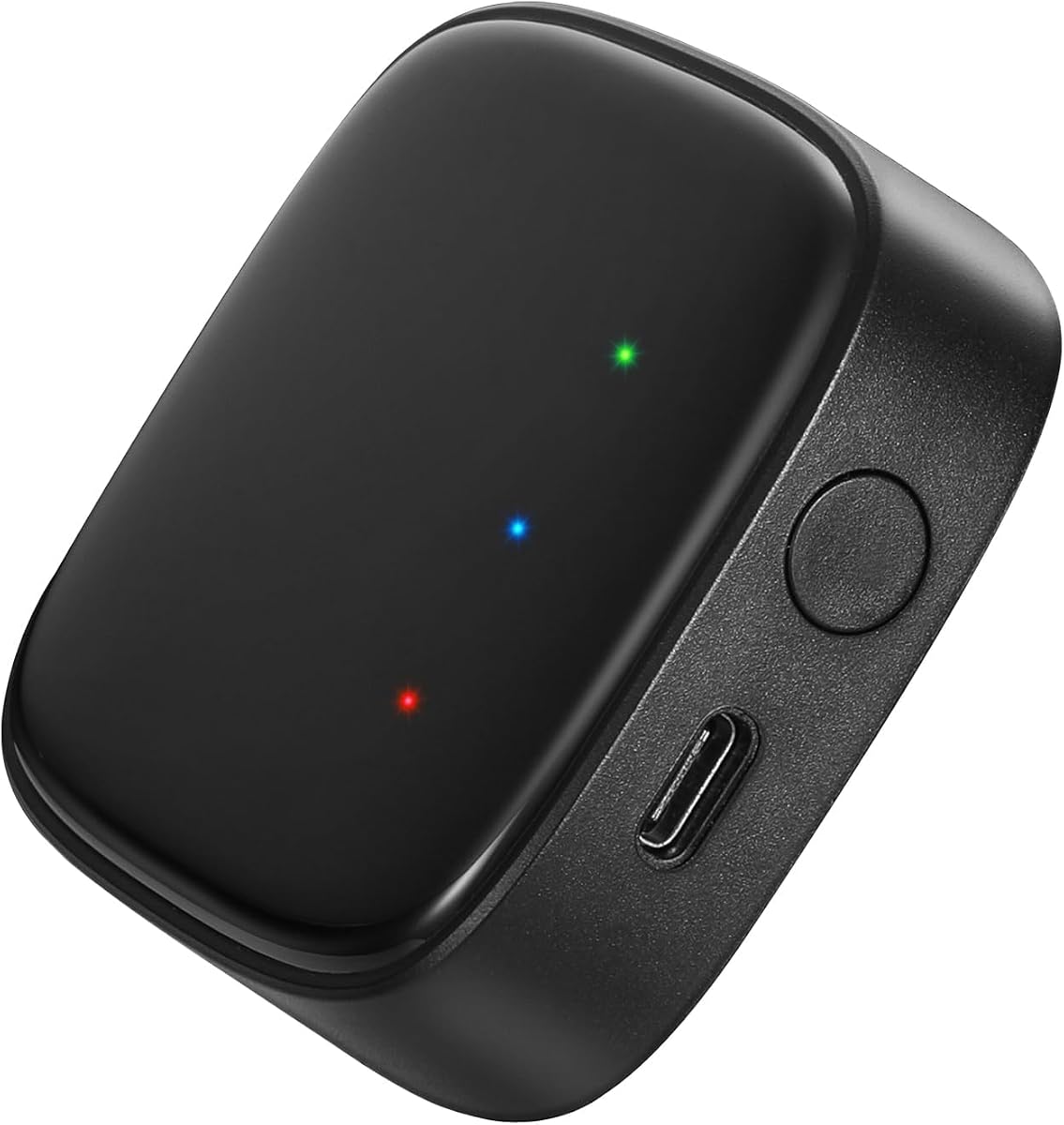
Linkind Outdoor Lights Smart Hub
4.2Editor score
Controls up to 32 lights
Bluetooth Mesh group control
Alexa and Google Assistant
43 dynamic preset scenes
Explore the best smart home lighting hub options, comparing compatibility, local control, wireless protocols, automation features, and ease of setup for 2026.
A smart home lighting hub acts as the control center for connected bulbs, switches, sensors, and other compatible devices. The best option depends on your existing ecosystem, preferred automation platform, wireless standards, and tolerance for setup. A capable hub should make everyday lighting convenient while improving reliability, security, and control.
We compared all ten products by examining their stated compatibility, supported connection methods, automation capabilities, device capacity, installation requirements, and standout features. The list includes dedicated lighting hubs, general smart home controllers, and hub-free lighting products that provide useful alternatives for homes not ready for a central bridge.
Each review identifies the product most suitable for a particular type of buyer, whether that means starting with a focused lighting system, consolidating several device standards, or building a local-first smart home. Ratings and specifications reflect the supplied product information, while prices and availability can change at any time.
4.2Editor score

4.5Editor score

4.5Editor score
The table below compares dedicated lighting bridges, universal smart home hubs, and direct Wi-Fi lighting options across compatibility, control methods, automation, and device capacity.


The Philips Hue Bridge is a focused smart lighting hub with a 4.5 rating and a clear emphasis on dependable control. It unlocks automations, remote access, voice control, and expanded Hue functionality from one compact bridge. Its strongest defining feature is the separation between the home network and the Zigbee connection used by compatible lights and accessories, allowing Hue devices to continue operating when the Wi-Fi connection is unavailable.
We may earn a commission when you buy through this link, at no additional cost to you.
Capacity and compatibility make this bridge a strong all-purpose choice within the Philips Hue ecosystem. It can support up to 50 lights and accessories, including compatible outdoor products, while the Hue app provides remote control from anywhere with an internet connection. Compatibility with Amazon Alexa, Apple HomeKit, and Google Assistant makes it suitable for a variety of established smart home setups. Automatic updates also reduce the need for manual firmware maintenance.
The important trade-off is ecosystem focus. This is not a universal bridge for every Zigbee or Z-Wave product; it is designed to unlock the full potential of a Philips Hue system. Entertainment features are also dependent on additional equipment, since movie, television, PC, and music synchronization requires the HDMI Sync Box. Buyers who want a dedicated lighting control center within Hue will find those limitations easy to accept.
Choose the Philips Hue Bridge if you own several Hue lights, want indoor and outdoor integration, or need a hub that keeps basic lighting control working during internet disruptions. It is an especially compelling option for users who want a recognizable, focused lighting ecosystem without taking on the complexity of a general-purpose home automation computer.
The bridge's Zigbee connection keeps compatible Hue devices on a separate, stable network path. As a result, lights can remain controllable when the home Wi-Fi is down, making everyday switching and selected automations more dependable.
Support for up to 50 lights and accessories gives a household meaningful expansion room. That capacity is especially useful for phased installations covering several rooms, hallways, and outdoor spaces.
We may earn a commission when you buy through this link, at no additional cost to you.
The Aeotec Smart Home Hub carries a 4.2 rating and stands out as a multi-protocol controller rather than a single-brand lighting bridge. It functions as a SmartThings hub, Zigbee gateway, Matter gateway, and Z-Wave Plus hub. This wider compatibility makes it appealing to households that want one center for lights, sensors, switches, plugs, climate equipment, and energy-related devices.
We may earn a commission when you buy through this link, at no additional cost to you.
The strongest advantage is the combination of broad device support and local automation. Using the SmartThings app, users can coordinate lighting and other devices around daily routines, while many automations can execute locally for improved speed and reliability. The hub supports both Wi-Fi and wired Ethernet, offering flexibility for apartments, houses, and larger systems where a stable wired connection may be preferable.
Prospective buyers should check the hardware revision before purchasing because Z-Wave Plus support applies to the V3 model. It is also designed for use in North America, an important consideration for buyers in other regions. The product's wider capabilities add complexity compared with a dedicated Hue or Linkind hub, but this is the appropriate trade-off when consolidating multiple smart home standards is the central goal.
Choose the Aeotec Smart Home Hub when your household already combines Zigbee, Matter, Z-Wave, or Wi-Fi accessories and wants a single automation dashboard. It is a better fit for experienced smart home users who value flexibility, local routines, and broad platform support than for someone who only needs to operate one small group of lights.
Supporting Matter, Zigbee, Z-Wave Plus, and Wi-Fi reduces the number of separate bridges required for a mixed-device household. It also gives users a single place to build automations spanning lighting and other connected equipment.
Many routines can run locally, reducing dependence on cloud communication. This can improve response speed and help essential automations remain useful during temporary internet disruptions.
We may earn a commission when you buy through this link, at no additional cost to you.
The Aeotec Smart Home Hub2 is a 4.0-rated, general-purpose hub built around SmartThings, Matter, and Zigbee. It is designed to unify compatible lighting, sensors, plugs, switches, thermostats, and other devices through the SmartThings app. That makes it a practical option for users who want broader home control without managing several separate platforms.
We may earn a commission when you buy through this link, at no additional cost to you.
Local processing is the Hub2's most important feature. Enhanced local automation execution is intended to improve speed and reliability, allowing compatible routines to continue functioning during temporary internet outages. It also supports both Wi-Fi and Ethernet, so users can choose a convenient installation method or use a wired connection for a more stable network. Amazon Alexa and Google Assistant are supported for voice control.
The clearest limitation is the absence of Z-Wave support. Buyers who already own Z-Wave sensors, switches, or locks should not assume those devices can be added to this hub. Its 4.0 rating is also lower than those of several lighting-focused alternatives, so the decision should rest on specific feature needs rather than a single numerical score.
Choose the Hub2 if your connected devices rely on Matter, Zigbee, or Wi-Fi and you want a compact, locally capable SmartThings controller. It is particularly suitable for a new smart home that may grow over time, provided Z-Wave accessories are not part of the plan.
Local automation can make lighting scenes and household routines more responsive. It also helps selected tasks continue working when an internet outage temporarily interrupts cloud-connected services.
Wi-Fi is convenient for many installations, while Ethernet provides a stable wired alternative. This flexibility makes the Hub2 practical for apartments, houses, and expandable systems.
We may earn a commission when you buy through this link, at no additional cost to you.
Home Assistant Green is the official hardware option for users who want extensive control over a local smart home. It carries a 4.4 rating and arrives with Home Assistant already installed, so setup can begin by connecting the included power supply and Ethernet cable. Its purpose is broader than lighting alone, but that broader scope makes it a strong foundation for coordinating lights with switches, sensors, climate devices, and other compatible equipment.
We may earn a commission when you buy through this link, at no additional cost to you.
The hardware is designed for continuous household use. A quad-core processor, 32GB of storage, and 4GB of RAM provide a capable platform for advanced automations, while the small fanless enclosure operates quietly. The system is energy efficient, using only a couple of watts according to the supplied product information. USB expansion lets owners add Z-Wave, Zigbee, or Thread radio hardware when broader device support is needed.
Data handling is a key advantage for privacy-conscious buyers. Home data is kept on the Green and can be viewed, shared, or exported as desired. The trade-off is a steeper learning curve than a simple lighting bridge, and users seeking broad radio compatibility may need to purchase appropriate USB devices separately. It is therefore best suited to people who value customization and local control enough to invest some setup time.
Choose Home Assistant Green when you want one powerful home controller, prefer keeping data in the home, and expect your automation ambitions to grow beyond basic lights. It is an excellent match for Home Assistant users or technically interested buyers who want advanced routines without maintaining a general-purpose computer.
Keeping home data on the device gives users greater visibility and control over their information. It also fits well with users who prefer building a self-contained automation environment.
USB expansion lets the compact Green unit connect to Z-Wave, Zigbee, and Thread USB devices. That flexibility allows buyers to add the standards their lighting and household equipment actually require.
We may earn a commission when you buy through this link, at no additional cost to you.
The Kasa Smart Light Bulbs are a 4.5-rated alternative for people who want connected lighting without installing a central hub. This two-pack of A19 bulbs provides 800 lumens, full color changing, dimming, and adjustable white light from 2500K to 6500K. Because the bulbs connect directly to a 2.4GHz Wi-Fi network, they are especially useful for a small apartment, rental, or first smart lighting project.
We may earn a commission when you buy through this link, at no additional cost to you.
The feature set goes well beyond simple on-and-off control. The Kasa app supports remote adjustments, timers, schedules, and sunrise-style routines, while real-time energy monitoring provides useful consumption information. Amazon Alexa and Google Assistant support hands-free control, making the bulbs convenient when entering a dark room or managing a routine while your hands are occupied.
The obvious limitation is that this is a lighting product rather than a universal hub. It will not coordinate unrelated Zigbee or Z-Wave accessories, and it requires a stable 2.4GHz network. It also cannot provide the local resilience offered by a dedicated bridge with an independent wireless connection. These trade-offs are reasonable if your goal is a focused, affordable way to add color and scheduling to compatible fixtures.
Choose the Kasa bulbs when you want a simple, hub-free introduction to smart lighting and do not yet need a broader device platform. They are particularly suitable for renters and first-time users who value app control, voice commands, energy information, and flexible lighting scenes without a complex installation.
Direct Wi-Fi control removes the need to install and configure a central hub. This makes the bulbs a convenient starting point for rooms where a dedicated controller would be unnecessary.
Schedules, timers, and sunrise offsets can automate everyday lighting. These features make the bulbs practical for gradual morning illumination and automatic shutdown at the end of a busy day.
We may earn a commission when you buy through this link, at no additional cost to you.
The Kasa Multicolor Dimmable Wi-Fi Smart Bulb is a 4.4-rated option for adding one flexible light source without a dedicated hub. The A19 bulb combines dimming, 16 million available colors, and adjustable white tones from 2500K to 6500K. Its auto-white mode can follow natural light patterns from dawn to dusk, while preset effects provide options for dining, studying, and decoration.
We may earn a commission when you buy through this link, at no additional cost to you.
Control is available through the Kasa app, Amazon Alexa, and Google Assistant. Remote operation lets users change brightness or color from wherever they are, and energy monitoring provides real-time usage information. The supplied specifications also identify an actual power draw of 9 watts, despite the bulb's 60-watt-equivalent light output, and include a two-year warranty.
Unlike the two-pack in fifth place, this option focuses on a single bulb, which may be useful for testing a lighting behavior before expanding. However, it is not a central controller and cannot manage multiple smart home standards. A 2.4GHz Wi-Fi network is required, and bulb-only networking does not provide the independent connectivity that a bridge can offer during a router outage.
Choose this Kasa bulb for a single room, a specific fixture, or a straightforward test of app-based color lighting. It is a good match for users who do not need a hub but want dimming, vivid color, automated schedules, voice control, and energy visibility in an easy-to-install A19 form.
Users can move from warm-to-cool white light into a broad color spectrum and dim each setting. Automatic color temperature changes add natural-feeling daytime routines without requiring manual adjustments.
Real-time energy monitoring gives users a clearer view of consumption. Scheduling can pair that visibility with automatic operation, making it easier to identify and limit unnecessary runtime.
We may earn a commission when you buy through this link, at no additional cost to you.
The Philips Hue Bridge Pro is a 4.5-rated upgrade for large or expanding Hue installations. It raises the capacity ceiling to more than 150 lights and 50 accessories, making it substantially more scalable than the standard bridge. The upgraded Hue Chip Pro uses a 1.7GHz processor and a quad-core Cortex-A35 CPU, providing the processing capacity for faster responses, more automations, and future-oriented features.
We may earn a commission when you buy through this link, at no additional cost to you.
Storage and memory are also enhanced. With 4GB of DDR4 SDRAM, the bridge is equipped to store up to 500 personalized scenes and additional automations. Hue MotionAware provides an interesting way to create responsive lighting, allowing compatible Hue devices to switch lights on when movement is detected without requiring separate motion sensors for every use case.
Privacy and security are addressed through enhanced controls and the new Zigbee Trust Center, which is designed to prevent unauthorized access. As with the standard Hue Bridge, this is a focused ecosystem product rather than a general controller for Z-Wave, Matter, and Zigbee accessories from every manufacturer. The motion feature also requires compatible Hue devices and intentional configuration.
Choose the Hue Bridge Pro if you have a large Hue system, expect rapid expansion, or regularly create sophisticated scenes. Its capacity, processing power, and MotionAware functionality make it the premium choice for committed Hue users who want their central lighting hub to grow alongside them.
Supporting more than 150 lights and 50 accessories is the defining advantage for expansive homes. It removes the capacity pressure associated with smaller bridges while leaving room for future devices.
Hue MotionAware can use participating Hue devices to detect movement and switch on lights automatically. This can simplify certain responsive scenes without requiring a separate sensor for each setup.
We may earn a commission when you buy through this link, at no additional cost to you.
The Govee Smart Light Bulbs are a 4.6-rated hub-free lighting option with an emphasis on color and entertainment. The A19 bulbs provide 800 lumens, an E26 base, access to 16 million DIY colors, and 54 preset scene modes. This makes them attractive for decorative lighting, parties, gaming spaces, and users who want strong visual effects without a central bridge.
We may earn a commission when you buy through this link, at no additional cost to you.
Music synchronization is the standout feature. When detected sound is available through the phone microphone, the bulbs can change color and brightness in response. The Govee Home app also handles voice commands, brightness changes, color selection, and scenes, while group control allows multiple bulbs and compatible Govee devices to be adjusted together. Timers, schedules, sunrise, and sunset modes add practical daily automation.
There are two important constraints. The bulbs require a stable 2.4GHz Wi-Fi connection for the intended experience, and the A19 model cannot be used with smart switches. Music sync depends on microphone access and is most effective when that microphone is not occupied, so it is not equivalent to a dedicated audio input or a fully independent entertainment hub.
Choose the Govee bulbs when music-reactive effects, rich scene choices, and colorful group lighting matter more than universal hub compatibility. They are a strong match for entertainment-focused rooms and uncomplicated installations where direct Wi-Fi control, voice assistance, and visual routines are sufficient.
Music mode lets color and brightness respond to sound detected through the phone microphone. That creates an immediate visual effect for gatherings, gaming, and other entertainment settings.
With 54 preset modes and a broad custom-color range, the bulbs can be tailored to a dinner, celebration, or quiet evening. Group control reduces the effort of applying a chosen effect across several compatible devices.
We may earn a commission when you buy through this link, at no additional cost to you.
The Linkind Outdoor Lights Smart Hub is a 4.2-rated, focused controller for compatible smart solar spotlights and pathway lights. It extends the stated control distance from 98 feet to 40 meters, allowing lights around a yard or outdoor entertaining area to be adjusted from indoors. Bluetooth Mesh provides the connection between the hub and up to 32 compatible Linkind lights.
We may earn a commission when you buy through this link, at no additional cost to you.
Group control is a major convenience. Through the Aidot app, users can change colors, brightness, scenes, music modes, and other settings across devices simultaneously. The hub offers 43 dynamic preset scenes and multiple music modes, while Amazon Alexa and Google Assistant provide hands-free control. Scheduled start and end times can automate outdoor illumination for parties or everyday use.
This is a specialized hub rather than a universal home controller. Its feature set is designed around Linkind outdoor lighting, and setup requires the Aidot app, Bluetooth, placement 2 to 6 meters from the router, and a 2.4GHz network. It also uses a compatible 5V power adapter and requires a reasonably recent Android or iOS device.
Choose the Linkind hub if your main goal is coordinated outdoor lighting within the Linkind ecosystem. It offers a focused, approachable way to manage groups, extended range, and visual scenes without taking on a more complex general-purpose home automation system.
A stated 40-meter control span is useful for reaching compatible lights positioned farther from the router. Users can change colors, scenes, and lighting modes from within the home.
Bluetooth Mesh group control lets an entire outdoor lighting set be adjusted together. The 43 preset scenes and synchronized music modes are particularly suited to parties and decorative displays.
We may earn a commission when you buy through this link, at no additional cost to you.
The Lutron Caseta Deluxe Smart Dimmer Starter Kit is a 4.7-rated premium lighting system with a complete set of control hardware. The package includes one Lutron Smart Hub, two Caseta smart dimmer switches, two Pico three-button remotes, and two wall plates. It is built for homeowners who want premium dimming, dependable wired control, and a flexible app-based interface rather than bulb-only smart lighting.
We may earn a commission when you buy through this link, at no additional cost to you.
The most important feature is reliability. The Smart Hub works without home Wi-Fi, providing a stable local connection and ultra-fast operation for everyday lighting. That distinction matters in a category where Wi-Fi-based bulbs can become inaccessible during a router or internet problem. Caseta also supports Alexa, Apple HomeKit, Google Home, Ring, and other connected services.
Installation is designed to be accessible. The dimmers can be installed in as little as 15 minutes and do not require a neutral wire, making the system more attainable for many existing homes. Lutron's LED dimming technology supports up to 150W of dimmable LEDs and provides flicker-free operation to low light levels. Pico remotes offer another switch location and have a stated 10-year battery life.
Choose the Caseta kit for existing wired lighting, premium dimming performance, or a household that values local reliability. It is the most complete traditional lighting-control package in the selection, although it requires in-wall installation and represents a more involved starting point than simply replacing a bulb.
Lutron's dimming technology is designed for smooth adjustment down to low light levels. Support for up to 150W of dimmable LEDs makes it suitable for modern, energy-efficient lighting installations.
Pico remotes can be mounted in a standard wallplate or used as a portable control. Their 10-year battery life reduces the inconvenience of routine replacements.
We may earn a commission when you buy through this link, at no additional cost to you.
The right smart home lighting hub depends on the devices you already own, the automation platform you prefer, and how much reliability, flexibility, and installation work you need.
Begin by listing every smart lighting product you own or plan to add. A dedicated Philips Hue bridge works best within the Hue ecosystem, the Linkind hub focuses on compatible outdoor lights, and Home Assistant Green or the Aeotec hubs offer broader support for multiple standards. Hub-free Kasa and Govee bulbs are appropriate only when direct Wi-Fi control meets your needs. Confirm protocol support, brand compatibility, and required app platforms before purchasing.
Choose compatibility first, because an attractive hub cannot control devices outside its supported ecosystem. Prioritize the products and standards you already use rather than buying for theoretical future expansion.
Zigbee, Z-Wave, Matter, Bluetooth Mesh, Thread, and Wi-Fi each have different strengths and device requirements. Zigbee is central to the Hue bridges, while the first Aeotec hub also supports Z-Wave Plus on the V3 model. Home Assistant Green requires compatible USB radio hardware for Z-Wave, Zigbee, and Thread. Direct Wi-Fi bulbs need a 2.4GHz network, and the Linkind hub relies on Bluetooth Mesh for its outdoor lights.
Match the hub to the protocol used by your planned devices. Check the excluded standards carefully, especially when comparing the two Aeotec models.
Local control means that a lighting command or automation can work without depending on a cloud service or continuous internet access. The Philips Hue Bridge states that its Hue lights can work when Wi-Fi is down, the Lutron Smart Hub operates without Wi-Fi, and the Aeotec and Home Assistant options can run many automations locally. Hub-free bulbs are generally more dependent on the availability and stability of their Wi-Fi network.
For bedrooms, hallways, rentals, or homes with unreliable internet, local operation is a particularly valuable feature. Check whether the essential controls and automations remain available during an outage.
A lighting hub is only as useful as the interface used to create its automations. The Hue products are built around Philips Hue, the Aeotec hubs use SmartThings, and Home Assistant Green runs the official Home Assistant platform. Linkind uses the Aidot app, while Kasa and Govee use their respective mobile applications. Voice assistant support can include Alexa, Google Assistant, Apple HomeKit, and other services depending on the product.
Consider the learning curve and the importance of local data to your household. If you already maintain one platform, continuing with it will usually make setup and daily management more cohesive.
Capacity determines how far a hub can grow. The standard Philips Hue Bridge supports up to 50 lights and accessories, the Hue Bridge Pro supports more than 150 lights and 50 accessories, and the Linkind hub can connect to 32 compatible lights. The Lutron kit begins with two dimmers and two Pico remotes but expands through additional switches and remotes. For broader hubs, lighting capacity depends on the number and type of compatible devices.
Count not only current lights but also switches, sensors, and likely future additions. A larger capacity allowance reduces the chance of replacing a controller simply because the household has expanded.
Voice control is useful when your hands are full or when operating a light in a dark room. Most products in this selection support Amazon Alexa, Google Assistant, or Google Home. The Philips Hue Bridge also states compatibility with Apple HomeKit, and the Lutron Caseta kit supports Alexa, Apple HomeKit, Google Home, Ring, and more. The Home Assistant Green is focused on the Home Assistant ecosystem rather than listing a particular voice assistant among its core specifications.
Verify the exact assistant and service support you use. Voice availability can also depend on the country or region in which the products are installed.
Some lighting systems can begin with a bulb replacement, while others require new hardware or wiring. Kasa, Govee, and Hue bulbs can replace compatible existing bulbs, although the Govee A19 is not compatible with smart switches. The Linkind hub needs an outlet, USB power, and placement near the router. The Lutron Caseta kit requires replacing wall switches but does not require a neutral wire. Home Assistant Green requires a power connection and Ethernet setup.
Choose the simplest method that supports your goals. If you rent, bulb-based products may be more practical; if you own your home, wired controls can offer greater stability and a more integrated appearance.
Entertainment, outdoor lighting, and motion response are specialized needs that can determine the right product. Govee emphasizes music synchronization and 54 scene modes, Linkind targets outdoor groups with 43 dynamic scenes, and the Hue Bridge Pro adds Hue MotionAware. The Lutron kit focuses on wired dimming quality, including flicker-free LED performance. Philips Hue entertainment synchronization requires a separate HDMI Sync Box.
Prioritize a specialized feature only when it addresses a real routine. Otherwise, a broader hub with dependable local automations may deliver more value across the whole home.
Begin with the manufacturer's supported app and complete the initial setup near the router or intended hub location. For a dedicated bridge, connect the power and network cables, register the device, and install any required firmware updates before adding lights. Multi-protocol controllers should also receive compatible USB radios where needed, while direct Wi-Fi bulbs should be placed within a stable 2.4GHz network. Naming rooms and devices clearly makes later automations easier to manage.
Add devices in small groups rather than attempting an entire home at once. Confirm that each light can be switched, dimmed, and placed in a favorite scene before moving to the next fixture. Create separate routines for common situations such as arriving home, watching a movie, entertaining outdoors, or leaving for work. Test voice commands after creating the corresponding app routines, and document the exact trigger, delay, and device grouping used in each automation.
For dependable operation, keep the hub firmware and mobile apps updated, confirm that the central hub remains connected to its network, and avoid placing it in an enclosed or overheated location. Check that wireless routers still support the required 2.4GHz band for direct Wi-Fi bulbs. Periodically review account access, device groups, and scheduled routines, especially if bulbs or hub hardware are replaced.
Some hubs do, while hub-free Wi-Fi bulbs generally do not. The Philips Hue Bridge, Lutron Smart Hub, and products with local automation support are designed to keep essential lighting functions available during an internet or Wi-Fi interruption. Products that connect bulbs directly to a 2.4GHz router still need that local network to operate.
A lighting bridge is designed primarily to coordinate lights and accessories from one ecosystem. A universal hub can manage broader combinations of lighting, sensors, switches, plugs, thermostats, and other connected equipment. The Philips Hue Bridge and Linkind hub are more focused, while the Aeotec hubs and Home Assistant Green support wider device integration.
It depends on the hub and the dimmer. The Lutron Caseta kit includes dedicated smart dimmer switches and a Lutron Smart Hub, making it a purpose-built wired lighting system. Other hubs may control compatible smart bulbs or switches, but they generally do not convert ordinary mechanical dimmers into connected controls.
Matter support can be valuable if you want a common standard for connecting accessories from participating manufacturers. It is not the only consideration, however. You should also verify Zigbee, Z-Wave, Thread, Bluetooth, or Wi-Fi support, the required mobile app, voice assistant compatibility, and whether essential automations can run locally.
Capacity varies substantially by product. The standard Philips Hue Bridge supports up to 50 lights and accessories, the Hue Bridge Pro supports more than 150 lights and 50 accessories, and the Linkind Outdoor Lights Smart Hub connects up to 32 compatible lights. For broader smart home hubs, practical capacity depends on the radios installed, the device types, and the resources allocated to the platform.
No. The Kasa and Govee bulbs in this guide connect directly to a 2.4GHz Wi-Fi network and are controlled through their companion apps. A dedicated hub becomes useful when you need broader device compatibility, local operation, larger capacity, more sophisticated automation, or a single control center for multiple lighting ecosystems.
Yes, but compatibility depends on the lighting product and service. Most options support Amazon Alexa or Google Assistant, while the Philips Hue Bridge and Lutron Caseta kit also list Apple HomeKit support. Voice control may also require the corresponding app setup, linking of accounts, and assignment of lights to rooms or groups.
Choose hardware that explicitly supports local control and check which commands remain available offline. The Hue Bridge, Lutron Smart Hub, Home Assistant Green, and supported Aeotec automations are better suited to this goal than Wi-Fi-only bulbs. Even with a local-capable hub, remote access and cloud-dependent features will naturally stop working while the internet connection is unavailable.
The Philips Hue Bridge is the strongest general recommendation for a focused Hue system, combining a 50-light capacity, Matter support, automatic updates, and lighting operation that continues when Wi-Fi is unavailable. The Hue Bridge Pro is the better choice for larger installations, advanced processing, extensive scene storage, and Hue MotionAware. For a single-room or small lighting project, the Kasa and Govee bulbs offer simpler direct Wi-Fi control without a bridge.
Prioritize compatibility before features. Dedicated controllers are convenient within their own ecosystems, while Home Assistant Green and the Aeotec hubs make more sense for households that need multiple protocols or local automations. The Lutron Caseta kit stands apart for premium wired dimming, while the Linkind hub is tailored to compatible outdoor lighting. The right hub is the one that supports your devices, routines, and installation constraints.
Before purchasing, verify the current product details, regional compatibility, required accessories, and support for the devices you already own. Ratings, features, and availability can change, and prices fluctuate over time. Reviewing the current listing and manufacturer documentation will help ensure that the selected smart home lighting hub fits both present needs and future expansion.
