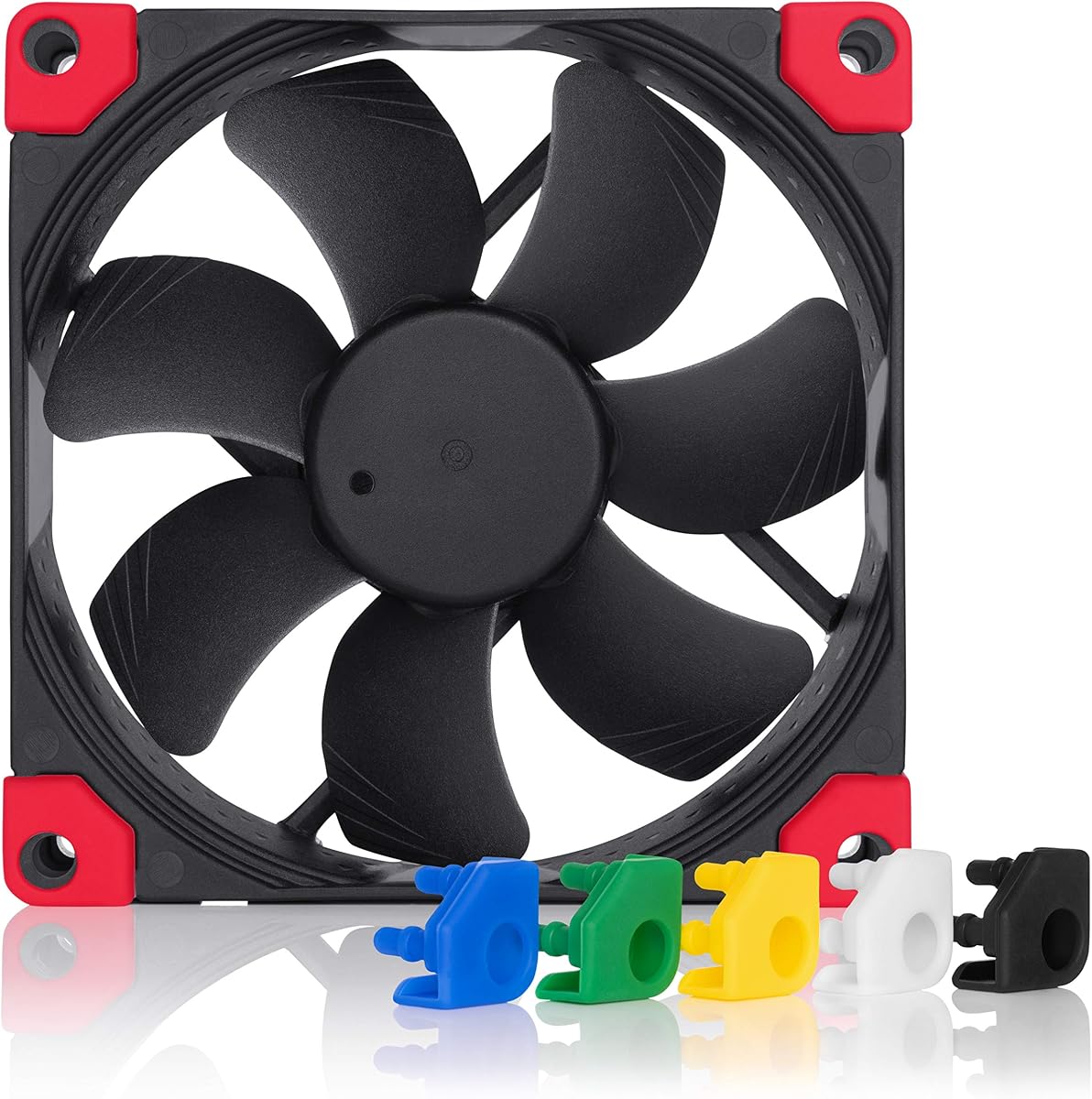
ARCTIC P9 PWM PST
4.5Editor score
PWM control from 200–3000 RPM
Strong 3.12 mmH₂O pressure
Zero-RPM mode at low demand
Discover the 10 best 92mm case fans, comparing airflow, static pressure, PWM control, acoustic design, thickness, and cooling applications for compact PCs.
A 92mm case fan is a versatile upgrade for compact computers, small-form-factor builds, NAS enclosures, and 92mm CPU coolers. The right model balances airflow, static pressure, acoustic comfort, control options, and physical depth. A fan that looks powerful on paper may still perform poorly when forced through a restrictive grille or mounted in a very confined enclosure.
This guide compares ten 92mm fans using the specifications and supplied product information. It covers standard 25mm-thick models, slim 14mm and 15mm options, fixed-speed and PWM-controlled designs, three-pin and four-pin connectors, and fans intended for cases, radiators, heatsinks, or low-profile CPU coolers.
Each review highlights the strongest reason to consider a particular fan, along with relevant limitations and compatible applications. Product ratings and specifications can change as manufacturers revise their listings, and prices also fluctuate, so shoppers should confirm the current details at the linked listing before making a final purchasing decision.
4.5Editor score

4.8Editor score

4.8Editor score
The comparison below places all ten 92mm fans side by side, focusing on dimensions, maximum speed, control method, and airflow or pressure characteristics that determine the most suitable installation.



The Noctua NF-A9 PWM is a well-rounded 92x25mm fan for compact systems that need a quieter, more controlled alternative to a basic case fan. It carries a 4.8 rating and is supported by a stated maximum speed of 2000 RPM, a maximum acoustic rating of 22.8 dB(A), and an MTTF figure above 150,000 hours. Its core selling point is the combination of PWM control and a wide operating range rather than a single headline specification.
We may earn a commission when you buy through this link, at no additional cost to you.
The fan uses Flow Acceleration Channels and an Advanced Acoustic Optimisation frame, according to the supplied information. Its speed range extends from 400 to 2000 RPM, allowing a system to run quietly under moderate load and increase airflow when temperatures rise. The supplied Low-Noise Adaptor can limit maximum speed to 1550 RPM, while the extension cable and y-cable make the package more flexible when adding a second PWM fan.
This is a standard 25mm-thick model, so it will not fit everywhere a 14mm or 15mm fan can. Its maximum speed is also lower than the 3000 RPM of the ARCTIC P9 PWM PST and the 4300 RPM of the P9 Max. Those limitations are reasonable for buyers who value acoustic refinement, flexible RPM settings, and the included installation accessories over maximum speed.
The NF-A9 PWM is a strong recommendation for a 9cm CPU cooler, compact desktop, NAS, or small-form-factor PC. It is especially suitable when the motherboard has a 4-pin PWM header and the build requires a conventional 92x25mm profile. Those wanting the quietest full-range Noctua design may also appreciate its lower acoustic ceiling, while builders with very limited clearance should examine the slimmer Noctua alternatives.
The broad 400–2000 RPM range gives the motherboard room to reduce fan speed when heat and workload permit. The included Low-Noise Adaptor further narrows the upper limit to 1550 RPM, making the fan easy to tune for acoustics in close-listening environments.
Anti-vibration mounts, screws, an extension cable, a y-cable, and the Low-Noise Adaptor support several common installation scenarios. These included pieces are particularly useful in compact cases where cable routing and mounting can be more involved.
We may earn a commission when you buy through this link, at no additional cost to you.
The ARCTIC P9 PWM PST combines a 92mm format, 200–3000 RPM speed range, and a zero-RPM mode in an accessible package. Its 4.5 rating reflects a favorable buyer response, while the supplied specifications show 38.83 CFM airflow, 3.12 mmH₂O static pressure, and a four-pin connector with a four-pin socket. It is a practical choice for a builder who wants more control than a fixed-speed fan offers.
We may earn a commission when you buy through this link, at no additional cost to you.
The PWM system allows the fan to stop below 5 percent PWM and run at an infinitely variable speed above that level. That behavior can help reduce unnecessary operation during periods of low demand. The stated static pressure also makes the fan suitable for heat sinks and radiators, where a fan has to push air through restrictive fins rather than simply circulate it through an open case.
The principal drawback is that the supplied information does not provide a maximum noise figure. ARCTIC describes the motor as quiet at low speed, but buyers who require a published decibel rating for a precise acoustic comparison may prefer a model with that figure clearly stated. The zero-RPM function also depends on compatible motherboard control and a suitable setup for the operating system.
The P9 PWM PST is well suited to budget-conscious compact PC builds, radiators, and standard 9cm CPU coolers. It offers a stronger speed ceiling and more control than fixed-speed alternatives, while the cable splitter simplifies connecting two fans to one available header. For shoppers who want practical PWM performance without focusing on cosmetic accessories, it is a compelling option.
Below 5 percent PWM, the fan can remain stopped, and its speed becomes infinitely variable above that point. This makes it a good match for systems configured to emphasize quiet operation during lighter workloads.
A stated pressure of 3.12 mmH₂O supports use on heat sinks and radiators. That characteristic is more relevant than raw fan size when air must pass through a narrow or obstructed path.
We may earn a commission when you buy through this link, at no additional cost to you.
The Noctua NF-A9x14 HS-PWM chromax.black.swap is a premium slim fan for constrained installations where every millimeter matters. It measures 92x92x14mm, reaches a maximum of 2500 RPM, and has a stated maximum noise level of 23.6 dB(A). Its 4.8 rating and feature set make it a strong option for low-profile CPU coolers, HTPCs, and small-form-factor cases.
We may earn a commission when you buy through this link, at no additional cost to you.
This model uses Flow Acceleration Channels and an AAO frame system, with a stated MTTF above 150,000 hours. Its 500–2500 RPM HS-PWM range provides useful control, and standstill at 0 percent PWM enables semi-passive operation. The black housing is complemented by self-adhesive anti-vibration pads in red, black, white, blue, green, and yellow, allowing the fan to coordinate with a build rather than relying on a single standard color.
As a 14mm fan, it trades some physical depth for fit flexibility. The listed maximum speed is substantial for its size, but it does not match the 4300 RPM ceiling of the ARCTIC P9 Max or the 3000 RPM range of the P9 PWM PST. The semi-passive behavior also depends on the fan being connected to a control setup capable of stopping it safely.
Buyers should choose this fan when low-profile CPU cooler clearance is the primary concern and a polished, quiet-oriented design matters. It is less suitable for a builder seeking the highest possible speed from a standard-depth 92mm fan. For those applications, the regular NF-A9 PWM or ARCTIC models provide additional depth and speed options.
The 14mm depth makes this model especially suitable for 9cm low-profile CPU coolers such as the Noctua NH-L9 series. It is also useful in HTPC and ITX cases where a standard 25mm fan may not fit.
The HS-PWM connection permits standstill at 0 percent PWM, while the included pad colors make cosmetic customization straightforward. The combination suits builds that need precise space savings and visual flexibility.
We may earn a commission when you buy through this link, at no additional cost to you.
The Noctua NF-A9x14 PWM is a slim 92mm fan that combines a four-pin PWM connection with the compact dimensions needed by low-profile coolers and small cases. It has a 4.8 rating, and the supplied information identifies a 92x92x14mm frame, 4-pin PWM connectivity, and an SSO2 bearing. The model provides a familiar alternative to the more elaborately featured chromax.black.swap version.
We may earn a commission when you buy through this link, at no additional cost to you.
The main practical benefit is its 14mm thickness. That profile can make the difference between a workable installation and one that requires a different cooler when clearance around a heatsink, drive cage, or expansion card is limited. Four-pin PWM control also allows motherboard software to manage the speed according to the system's cooling strategy, subject to normal PWM configuration.
The supplied listing information is less detailed than it is for the more premium NF-A9x14 variants. It does not provide a speed range, maximum noise figure, airflow figure, or MTTF, so it is not possible to make a complete like-for-like comparison from this data alone. Buyers should review the current product listing and manufacturer documentation for those details before finalizing a purchase.
This fan is a logical choice for a compact build that values a slim profile, four-pin PWM control, and the established Noctua product line without requiring the color-customization accessories of the chromax.black.swap model. It is also a practical candidate for a 9cm CPU cooler or an ITX enclosure where depth is more important than maximum speed.
The four-pin connection makes the fan straightforward to integrate with common motherboard fan control. It is a better fit for variable-speed operation than a three-pin model, provided the board or controller supports PWM signaling.
At 14mm thick, the fan can fit where a standard 25mm model would be too deep. This is its clearest advantage over many conventional 92mm case fans.
We may earn a commission when you buy through this link, at no additional cost to you.
The Thermalright TL-P9 is a 92x25mm four-pin PWM fan aimed at builders who want useful cooling performance and installation versatility. Its 4.7 rating places it among the stronger customer-rated options in this list, while the listed maximum speed is 2200 RPM. The fan can serve as a case fan or assist with a downward CPU cooler, heatsink, or radiator installation.
We may earn a commission when you buy through this link, at no additional cost to you.
Automatic motherboard control is possible through the four-pin PWM cable, allowing the speed to respond to motherboard temperature. A seven-blade design supports the stated heat-dissipation role, and four soft silicone or vibration-damping pads around the corners help reduce vibration and noise. The supplied information also identifies an S-FDB bearing designed to limit blade shake while supporting durability and cooling performance.
The listing does not provide a numerical airflow, static pressure, or maximum noise specification. That makes the fan harder to compare directly with the ARCTIC P9 models or the Noctua fans whose acoustic and pressure data are more prominent. Buyers prioritizing a particular acoustic target may want to investigate those unpublished figures or consider a model with more complete technical information.
The TL-P9 is a good general-purpose option for a desktop, compact case, radiator, or CPU cooler that accepts a 92x25mm fan. It combines a useful speed ceiling with automatic control and vibration-isolating corners. It may be especially attractive to a builder who wants one versatile fan for several cooling roles rather than a model specialized only for a narrow installation.
The four-pin PWM interface allows the motherboard to determine speed from temperature. This reduces the need for manual adjustment and can help keep the fan quiet when additional cooling is not required.
Four damping pads are positioned around the fan frame to help limit transferred vibration. Combined with the seven-blade rotor and S-FDB bearing, they form a sensible package for noise-conscious compact builds.
We may earn a commission when you buy through this link, at no additional cost to you.
The ARCTIC P9 Silent is a 92mm case fan focused on simple extra-quiet operation and useful static pressure. It has a 4.6 rating and a listed maximum speed of 1900 RPM. Unlike a PWM model, its speed can be changed under voltage control, making it a natural fit for systems that use traditional fan headers or fan controllers.
We may earn a commission when you buy through this link, at no additional cost to you.
The supplied information highlights high static pressure as a reason to use the fan around heat sinks and radiators, where restricted airflow can reduce cooling performance. Its bearing combines an alloy and lubricant developed in Germany, with the stated goal of reducing friction and preventing excessive heat buildup. This construction is relevant not only to longevity but also to consistent low-speed operation.
The main limitation is the absence of four-pin PWM control. Voltage-based control can still work, but it generally offers a less granular relationship between temperature and fan speed than PWM. Its 1900 RPM ceiling is also below the 2200 RPM of the Thermalright TL-P9, the 2500 RPM of the premium slim Noctua, and the substantially higher ceilings of the PWM ARCTIC models.
The P9 Silent is a sensible option for a simple compact PC, NAS, or small-form-factor case with a conventional 92mm fan mount. It suits users who value an extra-quiet design and pressure capability without needing a full four-pin PWM connection. For motherboard-driven fine-tuning, however, the P9 PWM PST is the more flexible member of this product family.
The high static pressure helps the fan move air effectively through heatsinks and radiators. This makes it more versatile than a general open-case fan when the installation includes restrictive fins or a tight grille.
Voltage-based speed control is a practical alternative when the system lacks a four-pin PWM header. The trade-off is less precise control than the PWM models in this comparison.
We may earn a commission when you buy through this link, at no additional cost to you.
The Noctua NF-A9 PWM chromax.Black.swap delivers the same fundamental 92x25mm format and 400–2000 RPM range as the standard NF-A9 PWM, but adds an all-black appearance and a substantial set of color options. It carries a 4.8 rating, a maximum stated acoustic level of 22.8 dB(A), and an MTTF figure above 150,000 hours. Its main differentiator is the combination of cooling features and visual customization.
We may earn a commission when you buy through this link, at no additional cost to you.
Flow Acceleration Channels, an Advanced Acoustic Optimisation frame, and a four-pin PWM interface support controlled, quiet cooling. The fan can stop at 0 percent PWM for semi-passive systems, allowing it to stop when temperatures permit. It is listed as suitable for 9cm CPU coolers, compact PC cases, NAS devices, and other space-conscious equipment.
The included anti-vibration pads provide four pads in each of red, black, white, blue, yellow, and green. This makes it easy to coordinate the fan with a themed build or replace damaged pads without sourcing separate accessories. The trade-off is that this color-customization focus does not make the fan thinner or faster than the standard NF-A9 PWM, and it retains the full 25mm depth.
This model is an excellent choice for a builder who wants the NF-A9 PWM platform but prefers a completely black frame and has an interest in coordinated colors. It works well in a compact PC, NAS, or 9cm CPU cooler where quiet operation and visual integration matter. It is less appropriate for a build with extremely limited depth, where the 14mm or 15mm options are better.
The fan's black finish can blend into dark components, while the alternate anti-vibration pads provide a visible accent. This customization is a genuine feature rather than a change limited to the box or packaging.
Stopping at 0 percent PWM allows the fan to remain inactive when the cooling demand is low. With a proper fan curve, this can make a compact system feel quieter during routine operation.
We may earn a commission when you buy through this link, at no additional cost to you.
The TL-9015B CPU Cooler Fan combines a slim 15mm frame with a listed maximum speed of 2700 RPM. It has a 5.0 rating, the highest numeric rating in this group, and provides more complete performance figures than many alternatives. Stated maximum airflow is 42.58 CFM, while maximum static pressure is 1.33 mmH₂O.
We may earn a commission when you buy through this link, at no additional cost to you.
Four-pin PWM control allows motherboard-based automatic speed adjustment, with the speed responding to the system's temperature configuration. Four vibration-damping pads are positioned around the frame to help reduce vibration and noise. Its 15mm thickness makes it suitable for cases, radiators, CPU coolers, and other applications where a full 25mm fan would be too deep.
The fan's 2700 RPM maximum gives it a notable speed ceiling for a slim model. However, its 1.33 mmH₂O pressure figure is considerably below the 3.12 mmH₂O listed for the ARCTIC P9 PWM PST and the 6.17 mmH₂O listed for the P9 Max. This distinction matters when the fan faces a restrictive radiator, dense heatsink, or tight filter rather than open case space.
The TL-9015B is a strong candidate for a slim CPU cooler or compact desktop that needs more speed than a typical low-profile fan provides. It also suits a builder who wants a thin fan with a clearly stated maximum speed and airflow. For extremely restrictive cooling paths, though, a standard-depth ARCTIC model may offer a better pressure-oriented alternative.
The 15mm profile preserves compatibility with tighter CPU coolers and compact cases. Reaching a stated 2700 RPM gives the fan more potential speed than many other slim 92mm options.
The listing states 42.58 CFM maximum airflow and 1.33 mmH₂O maximum pressure. These values make it easier to determine whether the fan suits an open case or a more restrictive cooling assembly.
We may earn a commission when you buy through this link, at no additional cost to you.
The Noctua NF-A9 FLX is a 92x25mm fan designed around quiet, manually selected operating levels. Its three speed settings are 1600, 1250, and 1050 RPM, and the maximum acoustic figure is 17.1 dB(A), the lowest stated maximum in this comparison. It carries a 4.7 rating and a stated MTTF above 150,000 hours.
We may earn a commission when you buy through this link, at no additional cost to you.
Unlike a four-pin PWM fan, the FLX uses a three-pin Molex connection and relies on Low-Noise Adaptors to select one of its three speeds. The package includes both Low-Noise and Ultra-Low-Noise Adaptors, as well as an extension cable and a 3-to-4-pin power-supply adaptor. Flow Acceleration Channels and the Advanced Acoustic Optimisation frame remain central to the stated cooling and acoustic design.
This approach gives users fine-grained control over noise, but it does not provide the continuous, temperature-responsive adjustment available through PWM. The maximum 1600 RPM setting is also lower than the speed ceilings of all four-pin models in this list. As a result, the fan is best suited to systems where quiet operation matters more than maximum cooling output.
The NF-A9 FLX is an excellent choice for a 9cm CPU cooler, compact PC, NAS, or other small device that can operate comfortably at lower speeds. It is particularly attractive in a quiet workstation, home theater computer, or recording environment where fan noise would be distracting. Builders wanting automatic response to temperature changes should favor a PWM model instead.
The 1600, 1250, and 1050 RPM options give users a simple way to choose between stronger airflow and quieter operation. This is easier to predict than a fan that responds continuously to software settings.
The stated maximum of 17.1 dB(A) makes this model compelling for acoustically sensitive systems. The lower noise target comes with a lower maximum speed, so thermal headroom should be considered before installation.
We may earn a commission when you buy through this link, at no additional cost to you.
The ARCTIC P9 Max is the performance-oriented 92mm model in this comparison. It has a 4.6 rating, a 450–4300 RPM range, 58.25 CFM airflow, and 6.17 mmH₂O static pressure. Those figures give it the highest stated maximum speed, airflow, and pressure among the ten products, making it the obvious candidate when cooling performance is the priority.
We may earn a commission when you buy through this link, at no additional cost to you.
Its four-pin PWM connection provides infinitely variable control above 5 percent PWM, while the fan can stop below that threshold in zero-RPM mode. The 450 RPM lower limit also provides a useful baseline when the system is active. A fluid dynamic bearing is specified to support long service life, quiet operation at lower speeds, and stronger output at maximum speed.
The central trade-off is that maximum performance can produce more noise than a quiet-focused 92mm fan. The supplied information does not provide a maximum decibel figure, so buyers should not assume the P9 Max will be as discreet as models with explicitly quiet specifications. Its 25mm depth also means it is unsuitable for the most constrained low-profile cooler positions.
The P9 Max is best for a compact workstation, gaming build, NAS, or other system with substantial heat and a standard 92x25mm mounting position. It is especially attractive when the fan must overcome a restrictive heatsink, radiator, grille, or filter. For a quiet office PC where moderate cooling is sufficient, a lower-speed model may be a better match.
The 4300 RPM maximum is far above the ceilings of the other listed 92mm models. It provides substantial headroom for short, high-load cooling bursts and demanding compact systems.
A stated 6.17 mmH₂O static pressure supports use on heat sinks and radiators. It is particularly relevant where a dense fin stack or narrow intake reduces the effectiveness of an open-case fan.
We may earn a commission when you buy through this link, at no additional cost to you.
Selecting a 92mm fan requires balancing physical clearance, cooling demand, noise expectations, connector type, and control features. The following factors help narrow the field before comparing individual models.
Fan depth is one of the most consequential compatibility details. A standard 92x25mm model offers more room for airflow structure, while 14mm and 15mm options can fit beneath low-profile CPU coolers, beside components, or inside unusually tight small-form-factor cases. Measure from the mounting surface to the nearest obstruction rather than relying only on the case's nominal fan bay, because cables, motherboard components, and cooler frames can reduce usable space.
Four-pin PWM fans can be adjusted more precisely according to temperature, making them preferable for systems that should become quieter during light workloads. A three-pin fan may be controlled through voltage or discrete adaptors, while a fixed-speed design is simpler but offers less opportunity to balance cooling and noise. Zero-RPM or semi-passive behavior is useful in a quiet computer, but it requires a compatible controller and a safe system fan curve.
Airflow describes how much air a fan can move, while static pressure indicates how well it can push that air through resistance. A radiator, dense heatsink, fine filter, narrow grille, or tightly packed drive cage can reduce cooling even when a fan has a healthy airflow rating. Pressure-oriented options such as the ARCTIC P9 PWM PST, P9 Silent, and P9 Max are specifically described as suitable for heat sinks and radiators.
Maximum RPM is useful for comparing potential output, but it does not directly determine everyday noise. Fan acoustics depend on blade design, frame geometry, motor characteristics, bearing quality, and the operating point. Products with published maximum noise figures provide a clearer basis for comparison: the Noctua NF-A9 PWM and chromax.Black.swap list 22.8 dB(A), the slim HS-PWM model lists 23.6 dB(A), and the NF-A9 FLX lists 17.1 dB(A).
A 92mm fan may serve as an intake, an exhaust fan, a radiator fan, a heatsink fan, or an addition to a low-profile CPU cooler. Standard case positions usually reward airflow, while restrictive components reward static pressure. The Thermalright TL-P9 and TL-9015B are described as usable across several of these roles, while Noctua models are explicitly positioned for 9cm CPU coolers, compact PCs, NAS devices, and other compact equipment.
Accessories can make a substantial difference in a cramped installation. The Noctua NF-A9 PWM includes anti-vibration mounts, screws, a Low-Noise Adaptor, an extension cable, and a y-cable. The ARCTIC P9 PWM PST includes a cable splitter, while the NF-A9 FLX includes multiple speed adaptors and a 3-to-4-pin power-supply adaptor. These parts can reduce the need for extra purchases and make dual-fan or alternative-header arrangements easier to wire.
A fan that can stop entirely can be useful in a quiet office, HTPC, or lightly loaded computer. The ARCTIC P9 PWM PST and P9 Max stop below 5 percent PWM, while the Noctua NF-A9 PWM chromax.Black.swap stops at 0 percent PWM. The 14mm HS-PWM Noctua also supports standstill at 0 percent PWM. This behavior should be coordinated with motherboard settings to prevent a component from repeatedly starting and stopping or running with inadequate cooling.
Customer ratings can provide useful context about overall satisfaction, while the supplied specifications explain the intended use. The two should be used together rather than treating either as a substitute for the other. A highly rated slim model may still be wrong for a full-size radiator, and a high-speed model may be unnecessary for a lightly loaded NAS. Check the dimensions, connector, control method, and intended application before relying on a rating alone.
Before installation, confirm that the fan's dimensions match the mounting area, inspect the connector for damage, and identify whether the system provides a four-pin PWM header, a three-pin header, or another supported power source. Arrange the supplied cable and accessories before tightening the fan so that the connector does not pull against the frame. For slim models, verify the surrounding CPU cooler and case components leave sufficient room for the complete 14mm or 15mm profile.
Install the fan with the airflow direction matching the intended path: an intake generally directs air into the case, while an exhaust fan directs air outward. Attach it firmly but avoid overtightening, and use anti-vibration pads or mounts where available. Connect PWM models to an appropriate four-pin header, and configure a fan curve in the motherboard software that accounts for the fan's minimum speed, zero-RPM threshold, and the system's cooling requirements.
After installation, confirm that the fan spins freely, that cables do not touch rotating blades, and that the intended airflow is not blocked. Listen for rubbing, vibration, or clicking and verify that the motherboard reports the expected operating behavior. Clean dust from the frame and blades with a soft brush or suitable compressed-air technique, disconnect power before servicing, and revisit the fan curve if operating temperatures or noise levels change.
92mm case fans are used for case intake and exhaust positions, compact NAS enclosures, radiators, heatsinks, and compatible 9cm CPU coolers. Their relatively small size makes them especially useful in small-form-factor and low-profile systems. The best model depends on available depth, airflow restrictions, and connector compatibility.
A 92mm fan is often the only practical option in a compact enclosure or low-profile CPU cooler. A 120mm fan generally has more room for a larger frame and blade area, but the available mounting area matters more than the nominal fan size. A well-matched 92mm fan can also make more effective use of a very restricted installation.
Thin 92mm fans can be effective when the design, airflow path, and cooling demand are suitable. The Noctua NF-A9x14 HS-PWM reaches a stated 2500 RPM, while the TL-9015B reaches 2700 RPM. However, some standard-depth alternatives provide greater static pressure, making them better for particularly restrictive radiators or heatsinks.
A three-pin fan typically uses voltage-based control, while a four-pin fan adds a PWM control signal. Four-pin PWM models generally allow more precise adjustment to system temperature. The Noctua NF-A9 FLX uses a three-pin Molex connector, while the other variable-speed options in this guide use four-pin PWM connections.
A zero-RPM mode is intended to reduce unnecessary fan operation when cooling demand is low. It is useful for reducing noise and can eliminate needless power consumption, but it must be configured properly so the fan starts before temperatures become critical. Compatibility with the motherboard or controller is essential.
Start by lowering the fan's speed through PWM control, voltage control, or the appropriate Low-Noise Adaptor. Proper mounting with anti-vibration pads can also reduce transferred vibration. If noise remains excessive, check for interference with a cable, a loose frame, a blocked intake, or a cooling demand that is higher than the fan's operating range.
No. Although all models in this guide use a 92mm face size, they differ in depth, connector, speed range, airflow, static pressure, and acoustic specifications. A 92x14mm fan may fit a CPU cooler that cannot accept a 92x25mm model, while a higher-pressure 25mm fan may be better on a radiator.
Only when it is correctly paired with a compatible CPU heatsink or down-draft cooler. The fan itself moves air rather than transferring heat directly from the processor. Several products in this guide are listed as suitable for downward coolers, but bracket, connector, and mounting compatibility must be confirmed before installation.
The Noctua NF-A9 PWM is the most balanced overall choice for buyers who want a 25mm fan with a broad PWM range, a quiet-focused design, and useful accessories. The ARCTIC P9 PWM PST stands out as the best budget-oriented option, offering a wide 200–3000 RPM range, zero-RPM mode, and strong static pressure, while the Noctua NF-A9x14 HS-PWM chromax.black.swap offers the best premium combination of slim dimensions, refined control, and customizable appearance.
The right decision for every other situation depends on the installation. Choose a high-speed model such as the ARCTIC P9 Max for demanding cooling or restrictive components, a slim model for low-profile CPU coolers, and a quieter fixed or manually controlled option for a lightly loaded, acoustically sensitive system. Connector type and motherboard compatibility should be checked before the brand or styling preference.
Product specifications, ratings, and prices can change, so buyers should review the current listing and manufacturer information before ordering. Confirm the fan's depth, mounting pattern, header type, speed range, and intended cooling role, then compare current prices among the models that meet those requirements.