
Bluetooth 6.0 Mini USB Adapter
4.6Editor score
Bluetooth 6.0 wireless receiver
Up to 65-foot open range
Windows 11 and 10 setup
Bluetooth Dongle for PC guide comparing 10 adapters for Windows compatibility, Bluetooth version, range, connections, setup, portability, and everyday
A Bluetooth dongle gives a desktop or laptop the wireless connectivity needed for keyboards, mice, headphones, speakers, phones, printers, and compatible controllers. A useful adapter should pair easily, maintain a stable link, support the devices you actually own, and avoid conflicts with Bluetooth hardware already built into your computer.
This guide compares ten Bluetooth Dongle for PC options by Bluetooth version, operating-system support, multi-device capacity, connection range, driver requirements, antenna design, and physical size. It covers nano adapters for travel, compact models for crowded USB ports, long-range units for reception-challenging spaces, and a dual-band Wi-Fi and Bluetooth combination.
Each review explains the standouts and limitations behind the corresponding placement in the list, helping you match an adapter to your setup. Product details and availability can change, and prices fluctuate over time, so check the current listing and confirm compatibility before making a final purchase.
4.6Editor score
4.5Editor score

4.4Editor score
The comparison below places all ten adapters by Bluetooth generation, supported systems, connection capacity, range or antenna features, and setup considerations, making it easier to identify the model that fits your computer and peripherals.





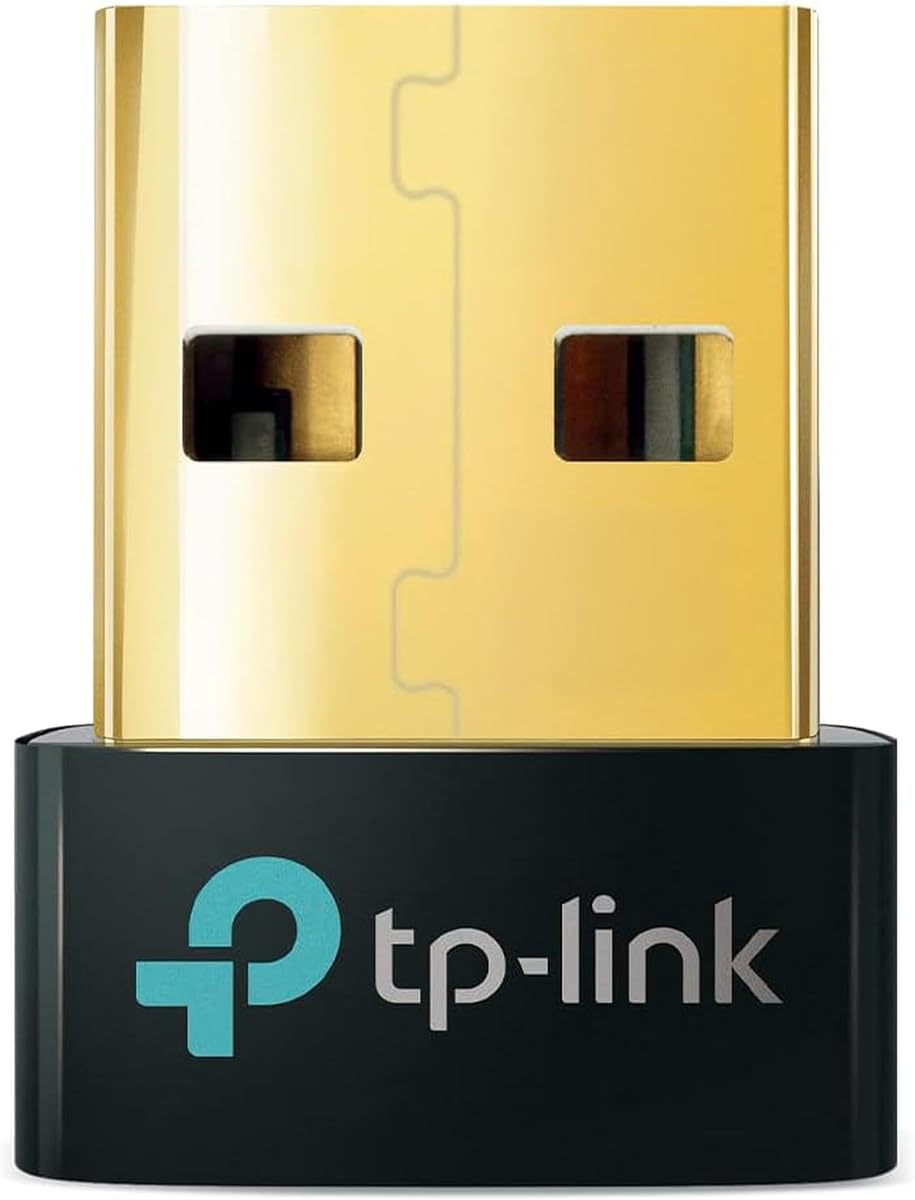
The TP-Link UB500 is the strongest all-around choice in this comparison, combining Bluetooth 5.4, enhanced data rate technology, backward compatibility, and a nano-sized enclosure. Its 4.5 rating reflects a favorable balance of modern wireless performance and practical PC integration. It is particularly well suited to users adding peripherals such as a keyboard, mouse, headset, printer, or phone to a Windows computer without built-in Bluetooth.
We may earn a commission when you buy through this link, at no additional cost to you.
Its headline specification is up to twice the data-transfer speed and four times the coverage associated with Bluetooth 4.0, as stated in the product information. That combination makes it more appropriate than an older adapter for high-quality audio and stable connections. The UB500 supports Bluetooth 5.4 plus EDR and is backward compatible with versions 5.3, 5.0, 4.2, 4.0, 3.0, 2.1, 2.0, and 1.1, giving it flexibility with both newer and established peripherals.
The main trade-off is platform rigidity. This is a Windows PC adapter, not a universal USB Bluetooth solution: it does not support macOS, Linux, TVs, or direct use with PS5, PS4, and Xbox consoles. It also excludes Windows 8 itself, although Windows 8.1 is supported. Users with older Windows 7 systems need to download a free driver, and existing internal Bluetooth should be disabled in Device Manager to avoid conflicts.
Choose the UB500 if you want a current-generation, low-profile adapter that should remain connected to a laptop without blocking neighboring USB ports. It avoids the need for a protruding antenna while offering broad device compatibility and a well-rounded feature set. For most Windows users who want one dependable receiver for a varied collection of peripherals, it is the most complete recommendation in this guide.
Bluetooth 5.4, EDR, and backward compatibility make the UB500 a versatile choice for mixed collections of accessories. It can connect with PCs, printers, phones, and headsets, while the low-energy technology is designed to support efficient wireless operation.
The nano enclosure can remain inserted on a home desktop or travel laptop without taking up visual or physical space around the port. That makes it especially convenient for users who routinely carry a computer between locations.
We may earn a commission when you buy through this link, at no additional cost to you.
The UGREEN Bluetooth 5.3 Adapter combines current Bluetooth performance with support for up to five different device types at once. Its 4.4 rating and straightforward plug-and-play behavior make it a practical choice for a Windows workstation shared by accessories. It is especially useful for people who want a mouse, keyboard, phone, and headphones connected without needing a separate receiver for each category.
We may earn a commission when you buy through this link, at no additional cost to you.
Bluetooth 5.3 BR/EDR technology is presented as improving connection stability, data-transfer speed, and power efficiency while reducing the likelihood of signal interruption. The adapter's compact form remains connected without interfering with adjacent USB ports, which is helpful on slim laptops and densely equipped desktops. Plug-and-play operation works without driver installation under Windows 11, 10, and 8.1.
Several limitations deserve attention. The adapter supports Windows systems only, with Windows 7, Linux, and macOS explicitly excluded. It cannot be used directly with PS3, PS4, PS5, Nintendo Switch, or Xbox consoles, nor is it compatible with TVs or cars. Its stated range can be reduced by walls, physical obstructions, and wireless interference. It is also a receiver rather than a transmitter, a distinction that matters if you expect it to send audio outward from the PC.
This UGREEN model makes sense for Windows users who prioritize simultaneous connections, straightforward setup, and a small footprint. If your peripherals include several different categories but not multiple units of the same audio type, the five-device capacity offers good flexibility. Users outside the supported Windows environment should look elsewhere, while those needing a transmitting function should verify that capability before buying.
The adapter can maintain connections to up to five different kinds of Bluetooth devices without interference. If two devices of the same audio category, such as two headphones or two speakers, are connected, however, only one can play music at a time.
On Windows 11, 10, and 8.1, the receiver works without a separately installed driver. If the computer already has internal Bluetooth, disabling that device in Device Manager before insertion can prevent recognition errors and driver conflicts.
We may earn a commission when you buy through this link, at no additional cost to you.
The TP-Link UB500 Plus stands out for its adjustable, multi-direction antenna, making it the most distinctive long-range option in the list. It carries a 4.4 rating and uses Bluetooth 5.3 with EDR to turn a non-Bluetooth Windows desktop or laptop into a Bluetooth-capable system. The rotatable antenna is a practical feature when a computer sits behind furniture, inside a cabinet, or across a room from the peripherals being paired.
We may earn a commission when you buy through this link, at no additional cost to you.
TP-Link states that the adapter can deliver up to twice the speed and four times the coverage of Bluetooth 4.0. Its backward compatibility extends to Bluetooth 4.2, 4.0, 3.0, 2.1, 2.0, and 1.1, so it can work with a broad range of existing accessories. EDR and BLE are included to support improved data-transfer performance and energy-conscious wireless communication.
Compared with a nano dongle, the UB500 Plus occupies more room and projects from the USB port. It is therefore better suited to a stationary desktop or a laptop used primarily at a desk than to someone wanting the smallest possible travel accessory. Windows 8.1, 10, and 11 support plug-and-play operation when connected to the internet, while Windows 7 requires a driver downloaded from the manufacturer's website.
Buy this model if reception quality and antenna positioning are more important than minimal size. Its adjustable design gives you a meaningful advantage in obstructed or multi-room environments, while Bluetooth 5.3 and broad backward compatibility keep it useful with many device generations. For a compact alternative with no articulated antenna, the TP-Link UB500 is the more travel-friendly option.
The antenna can be rotated and adjusted to suit the placement of the PC and connected devices. This is valuable when walls, furniture, or equipment create an awkward signal path that a fixed nano adapter cannot compensate for.
Bluetooth 5.3 and EDR provide the foundation for faster transfers and stable communication, while backward compatibility lets the receiver pair with accessories using older Bluetooth versions. That balance suits mixed home and office equipment.
We may earn a commission when you buy through this link, at no additional cost to you.
The TP-Link UB600 combines Bluetooth 6.0 with support for up to seven device types in an exceptionally small enclosure. Its 4.2 rating is slightly lower than those of the leading models, but the specification set is well suited to users who want a modern receiver for several accessories at once. The listed device categories include a mouse, keyboard, smartphone, tablet, game controller, and printer.
We may earn a commission when you buy through this link, at no additional cost to you.
The adapter is positioned for faster data transfer, stable interference-resistant connections, quality audio and video streaming, and low-latency input. Its seven-device capacity offers more simultaneous device types than most other models in the comparison. The ultra-compact enclosure can remain plugged into a laptop without blocking surrounding USB ports, while its low profile suits travel and clutter-free workspaces.
Installation depends on the Windows version. Windows 10 and 8.1 offer plug-and-play installation, while Windows 11 and 7 users are directed to download the latest driver from TP-Link's official website. The product information centers on Windows compatibility rather than macOS or Linux. It also carries a notable security detail: TP-Link identifies itself as a signatory of the CISA Secure-by-Design pledge, with security integrated into the product's design and maintenance.
The UB600 is a compelling choice for users who prioritize a very small body, a higher connection count, and the newest Bluetooth generation. It is less convenient if you need a fully driverless setup on every supported Windows version or a strong long-range antenna. Otherwise, the combination of portability and capacity makes it a forward-looking PC upgrade.
Supporting up to seven different device types allows a broader mix of peripherals to share one adapter. This is useful for a workstation where keyboard, mouse, phone, controller, printer, and other accessories may all need wireless access.
The mini nano-format body minimizes interference with neighboring ports and can remain inserted during travel. Its compact footprint makes it more discreet than adapters with larger housings or exposed antennas.
We may earn a commission when you buy through this link, at no additional cost to you.
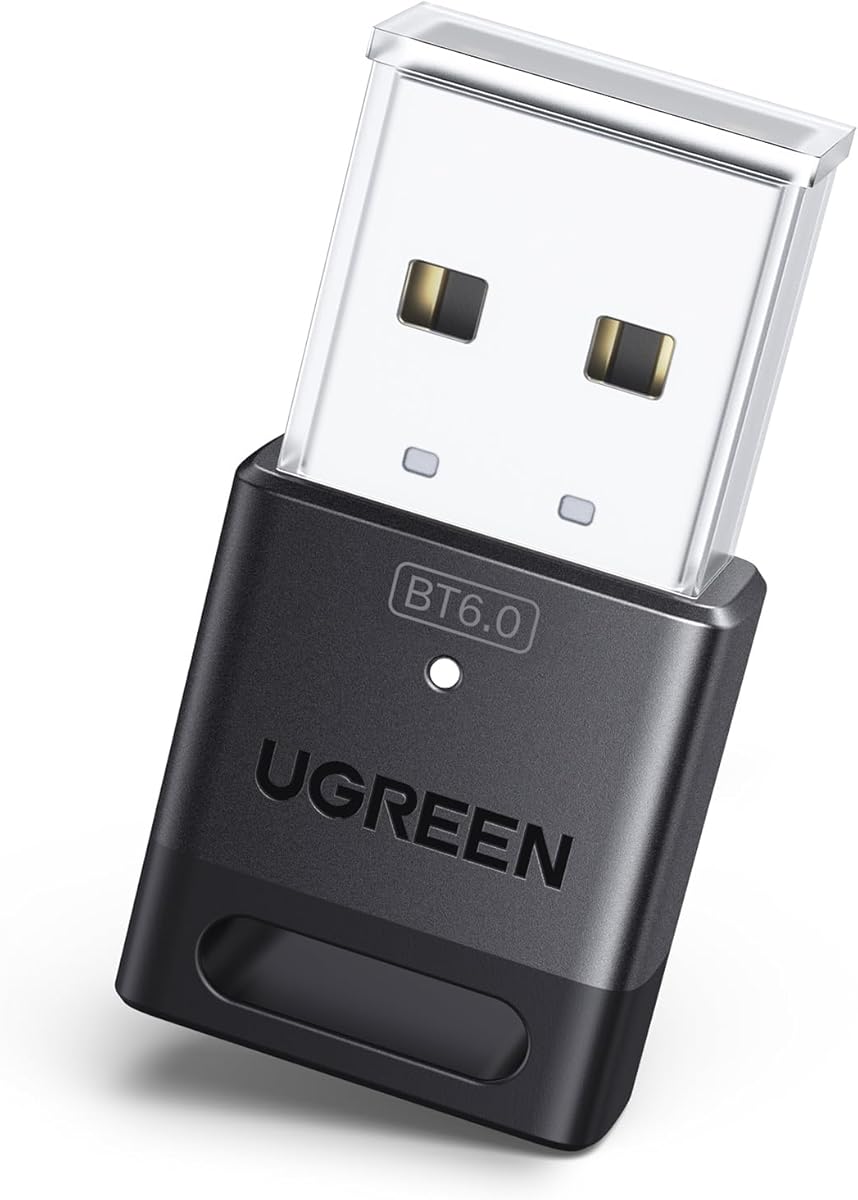
The UGREEN Bluetooth 6.0 Adapter is a current-generation receiver with support for five different device types simultaneously. Its 4.2 rating and Bluetooth 6.0 specification position it as a straightforward upgrade for compatible Windows computers. It is aimed at users who want faster transfers, stable audio and video streaming, and an efficient connection for accessories such as mice, keyboards, phones, and headphones.
We may earn a commission when you buy through this link, at no additional cost to you.
EDR and BLE are included to support higher data rates and efficient power operation. The adapter is backward compatible with Bluetooth 5.4 and 5.3, allowing it to work with a broader existing accessory collection. On Windows 11, 10, and 8.1, no driver installation is required, making setup among the least involved for users of recent Windows versions.
The operating-system restrictions are clear. Windows 7, Linux, and macOS are not supported, and the adapter cannot be used directly with PS3, PS4, PS5, Nintendo Switch, or Xbox consoles. It is also not compatible with TVs or cars. Physical obstructions, walls, and wireless interference can reduce its transmission range. Users with an active internal Bluetooth module should disable it in Device Manager before adding this receiver.
Choose this UGREEN adapter if your computer runs Windows 8.1 or newer, you prioritize a modern protocol, and you regularly connect several categories of peripherals. It lacks the seven-device capacity and Windows 7 support offered by some alternatives, but it balances Bluetooth 6.0, backward compatibility, and simple installation in a compact receiver.
Bluetooth 6.0 support provides the adapter with a current platform for data transfers and audio or video streaming. Backward compatibility with Bluetooth 5.4 and 5.3 means it can also serve devices that do not use the newest protocol.
BLE support is designed to reduce energy demands, while EDR supports improved transfer performance. Up to five device types can share the receiver, although only one connected device of the same audio type may play music.
We may earn a commission when you buy through this link, at no additional cost to you.
The ASUS USB-BT600 is the only product in this roundup explicitly listing Linux alongside Windows 10 and 11. Its 4.0 rating is the lowest of the ten, but that figure should be considered alongside its distinct platform flexibility and support for up to seven simultaneous device connections. It provides a current Bluetooth 6.0 upgrade for compatible desktops and laptops.
We may earn a commission when you buy through this link, at no additional cost to you.
Bluetooth Low Energy is included to support energy-saving wireless connectivity, while backward compatibility allows the adapter to work with devices using earlier Bluetooth versions. Its ultra-small design supports portability, and the seven-device capacity makes it suitable for users connecting several categories of accessories through one receiver. The combination of compactness and broad device support is especially appealing for mixed working environments.
The supplied specifications are more concise than those of many competing listings, so the product's detailed setup process and supported accessory categories are not spelled out as extensively. Windows 7 is not listed, and there is no claim of macOS support. The 4.0 rating is also a reminder that user satisfaction is somewhat less strongly established here than for the top-rated products, even though the core feature set remains competitive.
The ASUS adapter is a logical choice when you need Linux support and want Bluetooth 6.0 without giving up a high simultaneous-device count. It is also suitable for Windows users who prefer a tiny, portable receiver and backward compatibility. If you require Windows 7, a particular plug-and-play process, or detailed support for several accessory classes, compare the documentation with a more extensively specified alternative.
Windows 10, Windows 11, and Linux support separates the USB-BT600 from the Windows-only models in the list. That makes it a practical option for a user who maintains computers across more than one supported operating system.
The ultra-small enclosure is easy to carry between systems, while support for up to seven devices reduces the need to move adapters between accessories. Backward compatibility broadens the pool of peripherals it can serve.
We may earn a commission when you buy through this link, at no additional cost to you.
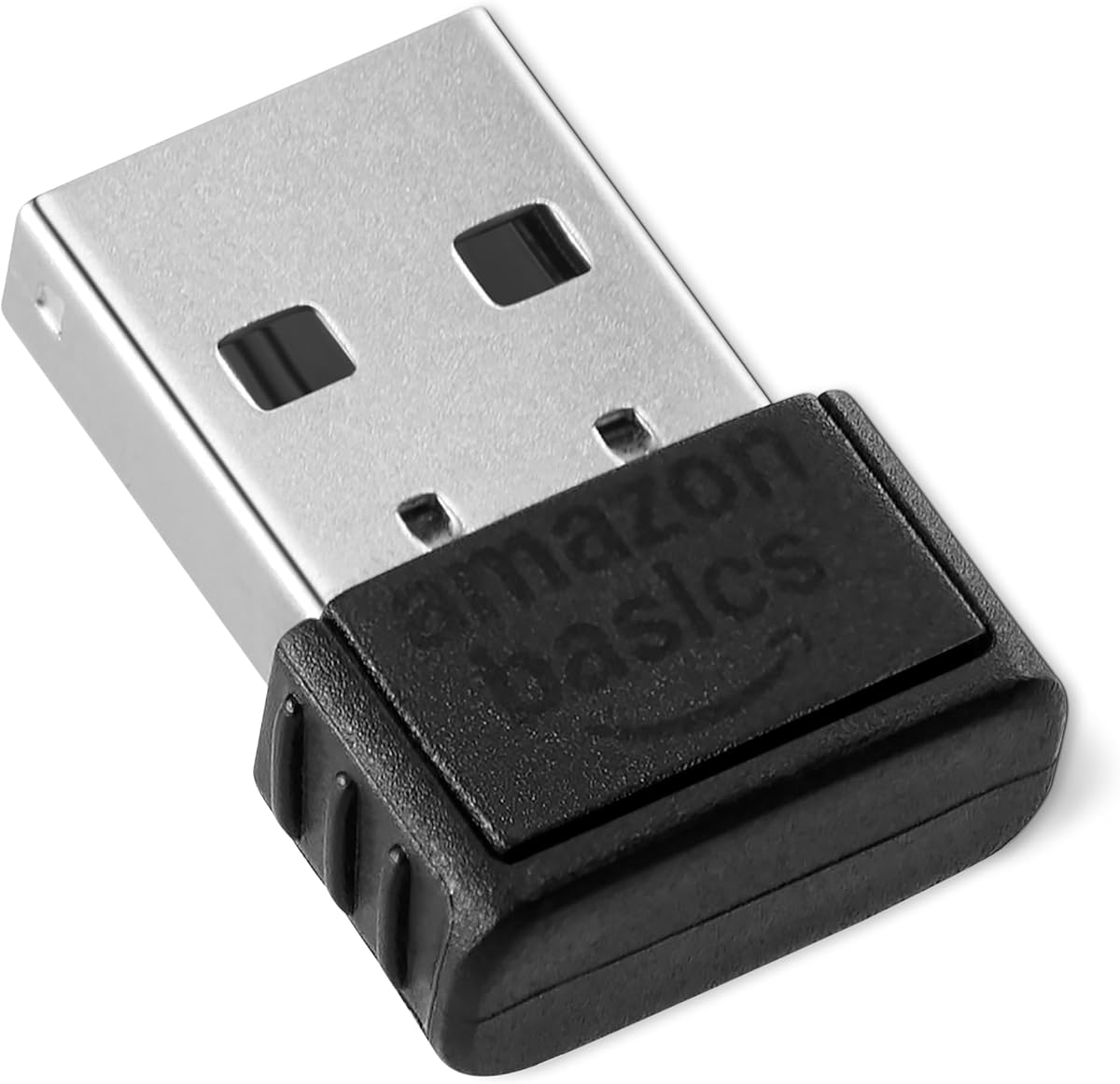
The Amazon Basics Bluetooth 5.4 is designed around a clear goal: turn a non-Bluetooth Windows PC into a wireless-capable system with minimal fuss. Its 4.3 rating reflects a generally favorable user reception, and the specification set includes Bluetooth 5.4, EDR, BLE, and simultaneous connections for up to six devices. It is a natural fit for common keyboards, mice, and other everyday accessories.
We may earn a commission when you buy through this link, at no additional cost to you.
Bluetooth 5.4 is backward compatible with versions 5.3, 5.2, 5.1, 5.0, 4.2, 4.0, 3.0, 2.1, 2.0, and 1.1. That wide compatibility means you are not limited to newly released peripherals. The nano receiver fits into a standard USB port, and its small size suits laptops or desktops where several devices already occupy the available ports.
System limitations are explicit. The adapter works only with Windows 8.1, 10, and 11, excluding Mac, Linux, Chrome, Unix, PlayStation systems, and Windows 7 or earlier. The product cannot be assumed to support every Windows peripheral, and any built-in Bluetooth function should be disabled before use according to the manual. This last step is important because two active Bluetooth stacks can interfere with the receiver.
Choose the Amazon Basics model when you want a recognizable, uncomplicated Bluetooth 5.4 receiver with room for up to six device types. It does not offer the adjustable antenna of the TP-Link UB500 Plus or Linux support from the ASUS option, but it covers the core requirements of most Windows users cleanly. It remains one of the more balanced options for routine office and home peripherals.
Support for up to six simultaneous device types is useful for a typical PC setup containing several input and communication accessories. The receiver is designed to simplify wireless access without changing the computer itself.
Compatibility extends from Bluetooth 5.4 through many earlier standards, allowing the adapter to work with both recent and established peripherals. EDR and BLE add data-rate and energy-efficiency considerations to the otherwise simple design.
We may earn a commission when you buy through this link, at no additional cost to you.
The TP-Link UB400 is the compatibility-focused selection for computers running older versions of Windows. Its 4.4 rating and support for Windows XP, 7, 8, 8.1, 10, and 11 distinguish it from nearly every modern receiver in the roundup. Although Bluetooth 4.0 is an older standard, the adapter remains useful for users maintaining a legacy PC or operating system that cannot use newer driver packages.
We may earn a commission when you buy through this link, at no additional cost to you.
The adapter is backward compatible with Bluetooth 3.0, 2.1, 2.0, and 1.1, and its specification includes a transmission distance of up to 65 feet. Plug-and-play operation is available on Windows 8, 8.1, 10, and 11, while Windows 7 and XP require a driver downloaded from the manufacturer's website. The nano form can remain inserted in any available USB port at home or while traveling.
The older protocol is the key limitation. Bluetooth 4.0 does not offer the newer speed and coverage claims associated with Bluetooth 5.x or 6.0 models, so it is less compelling for users seeking the newest connection performance. It is also limited to Windows PC use and is not compatible with Mac, Linux, or TVs. Two UB400 adapters cannot pair with each other, and PS4 or Xbox controllers can connect through a PC rather than directly to the console.
Choose the UB400 when you are working with an old Windows installation, particularly XP or Windows 7, and do not need the latest Bluetooth generation. For current systems, one of the 5.x or 6.0 adapters is a more forward-looking choice. Within its legacy niche, however, the UB400 offers unusually broad system coverage and a familiar, compact TP-Link design.
Support extending back to Windows XP is the UB400's defining advantage. Newer dongles generally begin at Windows 7 or 8.1, making this model relevant for older PCs, dedicated systems, and carefully maintained legacy environments.
An operating range of up to 65 feet provides useful room between the PC and a headset or other peripheral. The nano housing still keeps the physical profile small despite the longer reach.
We may earn a commission when you buy through this link, at no additional cost to you.
The Bluetooth 6.0 Mini USB Adapter combines the highest rating in this comparison with a modern protocol and a stated range of up to 65 feet in open environments. Its 4.6 rating makes it an appealing value-oriented choice for users who want current wireless features without moving to a model with an articulated antenna or a larger enclosure.
We may earn a commission when you buy through this link, at no additional cost to you.
The adapter promotes faster pairing, lower latency, improved anti-interference performance, and more stable connections through Bluetooth 6.0. Its open-environment range reaches up to 65 feet, or 20 meters, allowing a headset, keyboard, mouse, or speaker to remain across a room or away from the computer. It supports Bluetooth headphones, speakers, keyboards, mice, printers, and game controllers, with backward compatibility extending to Bluetooth 5.4, 5.3, 5.2, and 4.0.
Setup is plug-and-play on Windows 11 and 10. Windows 7 is supported, although a driver must be installed for audio-device support. As with most adapters in this guide, physical obstructions and wireless interference can affect real-world range. The compact low-profile design remains secure in the USB port without blocking nearby sockets, making it suitable for home offices, travel, and frequently used laptops.
This is the best budget-oriented recommendation for users with a recent Windows PC who want Bluetooth 6.0, low latency, and flexible peripheral support. It is especially attractive when a long reach matters but an adjustable antenna is unnecessary. Check the supported device and operating-system details for your exact peripherals, particularly if Windows 7 audio is essential.
The stated 65-foot range provides more freedom than a desk-bound receiver while preserving a small body. Actual performance can vary with walls, furniture, placement, and competing wireless signals.
The listed accessory range covers input devices, sound equipment, printers, and game controllers. Older Bluetooth 5.x and 4.0 devices remain supported through backward compatibility.
We may earn a commission when you buy through this link, at no additional cost to you.
The TP-Link Archer T2UB Nano serves a different purpose from a dedicated Bluetooth receiver by combining Bluetooth 4.2 with dual-band AC600 Wi-Fi in one nano-sized adapter. Its 4.5 rating makes it an attractive all-in-one option for a PC that needs both wireless networking and Bluetooth. Rather than occupying two USB ports, it can handle both functions through a single compact device.
We may earn a commission when you buy through this link, at no additional cost to you.
The Wi-Fi side supports 2.4 GHz and 5 GHz connections, with stated maximum rates of 200 Mbps on 2.4 GHz and 433 Mbps on 5 GHz. WPA3 support adds a modern network-security feature. The Bluetooth side is backward compatible with Bluetooth 4.0, 3.0, 2.1, 2.0, and 1.1, allowing the PC to communicate with older peripherals through the same adapter.
The tradeoff is that Bluetooth 4.2 is less advanced than the Bluetooth 5.x and 6.0 options in this guide. Compatibility is also constrained: the Bluetooth function supports Windows 11, 10, 8.1, and 7 but not Mac, Linux, TV, or Windows 8, while the Wi-Fi function supports Windows 11, 10, 8.1, 8, and 7. PS4 and Xbox controllers can be used through the PC, not connected directly to their consoles. Existing internal Bluetooth and Wi-Fi adapters must be disabled to avoid conflicts.
Choose the Archer T2UB when you want to upgrade a legacy PC's wireless networking and Bluetooth at the same time. It is less suitable when your only need is the newest Bluetooth generation or maximum simultaneous-device capacity. If both Wi-Fi and Bluetooth are required, however, the two-in-one arrangement saves USB space and reduces the number of devices you need to carry.
Combining AC600 dual-band Wi-Fi with Bluetooth in one nano enclosure preserves USB port space. The design is particularly practical for older desktops and laptops that need both forms of wireless connectivity.
Support for 2.4 GHz and 5 GHz networks gives users more flexibility in crowded wireless environments. WPA3 support also provides a stronger security option for compatible networks.
We may earn a commission when you buy through this link, at no additional cost to you.
The right Bluetooth dongle depends less on the version number alone and more on your operating system, peripherals, USB layout, and reception environment. These factors help separate a convenient daily adapter from one that cannot meet your setup requirements.
Bluetooth USB adapters are not universally compatible. The Windows 8.1, 10, and 11 models cover most current PC use, while the ASUS USB-BT600 is one option that also lists Linux. The TP-Link UB400 goes further back to Windows XP, although its Bluetooth 4.0 specification is dated. Several models exclude macOS, Linux, TVs, and consoles, so verify the exact system and device categories before buying.
Bluetooth 6.0 and 5.4 adapters provide newer protocol features, while Bluetooth 5.3 offers broad support for current and older devices. Bluetooth 4.0 can remain practical for legacy Windows systems, but it lacks the newer speed and coverage claims. Backward compatibility matters when you still use older headsets, keyboards, phones, or other accessories.
Connection figures in this guide generally refer to different device types connected simultaneously, not unlimited units of every category. The ASUS and TP-Link UB600 list support for up to seven types, Amazon Basics lists six, and the two UGREEN adapters list five. The TP-Link UB500 supports multi-device communication without a stated numerical limit. Also note that only one connected device of the same audio type may play music on the UGREEN models.
Range depends on the protocol, antenna, placement, walls, obstructions, and competing wireless signals. The TP-Link UB500 Plus offers a rotatable, multi-direction antenna for better positioning, while the generic Bluetooth 6.0 Mini USB Adapter and TP-Link UB400 state ranges of up to 65 feet. A nano adapter may be sufficient on a desk but less suitable when the computer sits behind a cabinet or wall.
Most modern Windows adapters install directly on Windows 11, 10, and 8.1, but some listings still require a manufacturer download. Windows 7 support varies: the TP-Link UB500 Plus and UB400 provide driver options, while the generic Bluetooth 6.0 Mini Adapter requires a driver for Windows 7 audio support. An internet connection may also be needed to retrieve the latest driver package.
A PC with built-in Bluetooth can attempt to manage the same adapter through two device stacks, resulting in conflicts or an exclamation mark in Device Manager. TP-Link, UGREEN, and Amazon Basics specifically direct users to disable internal Bluetooth before using their receivers. This is a setup requirement rather than a flaw in the USB adapter, but it should be handled before pairing.
Nano and mini receivers are designed to remain plugged in without blocking neighboring ports. That makes them especially useful on laptops and compact desktops. The TP-Link UB500 Plus prioritizes its adjustable antenna over minimum size, while the Archer T2UB Nano fits two wireless functions into a compact body. Consider whether the computer has room for a permanent adapter or needs one only occasionally.
Most products in this guide are PC receivers, not general-purpose transmitters. The UGREEN Bluetooth 5.3 is explicitly described as unable to transmit, while several others are limited in the same general direction. PS4 and Xbox controllers may connect through a PC but cannot attach directly to their respective consoles. TVs, cars, and game systems should be treated as unsupported unless the listing explicitly says otherwise.
Begin by identifying the PC's operating system and checking whether it already contains internal Bluetooth. If a built-in Bluetooth device appears in Device Manager, disable it as directed in the product instructions before inserting the dongle. This prevents two Bluetooth stacks from competing for the same USB receiver and reduces the chance of an error state during installation.
Insert the adapter into an open USB port, then follow the computer's prompt to pair and pair the desired peripheral. Keep the adapter itself unobstructed rather than placing it inside a crowded metal enclosure. For the TP-Link UB500 Plus, rotate the antenna toward the devices to improve reception. In Windows, open the Bluetooth settings panel to select the nearby headset, keyboard, mouse, printer, phone, or other supported accessory.
To maintain reliable performance, keep the receiver plugged in and avoid repeatedly moving it between ports while devices are active. Use the smallest available USB socket when that better protects the adapter during transport. Walls, furniture, wireless interference, and other obstructions can reduce the stated range. If a connection becomes unstable, move the PC or dongle, recheck the antenna position, and reconnect the affected peripheral from the operating system's Bluetooth menu.
You can use one, but the supplied product guidance generally recommends disabling the computer's internal Bluetooth in Device Manager first. Two active Bluetooth functions can cause driver conflicts, unstable connections, or an exclamation mark beside the USB adapter. After disabling the internal function, reconnect the dongle and pair your peripherals again. Keep the internal radio disabled while using the external receiver.
Most of the adapters listed are Windows-only products, including the TP-Link UB500, UGREEN Bluetooth 5.3, and Amazon Basics Bluetooth 5.4. The ASUS USB-BT600 explicitly supports Windows 10, Windows 11, and Linux. macOS is expressly unsupported by the products whose specifications address it, so confirm the listing before purchasing if your computer runs macOS.
The Bluetooth 6.0 products in this guide include backward compatibility with earlier versions. The UGREEN adapter supports Bluetooth 5.4 and 5.3, while the mini Bluetooth 6.0 receiver lists Bluetooth 5.4, 5.3, 5.2, and 4.0. The ASUS USB-BT600 also states backward compatibility with previous Bluetooth versions. Compatibility does not guarantee that every device type or operating mode is supported.
It depends on the model. The ASUS USB-BT600 and TP-Link UB600 support up to seven device types, Amazon Basics supports up to six, and the UGREEN adapters list up to five. These figures refer to different device types rather than an unlimited number of individual accessories. The UGREEN models also note that only one connected device of the same audio type can play music simultaneously.
The TP-Link products state that PS4 and Xbox controllers can be connected through a PC, even though the adapters cannot be used directly with the consoles. The UGREEN models explicitly prohibit direct use with PS3, PS4, PS5, Nintendo Switch, and Xbox consoles. Controller support therefore depends on whether your PC recognizes the controller after pairing it through Windows Bluetooth.
The most common supplied troubleshooting step is to disable any existing internal Bluetooth device before using the dongle. After making that change, unplug and reconnect the adapter so Windows can detect it again. Also confirm that your Windows version is supported and install any required driver from the manufacturer's official website. Keeping the adapter directly in the PC rather than an unpowered hub can also simplify detection.
A capable receiver can improve practical range when the PC has weak built-in Bluetooth, but results depend on the adapter's antenna, protocol, placement, and surroundings. The TP-Link UB500 Plus is designed for adjustment, while the TP-Link UB400 and mini Bluetooth 6.0 receiver state ranges of up to 65 feet. Walls, furniture, and wireless interference can still reduce the usable distance.
Choose Bluetooth 5.4 or 6.0 for a dedicated, modern receiver and better support for current accessories. The TP-Link Archer T2UB Nano is different because it combines Bluetooth 4.2 with dual-band AC600 Wi-Fi, making it useful for an older PC that needs both wireless functions. If you already have satisfactory Wi-Fi and only need Bluetooth, a dedicated receiver is the simpler choice.
The TP-Link UB500 is the strongest general recommendation because it combines Bluetooth 5.4, broad backward compatibility, useful speed and coverage claims, and a nano housing that suits both desktops and travel laptops. The mini Bluetooth 6.0 receiver is the leading value-oriented option, pairing the highest rating with a stated 65-foot range, while the TP-Link UB500 Plus is the top choice when an adjustable antenna and better positioning options justify its larger profile.
Your priority should match your actual hardware. Choose an ASUS model for listed Linux support, an Amazon Basics adapter for a straightforward six-device Windows option, the TP-Link UB400 for an older Windows PC, or the Archer T2UB Nano when you need both Wi-Fi and Bluetooth. Check operating-system support, driver requirements, accessory types, and existing internal Bluetooth before making a final decision.
Remember that market conditions and product details change, while prices can fluctuate at any time. Review the current listing, confirm that the dongle supports your Windows version and intended peripherals, and compare its size, range, and connection capacity with your setup. Those checks will help you select a Bluetooth Dongle for PC that remains practical rather than simply chasing the newest specification.