
Amazon Basics 6ft HDMI 2.0 Cable
4.7Editor score
4K at 60Hz
18Gbps bandwidth
Six-foot length
Explore the best HDMI cable for Fire TV Cube options, comparing length, bandwidth, 4K support, durability, ARC, and legacy TV compatibility.
A reliable HDMI cable is the essential link between a Fire TV Cube and your television. A good cable should provide a stable signal, support the resolution and audio features your display can handle, and reach comfortably without becoming a trip hazard.
We compared ten relevant products based on their stated HDMI specifications, supported resolutions, bandwidth, length, connector design, Fire TV compatibility, and intended use. The list includes standard 4K cables, premium high-bandwidth options, short port extenders, and a converter for older televisions.
Each review explains the cable's strongest use case, practical limitations, and compatibility considerations. Ratings reflect the supplied customer feedback, while availability and prices can change, so confirm the current listing details before buying.
4.7Editor score

4.7Editor score
4.7Editor score
The table below compares every product by its most important characteristics: Fire TV relevance, connection type, supported video format, length or package format, and practical distinguishing features.


The Amazon Basics HDMI Cable is a straightforward, widely compatible choice for connecting a Fire TV Cube to a television. It has a 4.7 rating and supports 4K video at 60Hz, 2160p resolution, and 18Gbps bandwidth. Its standard six-foot length is usually enough to place the Cube near a wall-mounted display without an excessive amount of slack.
We may earn a commission when you buy through this link, at no additional cost to you.
Its standout qualities are practical rather than specialized. The cable includes Ethernet support, 3D, and Audio Return Channel, while its male-to-male configuration connects directly between the Fire TV Cube and a television or compatible receiver. Backward compatibility makes it useful with older HDMI equipment as well, so the same cable can serve multiple devices around the home.
The main limitation is its stated ceiling of 4K at 60Hz. If either the Fire TV Cube or television is configured to output a higher standard, the cable will not work properly with that setting. It is therefore a strong choice for ordinary 4K streaming, but buyers with newer 8K televisions or unusually advanced gaming requirements should consider a higher-bandwidth option.
This is the most balanced recommendation for most Fire TV Cube owners because it covers common 4K television use without introducing unnecessary complexity. Choose it when you want direct connectivity, a practical length, broad device support, and the essential bandwidth for high-quality streaming.
A Fire TV Cube is designed to sit near the television and deliver streamed video through a single HDMI connection. This cable provides that direct path with a length suited to most furniture arrangements and entertainment centers.
Support for 4K at 60Hz, 18Gbps bandwidth, 48-bit color, Ethernet, and ARC covers the features most Fire TV Cube users need. It also remains compatible with many Blu-ray players, consoles, and streaming devices.
We may earn a commission when you buy through this link, at no additional cost to you.
The PowerBear 4K HDMI Cable combines a generous ten-foot length with the bandwidth needed for 4K Fire TV Cube streaming. Its 4.7 rating reflects strong customer reception, while the stated compatibility list explicitly includes Fire TV devices, televisions, consoles, computers, projectors, and other HDMI-enabled equipment.
We may earn a commission when you buy through this link, at no additional cost to you.
The cable's double-braided nylon jacket is its most useful physical feature. Its 30WG copper construction, triple tin shielding, and gold-plated connectors are intended to support reliable signal transmission while resisting everyday wear. At 4K at 60Hz with 18Gbps bandwidth, it also supports 48-bit color, Ethernet, ARC, 2K, and 1080p output.
Its obvious trade-off is length. A ten-foot cable is excellent when the Fire TV Cube must sit farther from the television, but it can be inconvenient behind a compact stand. The product is also not intended for 8K, so its extra physical features should not be confused with support for every newer HDMI standard.
This is the top choice for users who value flexible placement and a durable-looking jacket. Select it when the Cube is across the room, behind a larger entertainment unit, or connected to equipment located farther from the display and ordinary 4K streaming is the goal.
The ten-foot length provides room to place the Cube away from the television, which can make its remote commands and Alexa functions easier to use. It also simplifies setups where the television is mounted or surrounded by other hardware.
A double-braided exterior is useful in entertainment centers where cables are moved, bundled, or unplugged regularly. The gold-plated connectors add another visible layer of corrosion protection for long-term use.
We may earn a commission when you buy through this link, at no additional cost to you.
The Highwings HDMI Cable is a compact, durable option for a Fire TV Cube, particularly when the device sits close to the television. It carries a 4.7 rating and supports 4K HDMI UHD at 3840 by 2160, along with ARC, 3D, and HDCP 2.2 compatibility.
We may earn a commission when you buy through this link, at no additional cost to you.
Its construction details set it apart from basic cables. The product uses a braided exterior, gold-plated connectors, and a reinforced joint design at both ends. The manufacturer states that the cable was lab-tested to withstand more than 15,000 bends without performance loss, making it appealing for setups in which the cable is frequently handled.
The cable is described as compliant with the HDMI 2.0 standard and backward compatible with earlier HDMI generations. It does not offer the 48Gbps bandwidth of HDMI 2.1 products, and its listed features do not include Ethernet support. Those limits are acceptable for a Fire TV Cube connected to a 4K television but may disappoint buyers seeking advanced gaming specifications.
Choose this cable when you want a short, reinforced 4K connection and frequently move or reinstall the Fire TV Cube. It is a particularly sensible option for a clean entertainment-center setup where excess cable length would be inconvenient.
The special joint design is intended to reduce stress where the conductors meet the connectors. That focus is relevant when a Fire TV Cube is plugged and unplugged often or the television is difficult to reach.
At 6.6 feet, the cable offers enough reach for most stand-mounted televisions while keeping the installation tidy. Its 4K, ARC, and 3D support covers standard home-entertainment requirements.
We may earn a commission when you buy through this link, at no additional cost to you.
The HDMI to 3RCA Composite AV Converter is a specialized solution for people whose television lacks a suitable HDMI input. It has a 3.9 rating and was created for the Amazon Fire TV Cube and Fire TV Media Player, making it more relevant to this guide than an ordinary modern HDMI cable.
We may earn a commission when you buy through this link, at no additional cost to you.
The converter accepts an HDMI signal from the streaming device and provides standard-definition composite output through three RCA connections. Its package includes the converter, an HDMI cable, a composite cable, a power cable, a power adapter, and installation instructions, so the core installation components are included.
Its compromises are significant and should be understood before purchase. Composite video does not provide the resolution, color depth, or bandwidth of a direct HDMI connection, and the arrangement adds a box, cables, and a power connection to the system. The lower rating may also reflect the limitations inherent in this type of legacy conversion.
This product is worth considering only if your television has composite inputs and no usable HDMI port. If your display supports HDMI, a direct cable is simpler, more compact, and capable of much higher picture quality, so one of the HDMI 2.0 or HDMI 2.1 options will usually serve better.
The converter provides a practical route to an older television or display that cannot accept the Fire TV Cube's HDMI output directly. Its bundled components are designed to make the transition as straightforward as possible.
Composite output is the central limitation. It is suitable for basic viewing on legacy equipment, but it cannot deliver the 4K capabilities available through a direct HDMI connection.
We may earn a commission when you buy through this link, at no additional cost to you.
The ienza HDMI Port Extender is designed around a different problem: making a television's HDMI port easier to access when the attached streaming device has a short built-in cable. It has a 4.6 rating and is compatible with Fire TV Stick models, Fire TV Stick Lite, the Fire TV pendant, and several other streaming devices.
We may earn a commission when you buy through this link, at no additional cost to you.
The extender uses an HDMI male-to-female connection. The female end accepts the streaming device's cable, while the male end plugs into the television. This configuration keeps the device attached indirectly and reduces repeated stress on the television's own HDMI socket.
Because it is only 1.64 feet long and is sold as a cable-only accessory, it is not a substitute for a full Fire TV Cube HDMI cable. The Fire TV Cube itself uses a standard connection rather than the short built-in lead typical of Fire TV Sticks. Its main purpose is port convenience, not long-distance signal delivery.
Choose this extender if your setup uses one of the compatible compact streaming devices and you regularly remove or reposition it. If your main question is how to connect a Fire TV Cube to a television, choose a direct male-to-male HDMI cable instead.
A wall-mounted television or tightly arranged entertainment center can make its side or rear HDMI ports difficult to reach. The extender keeps the device connected while reducing how often the main port must be handled.
This product serves as an adapter for streaming devices with short leads. A Fire TV Cube owner needs a conventional male-to-male cable with sufficient bandwidth for the desired display mode.
We may earn a commission when you buy through this link, at no additional cost to you.
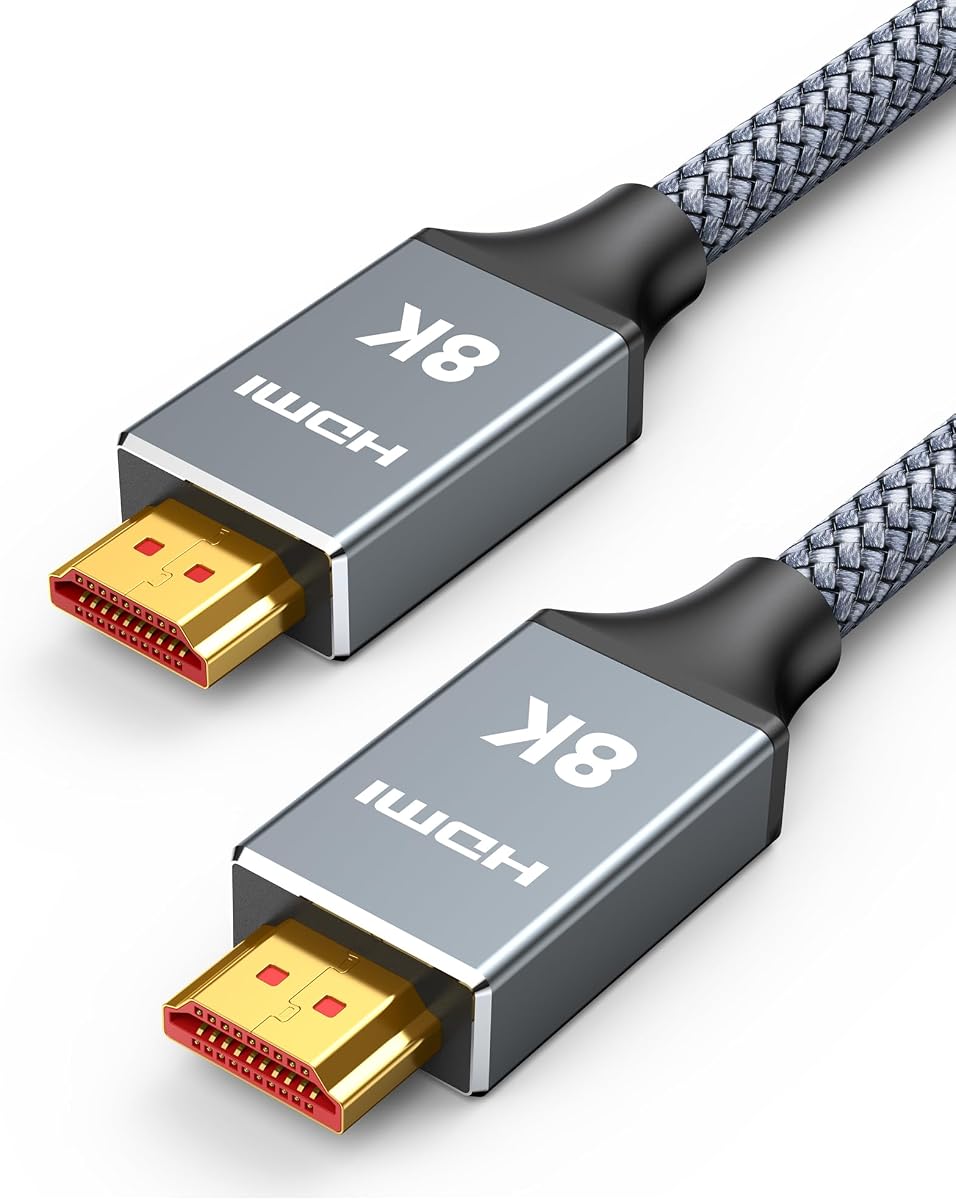
The Capshi 6.6ft HDMI 2.1 Cable is the premium option in this roundup, with 48Gbps bandwidth and support for 8K at 60Hz and 4K at 120Hz. Its 4.7 rating reflects strong customer feedback, while its stated compatibility with HDMI 2.1, 2.0, and earlier standards makes it suitable for both a Fire TV Cube and a broader home-entertainment system.
We may earn a commission when you buy through this link, at no additional cost to you.
Beyond raw bandwidth, the cable supports VRR, ALLM, QFT, QMS, eARC, HDCP 2.2, 48-bit deep color, and a 21:9 aspect ratio. Those specifications primarily benefit advanced gaming and home-theater equipment, but they also give the cable room to handle future display modes without being immediately limited to 4K60.
Its physical design is also premium: a nylon-braided jacket, 24K gold-plated connectors, tinplate metal shielding, and a stated 25,000-plus bend lifespan. The trade-off is that many Fire TV Cube owners will pay for capabilities their television and streaming device never use, while six and a half feet may be more cable than a nearby setup requires.
Choose it when your television supports a high refresh rate or future HDMI feature set, or when you want one cable that can serve a Fire TV Cube, game console, and media player. For ordinary 4K streaming, the standard HDMI 2.0 picks are more purpose-focused.
The 48Gbps capacity supports 4K at 120Hz and 8K at 60Hz, depending on the connected equipment. This makes the cable useful for modern high-refresh-rate televisions and consoles beyond basic Fire TV streaming.
The braided jacket, shielding, and tested bend endurance make the cable suitable for routing behind entertainment furniture. Its six-and-a-half-foot length provides flexibility without the bulk of a ten-foot cable.
We may earn a commission when you buy through this link, at no additional cost to you.
The Silkland Certified HDMI 2.1 Cable 2-Pack provides two matching ten-foot cables with 48Gbps bandwidth. It has a 4.7 rating and supports an extensive range of resolutions, making it a strong option for households that want to connect more than one high-definition device with the same cable specification.
We may earn a commission when you buy through this link, at no additional cost to you.
The stated capabilities include 8K at 60Hz, 5K at 120Hz or 90Hz, 4K at 144Hz or 120Hz, and 2K at 240Hz or 165Hz. It also supports eARC, ARC, Dolby Atmos, DTS:X, dynamic HDR, and HDCP 2.2 and 2.3. Copper cores, ferrite magnetic beads, double-layer fishnet winding, and nylon braiding form its signal and durability approach.
For a Fire TV Cube, these advanced specifications are more than most streaming configurations need. The two ten-foot lengths could also make cable management less tidy, and compatibility with high-refresh modes depends on the television, Cube version, application, and selected output resolution. Gaming features such as 4K at 120Hz additionally require supported games and hardware.
This package is best for a multi-device entertainment system or as a premium replacement pair. Buy it if you want spare cable routing flexibility and plan to connect both a streaming device and another high-bandwidth source.
The two-pack gives users a ready replacement and removes the need to relocate one cable whenever the Fire TV Cube and another device are switched. It is also useful for keeping separate entertainment areas equipped with matching connections.
Support for modern high refresh rates, dynamic HDR, and advanced audio makes the package attractive for mixed console, PC, and streaming setups. The included cables share one specification across different locations.
We may earn a commission when you buy through this link, at no additional cost to you.
The Silkland Certified HDMI 2.1 Cable 2-Pack offers 48Gbps bandwidth in a more moderate six-and-a-half-foot length. It has a 4.7 rating and states that its HDMI 2.1 certification can be verified by scanning a QR code with a scanner app, adding a level of documentation beyond many competing listings.
We may earn a commission when you buy through this link, at no additional cost to you.
The cables support 4K at 120Hz or 144Hz, 5K at 120Hz, 8K at 60Hz, and 2K at 240Hz. Additional features include eARC and ARC audio, Dolby Atmos, DTS:X, dynamic HDR, and HDCP 2.2 and 2.3 compliance. Their double-layer fishnet winding, nylon braid, copper cores, and ferrite magnetic beads are designed for durability and signal consistency.
The package remains ambitious for a Fire TV Cube used solely at 4K60. Actual visible benefits depend on the television, connected source, application, and selected mode. A two-pack can also be unnecessary if you need only one cable and want the simplest possible arrangement.
Choose it when you want certified high-bandwidth cables, a useful length, and a spare for another device. It is a particularly balanced premium package because it avoids the extreme reach of the ten-foot version without sacrificing advanced resolution support.
The listed QR-code verification method gives buyers a way to check the claimed certification. That can be useful when comparing premium cables whose marketing emphasizes high bandwidth and future-facing features.
Six and a half feet gives the Cube placement flexibility in a typical living room without leaving a very long cable behind the television. The second matching cable can serve another device or location.
We may earn a commission when you buy through this link, at no additional cost to you.
The Silkland Certified HDMI 2.1 Cable 2-Pack is a compact high-bandwidth option for Fire TV Cube installations directly beside a television. It has a 4.7 rating, includes two three-and-a-third-foot cables, and supports 48Gbps bandwidth with resolutions up to 8K at 60Hz.
We may earn a commission when you buy through this link, at no additional cost to you.
Its listed feature set includes 4K at 120Hz and 144Hz, 5K at 120Hz, 2K at 240Hz, dynamic HDR, eARC and ARC, Dolby Atmos, DTS:X, and HDCP 2.2 and 2.3. The package also uses double-layer fishnet winding, nylon braiding, copper cores, and ferrite magnetic beads, while certification can be checked through a QR code.
The main issue is reach. At just over three feet, these cables are best when the Cube can sit immediately beside or just below the display. Longer furniture arrangements may require a gentler curve or a different cable, and the high-end specifications remain unnecessary for many Fire TV Cube owners.
Choose this pair when a clean, compact installation matters more than distance and you still want future-facing HDMI capability. It is also useful as a short spare connection for a second display or streaming device near the television.
The short length keeps excess wire out of the way and reduces the visual clutter behind compact stands. It works particularly well when the Fire TV Cube is positioned directly beside the screen.
The two cables retain 48Gbps bandwidth and advanced resolution support despite their compact length. That makes them more future-facing than a basic 4K60 cable without requiring long routing.
We may earn a commission when you buy through this link, at no additional cost to you.
The Rankie HDMI Cable is a two-pack of six-foot male-to-male cables designed for basic high-definition and early 4K connections. It has a 4.7 rating and supports Ethernet, 3D, 4K video, and Audio Return Channel, making it a practical option for secondary displays and Fire TV setups that do not require 4K60.
We may earn a commission when you buy through this link, at no additional cost to you.
Each cable meets the HDMI 1.4 standard with Category 2 certification and supports resolutions up to 4K by 2K at 30Hz. The two-pack provides flexibility: one cable can connect the Fire TV Cube while the second serves a Blu-ray player, game console, computer, or another television.
The key limitation is its stated 30Hz maximum at 4K. It therefore falls short of the 4K at 60Hz standard supported by the leading picks and cannot provide the bandwidth of HDMI 2.0 or 2.1 alternatives. If your television and Fire TV Cube support 4K60, choosing this cable would leave a meaningful feature unused.
Buy this pack for an older television, a secondary streaming location, or a household that wants a spare cable. For a modern 4K television, an HDMI 2.0 option offers a more appropriate performance ceiling.
Two matching cables make it easier to keep the Fire TV Cube connected while also connecting another source. They are also useful for replacing a damaged cable without searching for an identical replacement.
The 4K at 30Hz ceiling is sufficient for many standard-definition and basic high-definition displays. It is best matched with older or secondary televisions rather than a modern 4K60 entertainment system.
We may earn a commission when you buy through this link, at no additional cost to you.
The right Fire TV Cube cable depends mainly on your television's capabilities, the distance between devices, the importance of a tidy installation, and whether you need a direct cable, an extender, or a legacy converter.
Start by checking the highest resolution and refresh rate your television can actually accept. Basic Fire TV streaming may work on an HDMI 1.4 cable, but a modern 4K television is best paired with a cable rated for 4K at 60Hz. If you want support for 8K, 4K at 120Hz, variable refresh rate, or other advanced gaming features, an HDMI 2.1 cable with 48Gbps bandwidth is the appropriate category.
Choose a cable whose stated output ceiling equals or exceeds the mode you intend to use. Avoid paying for 8K capability only if the television, Fire TV Cube, and content cannot use it.
Measure the path from the television's HDMI port to where the Fire TV Cube will sit. A three-foot cable can work directly beside a television, six feet covers many entertainment centers, and ten feet offers greater freedom when the Cube is farther away. Leave enough slack for a gentle bend rather than a sharp fold, and consider furniture, wall mounts, cable channels, and the location of power outlets.
Choose the shortest practical length that permits easy installation. Excess cable can create clutter, while an overly short cable may force a tight connector angle or require an awkwardly positioned Cube.
If the television or sound system handles audio through HDMI, look for ARC or eARC support. The featured HDMI 2.0 and 2.1 cables include return-channel functionality, allowing compatible equipment to send audio back along the HDMI connection. For older or basic installations, confirm whether your chosen standard supports the audio features required by your particular television and receiver.
For a simple Fire TV setup, the Cube's optical or other audio output may be used instead. Choosing cable features based on the actual connected audio system prevents unnecessary expense.
A Fire TV cable may remain installed for years, but it can also be moved regularly or exposed to bending near connectors. Braided jackets, reinforced strain relief, gold-plated contacts, and stated bend testing can indicate a more durable design. These features do not guarantee a longer service life, but they are useful distinctions among otherwise similar cables.
Prioritize a jacket and strain relief that suit your setup. In an exposed entertainment center, a braided cable may tolerate handling better than a basic smooth jacket.
A Fire TV Cube needs a conventional HDMI connection to the television, while compact Fire TV Stick devices commonly include a short HDMI lead that can be extended. The ienza male-to-female extender is designed for that port-access use and is not a substitute for a standard Cube cable. Confirm which Amazon streaming hardware you own before choosing an accessory.
For a Cube, prioritize a male-to-male HDMI cable. For a Stick, determine whether you want a replacement lead or a short extender that protects the television's port.
A two-pack is useful when you want a spare, plan to connect multiple devices, or want matching cables in more than one room. The Silkland packages provide this convenience with high bandwidth, while the Rankie pack is designed for lower-resolution use. If the Fire TV Cube is your only high-definition source and you want the simplest setup, one well-chosen cable is sufficient.
Buying two does not improve the signal from a single Fire TV Cube. Purchase a pack for convenience and future devices, not in expectation of better picture or sound.
If your television has no HDMI input, a direct HDMI cable cannot solve the connection problem. An HDMI-to-composite converter can provide a route for a Fire TV Cube or Fire TV Media Player, but standard-definition composite output is a significant quality compromise. The converter also requires power and adds several connections to the setup.
Use a converter only when your display lacks usable HDMI inputs. If your television includes HDMI, a direct cable will generally deliver better picture quality, simpler control, and fewer potential troubleshooting points.
Bandwidth is only one part of the specification. Color depth, HDR support, HDCP compatibility, Ethernet, ARC, and supported refresh rates can all affect feature availability. However, every additional capability only matters when the television, Cube, application, and selected mode support it. A Fire TV Cube used for ordinary streaming does not require every gaming-oriented feature listed on a premium cable.
Build a simple checklist of the features your equipment actually uses, then choose the least expensive or least elaborate cable that covers them without falling below their requirements.
Connect one end of the cable to the HDMI output on the Fire TV Cube and the other end to the correct HDMI input on the television. Turn on the display, select the matching HDMI input, and power on the Cube. Allow a few seconds for the television to establish the connection and detect the streaming device.
Choose the television's native resolution and a compatible refresh rate from its picture settings. If the picture appears unstable or the intended resolution is unavailable, try reconnecting both ends, power-cycling the Cube and television, and confirming that the selected input is correct. For a converter-based setup, connect the composite colors into the matching RCA inputs and verify that the power adapter is operating as described in its instructions.
Route the cable without creating tight bends, sharp pulls, or repeated strain at the connectors. Secure excess cable behind furniture or within a cable channel, but do not tightly coil it under pressure. When unplugging, pull directly from the connector rather than the cable, and periodically inspect the jacket and connector ends for visible damage.
No. A Fire TV Cube uses a standard HDMI connection, so a quality male-to-male HDMI cable is generally sufficient. The main requirements are a secure connection and enough bandwidth for the television's selected resolution and refresh rate. Advanced features such as 4K at 120Hz require a suitably capable cable and compatible hardware.
Yes, as long as it supports 4K at 60Hz and 18Gbps bandwidth. Those specifications are appropriate for typical Fire TV Cube use on a 4K television. An HDMI 2.1 cable becomes more relevant when the display supports higher refresh rates, 8K, variable refresh rate, or other advanced features.
Measure the distance between the television's port and the intended location of the Cube. Three feet works for a device directly beside the display, six feet suits many entertainment centers, and ten feet provides more freedom. Choose the shortest length that allows a relaxed bend and convenient access without excess clutter.
The Fire TV Cube can support audio return functionality on compatible televisions and audio systems, although the complete setup determines how it is used. A cable with ARC or eARC support provides the necessary pathway. You may also use the Cube's separate audio output if your television lacks compatible HDMI audio features.
The featured male-to-female extender is intended mainly for compact Fire TV Stick devices that include a short HDMI lead. A Fire TV Cube normally connects with a full male-to-male cable, so it does not require that type of extender. An extender can still be useful for port access, but a standard cable is the more direct solution.
You need an appropriate signal converter rather than a different standard HDMI cable. An HDMI-to-composite converter can carry the Fire TV Cube's picture and sound to legacy RCA inputs, but the result is limited to standard-definition quality. If the television has HDMI, using it directly is preferable.
First confirm that the television is set to the input connected to the Cube and that both devices are powered on. Reconnect the cable at both ends and try another HDMI input if available. Also verify that the selected resolution and refresh rate are supported, because an incompatible display mode can prevent a usable image.
Not necessarily. A basic cable that reliably supports the chosen resolution can provide the same picture quality as a more advanced cable in the same setup. Premium specifications matter when your television, streaming device, application, or gaming hardware uses higher bandwidth modes that a basic cable cannot support.
The Amazon Basics six-foot cable is the best overall choice for typical Fire TV Cube use because it directly supports 4K at 60Hz, 18Gbps bandwidth, ARC, and Ethernet. The PowerBear ten-foot option stands out when placement flexibility and a braided jacket matter, while the Capshi HDMI 2.1 cable is the premium selection for users who need 4K at 120Hz or greater bandwidth.
Prioritize the features your setup actually uses: a suitable length, a stable male-to-male connection, and bandwidth that matches the television's native mode. Use the ienza extender for a compatible compact streaming device, the Rankie pack for lower-resolution or secondary setups, and the composite converter only when a legacy television makes direct HDMI impossible.
Product listings, ratings, and prices can change, so check the current specifications and availability before purchasing. Also verify that the Fire TV Cube, television, application, and selected picture mode all support the resolution and features you expect from the cable.
