
Thermal Grizzly Minus Pad 8 2X 120x20x1.0 mm
4.7Editor score
Two targeted 120 mm strips
Flexible non-curing material
Designed for VRAM cooling
Our PC Thermal Pads for Vram guide compares 10 options for GPUs, VRAM cooling, laptops, and SSDs by thickness, conductivity, fit, and handling with clarity.
PC thermal pads for VRAM are thin, heat-conductive materials placed between graphics memory chips and a heatsink or cold plate. A good pad must bridge small height differences without trapping air, remain stable under sustained heat, and avoid interfering with nearby electrical components.
This guide compares ten thermal pads using the supplied specifications, customer ratings, thickness options, material characteristics, dimensions, installation considerations, and intended applications. The list covers general-purpose sheets, focused 120 x 20 mm strips, and a phase-change material designed primarily for direct CPU and GPU contact.
Each review explains the product's strongest use case and practical limitations. Rank 1 provides the most complete thickness kit, ranks 2 and 3 offer targeted strips, and the remaining choices serve different repair, compatibility, or installation needs. Product availability and pricing can change, so verify current listings before purchasing.
4.7Editor score

4.8Editor score
4.7Editor score
The table below compares all ten products by material format, stated conductivity, thickness coverage, and practical hardware fit, making it easier to identify the right option for a VRAM replacement, graphics-card repair, or broader electronics maintenance project.



The Aairhut 4 Pack 13 W/m.K Thermal Pads earns the top position because it combines a broad thickness range with a clearly stated conductivity of 13 W/mK. Its four 100 x 100 mm sheets include 0.5 mm, 1 mm, 1.5 mm, and 2 mm versions, making this one of the most flexible kits for VRAM replacement and other PC maintenance tasks.
We may earn a commission when you buy through this link, at no additional cost to you.
The stated 30–40 percent compression rate is particularly relevant when a heatsink does not sit perfectly flush with the memory chips. A pad that can compress into small irregularities may establish a more complete interface than a rigid, thin sheet, while the high stated conductivity is intended to move heat away from VRAM toward the graphics-card cooler. Self-adhesive backing films also simplify positioning on a clean contact surface.
The tradeoff is that a large, multi-thickness set is less convenient for someone who needs only one narrow strip. Users must cut the material accurately without contaminating the exposed edge, and the supplied 30–40 percent compression figure means installation should not force excessive force. The listed applications are broad, so buyers should still verify the cooler clearance and required pad thickness before disassembly.
This is the strongest all-around choice for builders, technicians, and owners replacing several thermal interfaces in one session. It is especially practical when the original GPU pad has compressed, cracked, or lost its original shape. The Aairhut kit is also well suited to M.2 SSDs, laptop components, consoles, and CPU or GPU cooling tasks where a cut-to-fit sheet is convenient.
Having 0.5 mm through 2 mm available removes much of the guesswork from a replacement project. A thinner sheet may suit a low-profile original design, while a thicker option can compensate for modest height differences around VRAM chips or other components.
The listed compression behavior and 13 W/mK conductivity are the product's most persuasive technical attributes. Those characteristics matter because effective VRAM cooling depends on maintaining broad contact without leaving air gaps between the memory package, pad, and heatsink.
We may earn a commission when you buy through this link, at no additional cost to you.
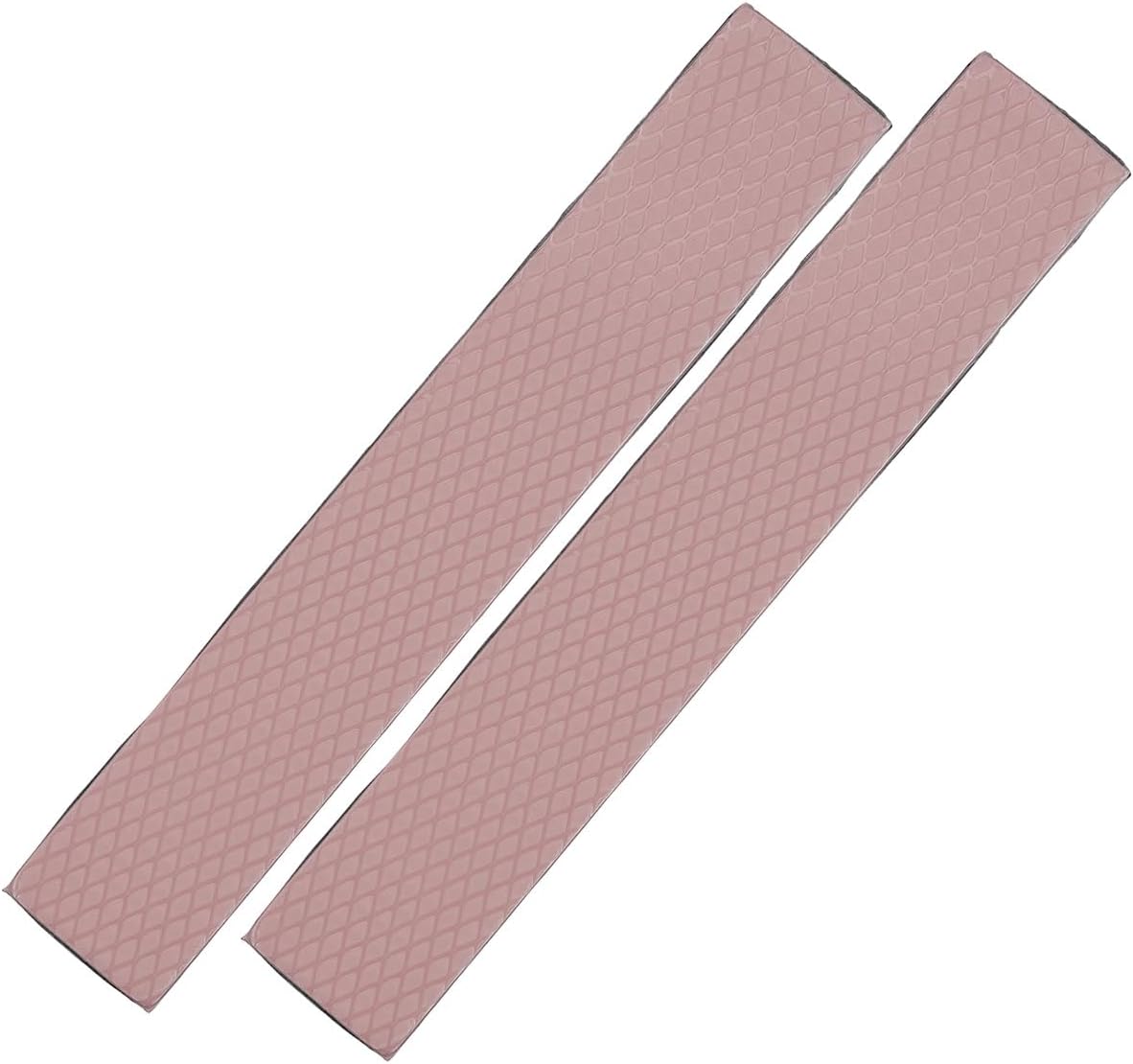
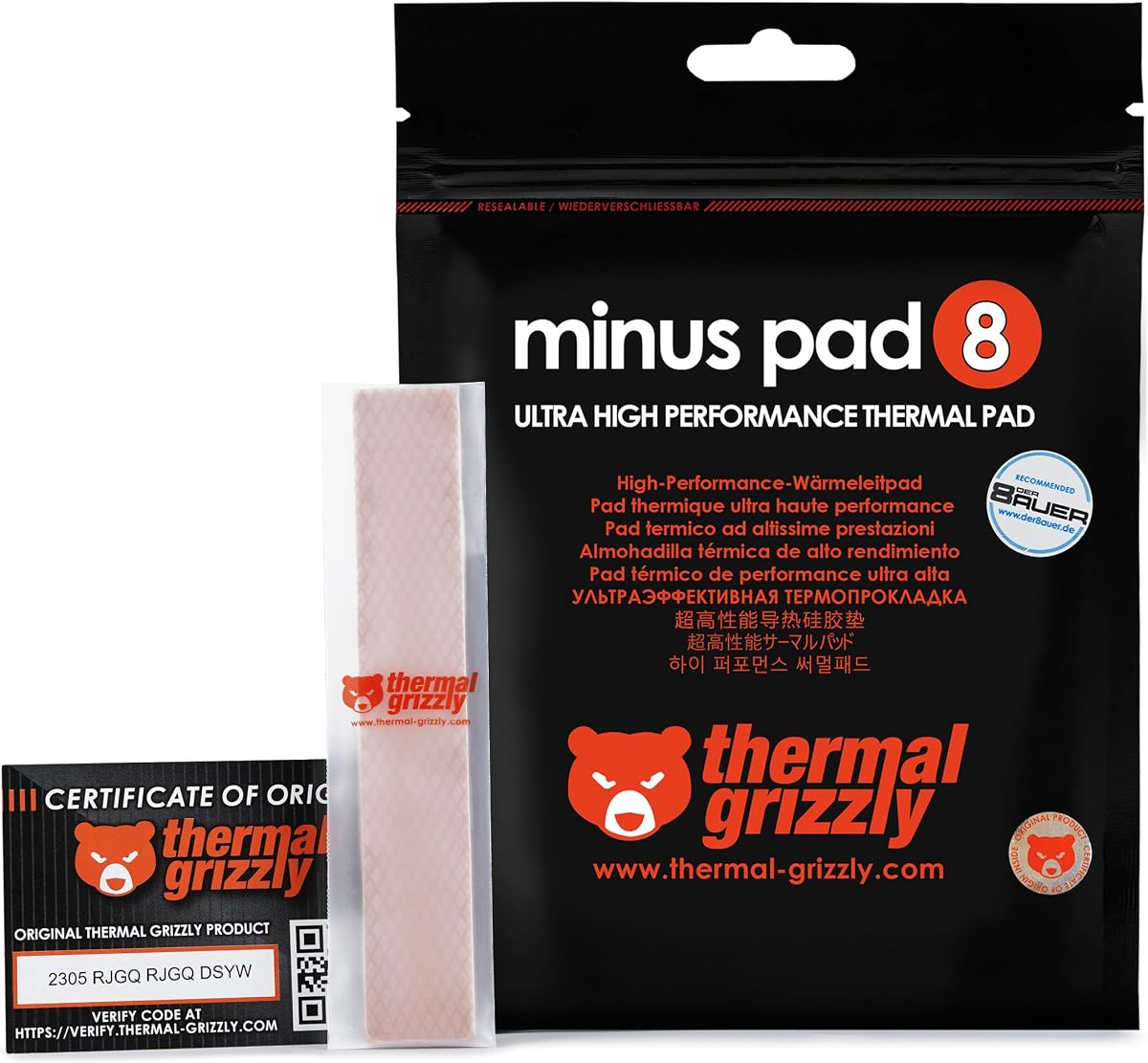
Thermal Grizzly Minus Pad 8 2X 120x20x1.0 mm is a focused choice for technicians who know the graphics card uses 120 x 20 mm strips around its memory packages. Its customer rating is 4.7, and the two-piece format provides enough material for targeted VRAM work without requiring several large sheets or multiple thickness options.
We may earn a commission when you buy through this link, at no additional cost to you.
The material is described as flexible, non-curing, and electrically non-conductive. Those qualities make it easier to handle around exposed PCB components, while its ability to compensate for contact tolerances is useful where the heatsink surface is not perfectly uniform. The listing specifically identifies VRAM, SSD controllers, chipsets, and similar PC components as suitable applications.
Its main limitation is predictability of fit. A fixed 1.0 mm thickness will work well only when that matches the original design or the available gap. The narrow strip also needs careful cutting if a package is shorter or has an unusual arrangement. Unlike the phase-change option later in the list, it is a traditional pad intended to remain in place after installation.
Buyers replacing a known 120 x 20 x 1.0 mm interface should give this product strong consideration. It is a simple, recognizable format with two matching pieces and a clear VRAM focus. People building a custom cooling plate or working with irregular spacing may prefer the more adaptable sheet options, but for a compatible graphics card, this is a direct and tidy solution.
The 120 x 20 mm shape closely reflects the dimensions of many VRAM contact areas. A correctly sized strip can be positioned directly over the relevant chips, reducing unnecessary material and making it easier to inspect the edges for fit.
Because the material does not cure, it can accommodate assembly tolerances without becoming rigid. Electrical non-conductivity also supports safer handling around exposed electronic parts, although sensible ESD precautions remain important during any graphics-card repair.
We may earn a commission when you buy through this link, at no additional cost to you.
The Thermal Grizzly Minus Pad 8 2X 120x20x1.5 mm is an attractive choice when a graphics card originally used thicker thermal strips than a 0.5 mm or 1.0 mm replacement. It holds a 4.7 rating and provides two pieces with the same 120 x 20 x 1.5 mm dimensions, giving users matched material for multiple VRAM locations.
We may earn a commission when you buy through this link, at no additional cost to you.
Its flexible construction is intended to compensate for small contact differences during installation. The non-curing and electrically non-conductive properties make it suitable for long-term positioning on sensitive electronic components. The listing also identifies SSD controllers, chipsets, GPUs, and laptops as potential uses, although the dimensions make VRAM replacement the clearest application.
Thickness remains the decisive issue. A thicker pad can improve contact when there is a suitable gap, but it can also create excessive compression or prevent a heatsink from seating correctly in a design intended for a thinner pad. Users should compare the replacement with the original pad, inspect the available clearance, and avoid using thickness as a substitute for correct measurement.
This product is best for a known 1.5 mm interface or a compatible cooler with enough room for that thickness. Its matched strips simplify a two-position replacement, and the material's flexibility makes it practical for repair work. Buyers needing several thickness options should instead consider a large multi-sheet kit, while owners of very thin original pads should select a thinner strip.
A 1.5 mm pad can help bridge small height variations, but only when the cooler is designed to tolerate that compressed height. Measuring the original interface or the available gap is safer than selecting a thicker pad on assumption.
Having two identical pieces supports a repeatable installation across separate VRAM areas. The strip format also keeps the material localized, which can be useful when only specific chips are being serviced rather than replacing an entire cooler assembly.
We may earn a commission when you buy through this link, at no additional cost to you.
OwlTree 4 Pack Thermal Pad is a versatile sheet-based kit with one piece each of 0.5 mm, 1 mm, 1.5 mm, and 2 mm thickness. It carries a 4.7 rating, and its 6.0 W/mK stated conductivity makes it a credible general-purpose option for GPU, laptop, SSD, IC, and LED cooling tasks.
We may earn a commission when you buy through this link, at no additional cost to you.
The stated temperature range of -40°C to 200°C and the addition of non-toxic, odorless, anti-corrosion, wear-resistant, antistatic, and fire-retardant properties make the sheets appealing for long-term electronic use. Each 100 x 100 mm sheet can be cut freely, allowing the user to create rectangles that match individual VRAM packages or other small components.
Compared with the Aairhut kit, its stated conductivity is lower, and it does not mention a protective self-adhesive film. The 2 mm sheet is also more useful for gap-filling than for extremely low-profile installations. Owners should not confuse its broad compatibility with permission to use any thickness in any cooler; clearance and original design still matter.
The OwlTree kit is a strong choice for a general repair kit or a workstation that may service several types of electronics. Its four thicknesses cover common replacement needs without requiring separate products. For a user who wants one specific 120 x 20 mm strip, the more targeted Thermal Grizzly options may be easier to apply.
The combination of large sheets and four thicknesses is valuable for more than graphics cards. The same kit can service laptop heatsinks, SSD areas, controller boards, ICs, and other components that need a cut-to-fit thermal interface.
The listed -40°C to 200°C operating range covers typical PC thermal environments. Its non-toxic, wear-resistant, antistatic, and electrically insulating characteristics also support use around electronic assemblies, provided the pad is cut cleanly and installed without contamination.
We may earn a commission when you buy through this link, at no additional cost to you.
Thermal Grizzly Minus Pad 8 2X 120x20x0.5 mm is the low-profile option in this 120 x 20 mm group. Its 4.7 rating and two-piece configuration make it attractive for replacing a thin original VRAM pad when the heatsink has very little clearance and the replacement must not add excessive height.
We may earn a commission when you buy through this link, at no additional cost to you.
The flexible, non-curing material can compensate for minor contact tolerances, while the pad's electrical non-conductivity supports safer handling around exposed components. The product is described as suitable for VRAM, SSD controllers, chipsets, GPUs, and laptops, giving it broader relevance beyond a single graphics-card repair.
The same low profile that improves fit can reduce its ability to bridge a meaningful height difference. If the original pad was thicker, the cooler may not maintain sufficient contact after replacement. The strip's fixed dimensions also require careful sizing, and the two-piece pack may not suit a card with several differently arranged memory packages.
This is a sensible pick for a compatible, low-clearance design. Users should compare it with the removed pad and measure the available gap. It is less forgiving than a multi-thickness sheet kit, but when the original specification is 0.5 mm, the focused format reduces waste and makes installation more direct.
A 0.5 mm pad is useful where even a small increase in stack height could affect heatsink seating. Matching the original thickness is the safest approach when the replacement is intended to restore the factory cooling arrangement.
The 120 x 20 mm format can cover a typical row of VRAM chips without a large sheet. That makes the product convenient for localized replacement while still providing enough material for two separate contact areas.
We may earn a commission when you buy through this link, at no additional cost to you.
Thermal Grizzly PhaseSheet PTM is the only phase-change product in this guide. It has a 4.5 rating and a 50 x 40 mm sheet format. Rather than behaving like a conventional fixed-thickness silicone pad, the material adapts during operation to develop close contact with the processor or GPU surface.
We may earn a commission when you buy through this link, at no additional cost to you.
The phase-change behavior is the defining feature. It is presented as a clean alternative to traditional thermal paste, which can be useful during cooler swaps, repaste work, and maintenance on compatible contact surfaces. The sheet can be cut to fit various application areas, and its electrically non-conductive construction supports careful handling.
It is not presented as a dedicated VRAM thermal-pad solution. The listed applications emphasize CPU, GPU, and console contact surfaces, so buyers should not assume it is interchangeable with a 120 x 20 mm VRAM strip. Its 4.5 rating is also slightly lower than the ratings assigned to the conventional pads in the guide.
This product is best for a builder looking for a reusable-style phase-change interface on a supported CPU or GPU cooler, not for a routine VRAM strip replacement. It is included to distinguish phase-change material from ordinary pads and to help readers understand why material behavior matters when choosing the correct thermal interface for a particular component.
The material is designed to adapt during operation, which is its main distinction from a conventional pad. That makes it more relevant to direct die contact than to a standard replacement strip placed between VRAM and a heatsink.
A cuttable phase-change sheet can simplify certain cooler-removal and repaste workflows. It should still be installed according to the product instructions, and the contacted surface should be clean and free of old thermal compound.
We may earn a commission when you buy through this link, at no additional cost to you.
ARCTIC TP-3 stands out because the package contains four 120 x 20 x 1.0 mm pads. With a 4.7 rating, that quantity makes it particularly useful for a graphics card with several VRAM groups or for a technician who prefers to keep multiple matching strips on hand for future repairs.
We may earn a commission when you buy through this link, at no additional cost to you.
Its very soft silicone construction and strong compression properties are the key technical details. The product is described as particularly effective when closely spaced chips have slight height differences. It is also heat-conducting, vibration-damping, moldable, electrically insulating, and non-capacitive, while the absence of metal particles supports safer handling around electrical parts.
The manufacturer explicitly warns that low hardness makes installation more demanding and advises consulting the user manual. A soft pad can shift, stretch, or become trapped during reassembly if it is not aligned carefully. Buyers also need to ensure that 1.0 mm matches the available clearance and that the heatsink is designed to compress the material correctly.
The ARCTIC TP-3 is a strong choice for multi-location VRAM work where four matching 1.0 mm strips are useful. It is less convenient for a single small repair, but the pack quantity and moldable material reward careful installation. It is also listed for RAM, chipset, IC, laptop, console, and graphics-card applications.
The soft, moldable material is designed to accommodate minor height differences between tightly grouped components. That characteristic can create better contact than a rigid strip, but only when the material is aligned before the cooler is secured.
Four matching pieces can cover multiple VRAM areas or provide spares for future maintenance. Because the pad is soft, each piece should be handled with clean fingers or suitable tools and carefully aligned before the heatsink is lowered.
We may earn a commission when you buy through this link, at no additional cost to you.
Thermal Grizzly Minus Pad 8 120x20x1.0 mm is a single-strip option for a targeted VRAM replacement. It carries a 4.7 rating and uses a familiar 120 x 20 mm footprint, making it a natural choice for builders familiar with this standard strip format and working on only one contact area.
We may earn a commission when you buy through this link, at no additional cost to you.
The flexible material can compensate for small contact tolerances, while its non-curing and electrically non-conductive design supports stable positioning on electronic components. The listing identifies VRAM, SSD controllers, chipsets, and similar parts as suitable targets. Those qualities keep the product relevant even for repair work outside a graphics card.
The most obvious limitation is quantity. A single 120 x 20 mm strip may be sufficient for one small interface, but many graphics cards have multiple VRAM groups, and some layouts do not allow one continuous strip to cover all of them. A multi-piece version or a cuttable sheet is more convenient when several locations need service.
This pad is best for a user who has confirmed the exact 120 x 20 x 1.0 mm requirement and needs only one strip. Its focused format minimizes excess material and installation ambiguity. For multiple VRAM zones, the two-piece or four-pack versions in this guide provide a more practical supply.
A single correctly sized strip is useful for localized replacement work. It also reduces the risk of trimming a large sheet unnecessarily, although the buyer must confirm that one strip covers the intended contact area.
The non-curing material can remain in place during routine PC operation, and its electrical non-conductivity is reassuring when working close to exposed components. Clean placement and full contact with the cooler remain essential.
We may earn a commission when you buy through this link, at no additional cost to you.
Thermal Grizzly Minus Pad Extreme V2 2X 120x20x0.5 mm combines a 4.8 rating with a thin, targeted format. The package includes two 120 x 20 x 0.5 mm strips designed for heat transfer between components and coolers, including VRAM, SSD controllers, and chipsets.
We may earn a commission when you buy through this link, at no additional cost to you.
Its material is promoted for outstanding thermal conductivity, although the supplied listing does not provide a numerical W/mK figure. That distinction matters when comparing specifications: this product's performance claim cannot be directly compared with the explicitly listed 6.0 W/mK and 13 W/mK values of the two sheet kits. Its flexible, non-curing construction supports installation and long-term stability.
The 0.5 mm profile is the main compromise. It is ideal where clearance is extremely limited, but it offers little room to compensate for a significant height difference. Buyers should not use the product's high rating or premium positioning as a substitute for confirming the original thickness and cooler geometry.
This is a compelling option for a low-profile graphics-card design that specifically uses 0.5 mm strips. The two-piece format supports multiple locations, the 4.8 rating is among the highest in the guide, and the product targets the same practical VRAM use as the standard Minus Pad 8 versions. It is best selected for a confirmed compatible repair.
The 4.8 customer rating supports strong buyer reception, while the Extreme V2 name and conductivity claims position it as a higher-tier pad. Users should judge it primarily on fit and application, not just the product name.
At 0.5 mm, the strips can fit a low-profile original design without adding much stack height. Their value is greatest when the replacement must remain within a very tight thermal interface.
We may earn a commission when you buy through this link, at no additional cost to you.
Thermal Grizzly Minus Pad 8 120x20x1.5 mm is a single-strip version of the widely applicable Minus Pad 8 format. It has a 4.7 rating and provides one 120 x 20 x 1.5 mm piece, making it appropriate for a specific VRAM contact area that calls for a moderately thick replacement.
We may earn a commission when you buy through this link, at no additional cost to you.
Flexible construction helps the material compensate for small contact tolerances, while the non-curing, electrically non-conductive formulation supports stable use around PC components. The same design is listed for VRAM, SSD controllers, chipsets, GPUs, and laptops, but the 1.5 mm thickness is the feature that most clearly defines its use.
A single piece limits its usefulness on a card with numerous separate memory areas, and 1.5 mm may be excessive in a low-clearance design. Users should avoid assuming that a thicker pad always improves cooling. Excessive compression, a cooler that cannot seat, or a mismatch with the original interface can create installation problems.
This product suits a repairer who needs exactly one 120 x 20 x 1.5 mm strip and has confirmed the required clearance. For two matching locations, the two-piece Minus Pad 8 version is more convenient. For uncertain dimensions or several projects, a multi-thickness sheet kit offers greater adaptability.
A 1.5 mm strip can fill more space than a thin pad while remaining thinner than the 2 mm sheet in the general-purpose kits. It should be selected only when the cooler and original interface support that stack height.
The single-strip format is efficient for one localized repair and avoids excess material. If a graphics card has several distinct VRAM groups, however, a two-piece or four-piece package will generally be easier to work with.
We may earn a commission when you buy through this link, at no additional cost to you.
Choosing a thermal pad for VRAM requires matching the material's thickness, footprint, compressibility, and intended contact surface to the graphics card or cooler. The most important step is confirming the original interface rather than estimating from the chip or heatsink shape.
Pad thickness is the first specification to verify because it determines whether the cooler can seat correctly. A 0.5 mm strip suits a very low-profile interface, 1.0 mm is a common targeted replacement, and 1.5 mm or 2 mm options are more useful when the available gap is larger. Some pads compress during installation, so compare the original pad and the space beneath the heatsink instead of assuming the listed thickness is the final compressed height.
Choose a thickness that matches the original design or the measured clearance, and avoid forcing a cooler down onto an oversized pad.
The 120 x 20 mm products are shaped for narrow VRAM contact areas, while 100 x 100 mm sheets can be cut into many configurations. Measure both the length and width of the relevant heatsink contact surface, then account for neighboring components, retention screws, and any factory labels. A continuous strip may not fit a card whose memory chips follow an irregular arrangement.
Pick a strip for a known matching footprint, or choose a cuttable sheet when the layout varies.
The OwlTree sheets state 6.0 W/mK and the Aairhut sheets state 13 W/mK, while the Thermal Grizzly listings use broader performance language without a numerical figure in the supplied data. Conductivity is important, but it is only one part of the thermal path. A pad must also maintain broad contact, avoid air gaps, tolerate the expected compression, and remain stable for the life of the installation.
Compare stated figures when available, but never rely on a conductivity number without considering fit and installation quality.
VRAM chips and their heatsinks are not always perfectly flat or equal in height. A compliant pad can fill small variations and improve contact, which is why the Aairhut kit cites a 30–40 percent compression rate and the ARCTIC TP-3 emphasizes its soft, moldable construction. Compressible materials also require more care because they can shift or stretch during reassembly.
Choose a pad that conforms without being forced beyond its intended compression, and align it carefully before tightening the cooler.
The products in this guide are described as non-conductive, electrically insulating, or both. These properties reduce the risk of accidental current paths when a pad is placed near exposed PCB traces or components. Safety does not remove the need for good workmanship: hands should be clean, the pad should not be contaminated, and powered components should never be assembled or handled carelessly.
Prioritize electrically insulating materials and use appropriate ESD precautions during any graphics-card service.
A four-piece ARCTIC pack is convenient for a card with multiple VRAM groups or for keeping spares, while single-strip products suit one contact area. Multi-thickness sheet kits provide the greatest variety but require more cutting and storage. A two-piece package is a middle ground for targeted replacement of two similar interfaces. Think about the entire repair rather than only the number of individual chips visible on the card.
Match the quantity to the number of contact areas and your likelihood of future maintenance.
Conventional silicone pads are intended to stay between a component and cooler and are available in fixed thicknesses. Thermal Grizzly PhaseSheet PTM behaves differently, adapting under heat and positioning itself as a clean alternative to paste for compatible CPU and GPU surfaces. That distinction matters because a phase-change sheet should not be treated as a universal drop-in replacement for every VRAM strip.
Use conventional pads for fixed VRAM interfaces and reserve phase-change material for applications for which its heat-adaptive behavior is specifically intended.
The ARCTIC TP-3 explicitly notes that very soft pads require a more demanding installation, while self-adhesive products can simplify positioning but may shift if applied to a dusty or oily surface. Whichever pad is chosen, work on a clean, nonconductive surface and follow the graphics-card manufacturer's disassembly guidance. Thermal paste residue, dust, and fingerprints can undermine an otherwise suitable pad.
Treat installation as part of the product choice, not as a final step. A precise cut and clean placement can be as important as the pad's stated specifications.
Begin by confirming the original pad's thickness, dimensions, and shape before removing the graphics card's cooler. Photograph the existing layout, note which sections cover VRAM packages, and inspect the contact plate for old compound, dust, or damage. Disconnect the system fully and follow the hardware manufacturer's instructions before removing the cooler assembly.
Cut the selected pad to the required shape using clean, sharp tools, and work from the printed side so the finished edge remains neat. Clean both the memory packages and the heatsink contact surface with a suitable cleaner, allowing everything to dry fully. Position the pad over the intended VRAM area, remove any protective film, and lower the cooler without dragging it across the pad. Tighten the retention hardware gradually so pressure is applied evenly.
After installation, allow the graphics card to operate under a representative workload and monitor VRAM, GPU, and hotspot temperatures for consistency. Do not assume one sensor alone proves that the thermal interface is optimal. For future maintenance, keep replacement pads in a clean, flat container away from dust and direct heat, and never reuse a pad that is torn, permanently compressed, contaminated, or visibly damaged.
The best thickness is the one specified for the graphics card or confirmed by measuring the original pad and available cooler clearance. A 0.5 mm pad suits a low-profile design, while 1.0 mm and 1.5 mm options address different gap heights. A thicker pad is not automatically better because excessive compression can prevent the heatsink from seating correctly.
They should not be treated as automatically interchangeable. Although the flexible Minus Pad 8 options share the same basic material, their thickness changes the compressed height between the VRAM and heatsink. Use the alternative only when the cooler has enough clearance and the resulting contact is appropriate; otherwise, match the original thickness.
Yes, the sheet-based products are explicitly described as easy to cut and can be trimmed to fit VRAM, SSD, controller, and other small contact areas. Cut with a clean, sharp tool and avoid leaving fibers or irregular edges. Pre-made 120 x 20 mm strips require less trimming but are only suitable when their dimensions match the intended contact area.
No. Thermal pads used around VRAM should generally be electrically insulating so they do not create unintended electrical paths on the PCB. The products in this guide are described as non-conductive, electrically non-conductive, or electrically insulating, which helps support safer handling around sensitive electronic components.
No. A higher thermal conductivity can be beneficial, but actual cooling also depends on pad thickness, compression, contact area, cleanliness, cooler pressure, and the rest of the graphics card's thermal design. A well-fitted lower-conductivity pad may perform better in practice than a mismatched pad with a higher published figure.
The Thermal Grizzly PhaseSheet PTM included here is primarily described for CPU, GPU, cooler-swap, and repaste applications rather than dedicated VRAM strips. For VRAM, a conventional pad matched to the original thickness and footprint is generally the clearer choice unless the manufacturer explicitly supports a phase-change material for that interface.
Soft pads should be aligned carefully before the heatsink is lowered because they can shift, stretch, or become trapped during reassembly. Clean both surfaces, place the pad without wrinkles, and tighten the cooler gradually to distribute pressure. The ARCTIC TP-3 specifically advises a more demanding installation and recommends consulting its user manual.
Reuse is generally not recommended because removing a cooler can leave the pad creased, contaminated, displaced, or permanently compressed. A clean sheet can appear intact yet no longer provide reliable contact. Replace the pad with the correct thickness and footprint whenever the cooler or graphics-card contact surface is disturbed.
The Aairhut 4 Pack 13 W/m.K Thermal Pads lead the guide because their 0.5 mm, 1 mm, 1.5 mm, and 2 mm sheets offer the most complete toolkit for different VRAM interfaces. The Thermal Grizzly Minus Pad 8 1.0 mm and 1.5 mm versions are strong focused alternatives when the required strip dimensions are already known.
Prioritize accurate thickness, correct footprint, clean installation, and sufficient cooler clearance before considering any performance claim. Multi-thickness kits are more adaptable, dedicated 120 x 20 mm strips waste less material, and the ARCTIC TP-3 is useful when four matching 1.0 mm pieces are needed. The phase-change PTM serves a different category and should not be confused with a conventional VRAM pad.
Ratings and product availability can change, and current listing details should be checked before buying. Compare the replacement with the removed pad, inspect the current product page for compatibility and included quantities, and review current seller information so the selected thermal pad matches both the repair and the hardware design.