
Elgato Stream Deck Mini
4.7Editor score
Six customizable LCD keys
Drag-and-drop configuration
Sequenced multi-action support
Our Streaming Decks for Twitch guide compares key counts, controls, software integrations, compatibility, and features to help you choose the right live-product
Streaming decks for Twitch put scenes, audio controls, sound effects, camera changes, and production commands within easy reach. A good controller reduces reliance on obscure keyboard shortcuts, shortens your reaction time during a broadcast, and keeps your live-production workflow organized across streaming, editing, and gaming applications.
This guide compares ten products based on their available controls, customization options, software integrations, platform compatibility, and suitability for different creator budgets. The list covers compact keypad-style devices, larger LCD consoles, and a Stream Deck-compatible webcam that demonstrates how hardware can work together in a Twitch production setup.
Each pick highlights a different reason to consider it, from an entry-level programmable keypad to a premium production platform. Ratings reflect the supplied product information, while feature availability and software behavior can change. Current prices and retailer offers also change, so compare the latest listing before purchasing.
4.7Editor score

4.6Editor score

4.8Editor score
The comparison below organizes each option by its physical controls, key capacity, software flexibility, and most practical Twitch use case. It is designed to make the differences between compact macro pads, full production consoles, and complementary streaming hardware easier to understand.





The VSD M18 Macro Pad is a broad entry-level streaming controller built around 18 programmable controls, including 15 visual LCD keys and three physical buttons. Its 4.4 rating reflects a capable feature set for creators who want more than a handful of shortcut buttons. The most immediately useful characteristics for Twitch are its custom key icons, one-tap commands, and support for multi-step sequences.
We may earn a commission when you buy through this link, at no additional cost to you.
Each visual key can carry a JPG, PNG, or GIF image, helping a streamer recognize scene changes, alerts, audio actions, and application launches at a glance. The Operation Follow function can arrange macro steps in a custom order or run them simultaneously, which can simplify a complicated chain such as changing an OBS scene, adjusting a setting, and starting media. The controller also offers an outer RGB ring with automatic cycling and firmware-based custom colors.
The trade-offs are that this is primarily a keypad rather than a full production console. It lacks touch controls and dedicated rotary dials for live audio mixing, and its supplied compatibility information specifically excludes native Linux plug-and-play use. It works with Windows 11 and later and macOS 11.0 and later, while OBS, Streamlabs, YouTube, Discord, and several productivity applications are listed as compatible.
It is a sensible choice for a new Twitch creator who wants a generous number of programmable keys without moving to a premium console. Start with a small set of essential actions, assign unmistakable icons, and build additional sequences gradually. For streamers who mainly need fast scene, media, and macro control rather than precision mixing, the M18 offers an unusually broad foundation.
The combination of 18 controls and multi-step macros allows the pad to handle both direct commands and longer production routines. That makes it useful for creators who want to move beyond one action per key without carrying a larger console.
Custom LCD artwork makes common functions easier to identify, while the surrounding RGB ring adds adjustable illumination for dark streaming environments. The ring is decorative, but it also gives the setup a more finished appearance.
We may earn a commission when you buy through this link, at no additional cost to you.
The Elgato Stream Deck + combines LCD keys, a touch strip, and dials in a compact production console, making it one of the most versatile choices for Twitch. Its 4.6 rating reflects a mature balance of tactile operation, visual feedback, and broad software support. It can function as an audio mixer, studio controller, or compact production interface depending on the assigned actions.
We may earn a commission when you buy through this link, at no additional cost to you.
Multi Actions can trigger several operations together or in sequence, while smart profiles change the console's configuration when you move between applications or projects. The plugin list includes OBS, Twitch, YouTube, Twitter, Discord, Spotify, Philips Hue, Elgato Wave Link, Camera Hub, and Control Center, covering most of the controls a Twitch creator is likely to reach for during a show.
The principal limitation is the cost of moving into a dedicated Elgato console rather than a basic keypad. Some advanced functionality also depends on plugins and compatible software, so the complete experience is broader when the applications in your workflow have mature integrations. The physical dials nevertheless add an important advantage over button-only alternatives when adjusting volume, lighting, or other continuous values.
This is a strong all-around recommendation for a streamer who wants a dedicated interface without moving to a large grid of keys. It is especially useful for creators who already use Elgato software or who want one device for audio, video, lighting, and social tasks. The standard Stream Deck + offers a balanced mix of size, control types, and workflow depth.
The combination of keys, dials, and a touch strip means a single controller can cover command launching, level adjustment, status viewing, and menu navigation. It is particularly appealing for creators who dislike switching between mouse, keyboard, and dedicated audio controls.
Smart profiles allow each application or production phase to present a different set of actions. A streaming profile can sit beside editing and gaming profiles, reducing the need to rebuild layouts every time the creator changes tasks.
We may earn a commission when you buy through this link, at no additional cost to you.
The VSD N4 Pro pairs 10 customizable LCD keys with four RGB knobs and an interactive touch bar, creating a compact controller with more varied input than a conventional macro pad. Its 4.4 rating is supported by features such as configurable hotkeys, chained operations, independent scene presets, a USB sound-deck function, and a foldable 60-degree stand.
We may earn a commission when you buy through this link, at no additional cost to you.
The knobs are the defining addition for Twitch. They can be assigned appropriate adjustment tasks, while the touch bar provides another visual and interactive surface. Users can import PNG, JPG, or GIF icons, create single commands, and combine steps into one-tap routines for editing, application launching, text insertion, or web access. The listed 500-plus plugin ecosystem extends those functions further.
It is important to understand that its USB sound-board function sends audio-control commands to the computer and does not include built-in speakers for sound output. Full functionality is also unlocked through official VSDinside plugins. The built-in dock is passive, meaning it adds USB ports but does not independently manage charging or powered accessories.
The N4 Pro suits creators who want tactile level control in a relatively small footprint and who are willing to explore its plugin library. It can also serve editing, gaming, and office tasks, reducing the need to dedicate the device to a single application. For Twitch, it is a particularly compelling choice when a few macro keys, several rotary controls, and a touch bar are preferable to a full keypad.
Four knobs give the N4 Pro a more production-oriented feel than a button-only pad. They are especially appropriate for continuous adjustments that are more intuitive to perform with a dial than with repeated key presses.
The 60-degree folding stand positions the controller more comfortably during long sessions, while the passive USB dock offers a convenient way to attach a mouse, storage drive, or other peripherals. The foldable design also simplifies storage when the device is not in use.
We may earn a commission when you buy through this link, at no additional cost to you.
The Elgato Stream Deck + XL is the most expansive dedicated streaming deck in this guide, with 36 macro keys, six multifunction dials, and an expanded touch strip. Its 4.8 rating makes it a natural choice for creators running complex live productions who want a single surface for scenes, cameras, audio, lighting, editing, and communications.
We may earn a commission when you buy through this link, at no additional cost to you.
Multi Actions can automate complete sequences, while the dials provide precise, continuous adjustments and can be reassigned to different functions through tools such as Action Trigger. The touch strip can present real-time information, support additional action pages, and expand the amount of information visible at a glance. Custom profiles allow distinct layouts for workflows, individual projects, or different team members.
The obvious drawback is physical size. A 36-key console occupies more desk space than a compact six-key Mini or a ten-key N4 Pro, and its premium positioning can be difficult to justify for a simple one-camera broadcast. Accessories such as the Network Dock can add connectivity, but that expands rather than reduces the overall footprint of a premium setup.
Even so, the XL is the strongest choice for a high-control live-production environment. It provides enough buttons to keep individual actions visible while reserving dials for live adjustments, reducing dependence on layered menus. Creators who produce elaborate Twitch shows, manage several applications, or work with a team should receive the greatest benefit from its capacity.
Thirty-six keys make it possible to keep scenes, overlays, audio functions, alerts, cameras, and communication tools visible at the same time. That visibility reduces the need to open software panels during a live moment.
The six dials add fine-grained control that a button cannot offer, while the touch strip surfaces information without taking up another physical key. Using each input for the task it performs best makes routine adjustments more efficient.
We may earn a commission when you buy through this link, at no additional cost to you.
The Insta360 Link 2 Pro is not a programmable streaming deck, but it is a valuable companion for creators building a deck-controlled production setup. Its 4.5 rating, 4K PTZ webcam design, AI tracking, and explicit Elgato Stream Deck integration make it relevant to anyone researching ways to manage cameras alongside scenes and audio.
We may earn a commission when you buy through this link, at no additional cost to you.
Stream Deck integration allows a creator to switch camera modes, trigger presets, and control multiple cameras for a faster workflow. The camera itself captures sharp 4K using a 1/1.3-inch sensor, while physical pan and tilt let AI Tracking follow a person or group around the room. A redesigned dual-microphone system uses directional beamforming to improve voice isolation in noisy environments.
This product does not replace a macro keypad or production console, so including it in a streaming-deck roundup requires context. It is also not compatible with ARM-based Windows systems or Windows Hello Face Recognition. Its broad video-conferencing support, including Twitch and Zoom, is valuable, but its principal relevance here comes from hardware control integration.
Consider the Link 2 Pro when your Twitch setup already includes a Stream Deck and needs a camera that can be commanded without opening desktop software. It is particularly useful for creators who move around a room, present demonstrations, or need flexible framing. It should be evaluated as a complementary camera rather than as a substitute for a deck with programmable keys.
Putting camera switching, presets, and mode changes behind Stream Deck actions keeps related production controls in one place. The result is a cleaner workflow when a creator needs to change framing while managing a live scene.
Physical pan and tilt allow the camera to follow movement automatically, reducing the need for manual framing. That can be especially valuable for demonstrations, gaming commentary setups, and streams where the presenter changes position.
We may earn a commission when you buy through this link, at no additional cost to you.
The Elgato Stream Deck Mini is a compact six-key controller that focuses on the core benefit of a streaming deck: turning hard-to-remember shortcuts into visible, one-tap commands. Its 4.7 rating is especially notable for such a small device. It is a straightforward starting point for a new streamer who needs scene changes, media controls, and microphone actions without a large console.
We may earn a commission when you buy through this link, at no additional cost to you.
Setup is handled through a user-friendly drag-and-drop interface, and every LCD key can be assigned a command or a sequence. Multi Actions can execute several commands at once or in a precisely timed sequence. The listed application support covers Twitch-relevant tools such as OBS alongside Zoom, Teams, Spotify, Office applications, Adobe Creative Cloud applications, and Google Suite.
Its limitations are equally clear. Six keys provide much less room for detailed production layouts, and the Mini has no rotary controls for hands-on audio adjustment. Creators with many scenes may need profiles, smart folders, or another device, while sophisticated live-production teams will quickly exceed its capacity.
The Mini is best for a simple, focused workflow. Assign the six most important controls to the most visible keys, then use Multi Actions to combine related steps. It is a good match for a beginner, a secondary workstation controller, or a streamer who wants a simple way to launch alerts, control media, and change scenes without memorizing keyboard shortcuts.
The visual LCD interface and drag-and-drop setup remove much of the barrier that keyboard shortcuts can create for new streamers. Even a small group of well-chosen commands can make a live show feel more organized.
The Mini occupies very little desk space and can serve as a dedicated Twitch controller beside a larger keyboard. For basic production needs, that focused design is often more useful than carrying dozens of unused buttons.
We may earn a commission when you buy through this link, at no additional cost to you.
The VSD M18 Stream Controller offers 18 programmable controls, comprising 15 visual LCD keys and three physical buttons, for creators who want substantial macro capacity in a compact format. Its 4.5 rating reflects a versatile one-tap system for OBS scenes, media, text, files, web pages, gaming shortcuts, and repeated editing operations.
We may earn a commission when you buy through this link, at no additional cost to you.
The most attractive feature is the combination of individually assigned commands and Operation Follow sequences. Users can execute multiple macro operations simultaneously or place them in a specific order. Custom JPG, PNG, and GIF artwork makes the keys easier to distinguish, particularly when several actions perform similar functions during a show.
This model does not provide the tactile adjustment offered by dials, and it is intended for Windows 11 or later and macOS 11.0 or later. Its compatibility list includes OBS, Streamlabs, YouTube, Twitter, Discord, Excel, Word, and Photoshop. Built-in utilities such as reminders, clock, stopwatch, weather, and calendar extend its usefulness beyond live production.
The controller is best for streamers who work primarily through button commands and want a large macro board without moving to a premium console. Its RGB ring adds visual appeal and can cycle colors automatically or use firmware-updated custom tones. Choose it when programmable key count and chained operations matter more than live mixing with physical knobs.
Operation Follow turns a single key into an ordered routine, allowing a creator to combine several repetitive actions. This is useful for launches, alerts, camera transitions, and post-show routines that would otherwise require multiple clicks.
Supporting static and animated custom images gives creators a way to make the controller intuitive at a glance. Familiar icons can make high-pressure actions easier to locate without relying on memory alone.
We may earn a commission when you buy through this link, at no additional cost to you.
The Elgato Stream Deck XL provides 32 customizable LCD keys for advanced live production, earning a 4.8 rating and remaining one of the strongest large-grid options in the guide. It is designed to keep numerous Twitch and creative-production functions visible, with one-touch access to scenes, media, cameras, lighting, audio, and publishing actions.
We may earn a commission when you buy through this link, at no additional cost to you.
Its key count is the primary advantage. Creators can divide the grid into practical sections for OBS, microphones, music, alerts, cameras, and social posts without hiding most actions behind nested menus. Integrations include Elgato 4KCU, OBS, Twitch, YouTube, Twitter, Discord, Spotify, Philips Hue, vMix, and VoiceMod. The LCDs also provide visual feedback after a command is executed.
Compared with the Stream Deck + XL, this model lacks six multifunction dials and the expanded touch strip. If a workflow depends on frequent, precise audio or lighting adjustments, the newer + XL may be more natural. The standard XL also remains a large device, so its 32-button grid requires a meaningful amount of desk space.
The XL is a strong recommendation for creators who want many dedicated buttons and established integrations but do not need the newest knob-and-touch-strip layout. It works particularly well for streamers managing several applications or maintaining detailed scene arrangements. Its visual feedback also reduces uncertainty when a command has been accepted.
Thirty-two LCD keys provide room to organize related actions instead of compressing a production setup into a handful of macros. The result is easier to scan during a busy broadcast and quicker to revise between streams.
Compatibility with OBS, Twitch, audio tools, lighting platforms, and virtual camera software makes the XL practical for a broad production stack. A creator can use the same physical surface for broadcast and post-production shortcuts.
We may earn a commission when you buy through this link, at no additional cost to you.
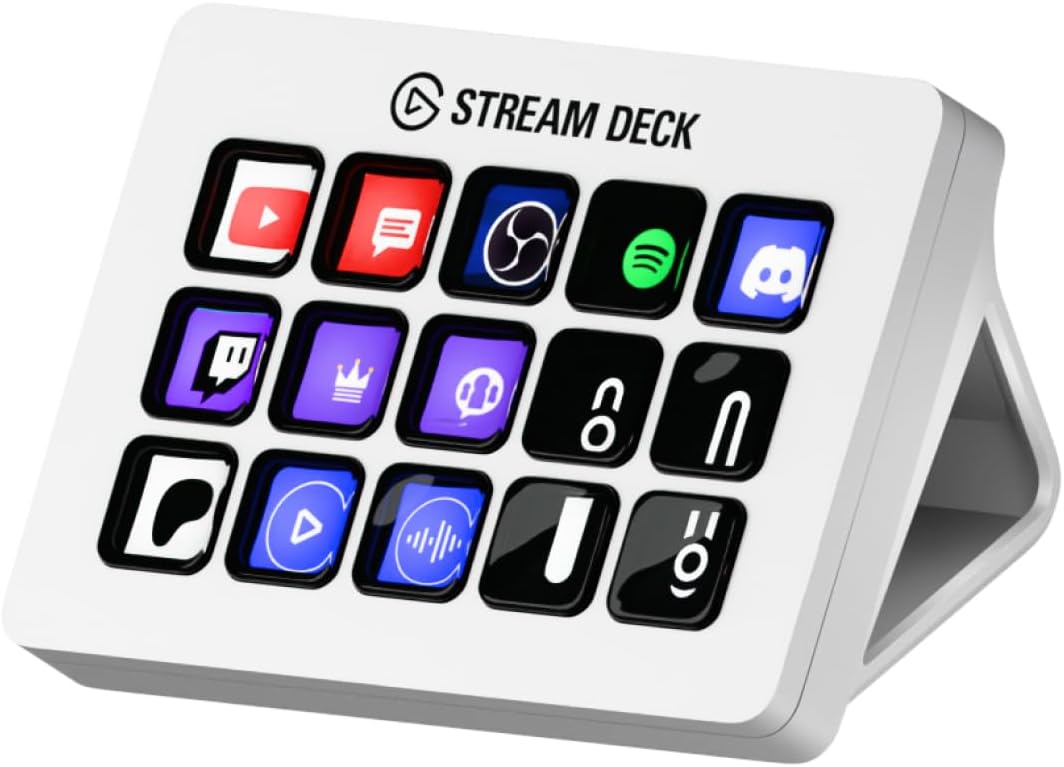
The Elgato Stream Deck MK.2 White uses 15 customizable LCD keys to offer a balanced middle ground between a compact Mini and a large XL console. Its 4.8 rating reflects a dependable design with single and multi-action support, visual feedback, and a mature plugin ecosystem. It is a common choice for streamers who want more dedicated controls without an oversized surface.
We may earn a commission when you buy through this link, at no additional cost to you.
One press can trigger a single action or multiple actions, allowing creators to launch social posts, adjust audio, mute a microphone, activate lights, and complete longer sequences. Integrations listed for the product include Elgato 4KCU, OBS, Twitch, YouTube, Twitter, Discord, Spotify, and Philips Hue. Hotkey actions also extend the controller into film editing, music production, and photography workflows.
The principal limitation is that it is a simpler generation of the Stream Deck concept. There are no integrated dials, touch strip, or large multi-page grid, so users must fit essential commands into 15 keys. Creators who require frequent continuous adjustments or many simultaneous applications may find a newer Plus model more versatile.
The MK.2 is best for a creator who values recognizable LCD buttons, a generous but manageable key count, and broad software support. It can handle a full Twitch scene workflow, serve as a post-production shortcut pad, or divide its keys among streaming and everyday applications. It remains a balanced option when the newest hardware is not essential.
Fifteen keys offer substantially more room than the Mini while remaining manageable in a compact grid. That balance supports a basic scene structure, audio actions, and streaming utilities without excessive desk use.
Multi-action support turns individual buttons into complete operational routines. This is useful for transitions and launch sequences where a single visible key represents several otherwise repetitive steps.
We may earn a commission when you buy through this link, at no additional cost to you.
The Elgato Stream Deck + White combines customizable LCD keys, a touch strip, and dials in a polished console for streaming and general creative work. Its 4.6 rating reflects a versatile control surface that can manage audio, video, lighting, applications, and timed automation from one device.
We may earn a commission when you buy through this link, at no additional cost to you.
The dials are particularly relevant during a Twitch broadcast because they support gradual adjustments that are less convenient with buttons. LCD keys cover commands, while the touch strip adds another visual and interactive area. Setup uses a drag-and-drop approach, and Multi Actions can execute several operations simultaneously or in a precisely timed sequence.
Compatibility extends beyond streaming into Zoom, Teams, PowerPoint, Excel, Word, Google Suite, Microsoft Office, Photoshop, Adobe Creative Cloud applications, and Spotify. That makes it practical for a creator who also records, edits, presents, or handles remote meetings. The premium cost may still be difficult to justify if those secondary applications are rarely used.
The White edition is a strong choice for a polished desk setup that needs more than button commands. It appeals to creators who want tactile level control, touch access, and a wide integration range in a reasonably compact footprint. Its color may be less suitable for a dark or aggressively themed environment, but that is an aesthetic consideration rather than a functional limitation.
Dials provide immediate tactile feedback when adjusting levels, while LCD buttons preserve one-tap access to commands. The combination makes the controller useful when a live show requires both discrete actions and continuous changes.
Broad support for presentation, office, creative, and collaboration applications gives the device a wider role. A streamer can reuse familiar actions for editing, meetings, and promotional work instead of treating the console as a single-purpose peripheral.
We may earn a commission when you buy through this link, at no additional cost to you.
The right streaming deck depends on your production complexity, available desk space, software stack, and need for tactile or visual controls. Consider the actions you perform most often before deciding how many keys, dials, and display surfaces you actually require.
Key count determines how many commands can remain visible without moving between pages. A six-key Mini suits a simple scene workflow, while 15, 18, 32, or 36 keys provide room for media, alerts, cameras, audio, and communication actions. A larger grid is valuable for complex shows, although it also consumes more desk space and can make occasional users hunt through many choices.
LCD keys are more than decorative screens: they show assigned actions and provide visual feedback after a command is triggered. Elgato products use customizable keys and a dedicated app, while both VSD M18 options accept custom JPG, PNG, and GIF artwork. Clear labels are especially important during fast broadcasts when there is little time to interpret a control.
Rotary dials are useful for gradual volume, lighting, and other continuous adjustments. Touch strips add information display and menu navigation, while button-only pads are more appropriate for launch, scene, and macro commands. The Stream Deck +, N4 Pro, and + XL provide different combinations of dials and touch input, so match the controls to the adjustments you make most often.
A Twitch-focused deck should work smoothly with OBS and the other applications in your production chain. The Elgato products list broad integrations including OBS, Twitch, YouTube, Discord, Spotify, and Philips Hue. VSD controllers list OBS, Streamlabs, YouTube, Discord, and other common applications. Verify that the particular programs and equipment you use have current integrations before buying.
Multi Actions can trigger commands together or in a sequence, turning one key into a complete production routine. Profiles and scene presets make it easier to switch among streaming, editing, gaming, and office layouts. These features reduce repetitive clicks, but they also require thoughtful configuration and can be less useful if the creator does not organize commands consistently.
Check both your computer and the controller's platform requirements. The Elgato Stream Deck app is described as available for PC and Mac, while the VSD M18 models specify Windows 11 or later and macOS 11.0 or later. The VSD N4 Pro supports Windows 10 or later and macOS 11.0 or later, and the supplied M18 information notes that native Linux plug-and-play support is unavailable.
A larger grid can place frequently used actions closer together, but it also takes room away from the keyboard, mouse, and other equipment. Compact pads suit focused workflows, while adjustable or folding stands can improve the viewing angle of LCD keys. The N4 Pro includes a foldable 60-degree stand, and large Elgato decks should be evaluated for reach and overall desk footprint.
The VSD M18 models include an adjustable RGB light ring, while the N4 Pro adds audio-synced lighting, switchable haptic keys, and a passive USB dock. A sound-deck function can control playback on the computer, but it does not replace physical speakers or a complete audio mixer. Treat decorative lighting and convenience features as secondary to reliable controls and software support.
Begin by connecting the controller with its supplied cable and opening the appropriate configuration software. For an Elgato device, use the Stream Deck app and its drag-and-drop action editor. For a VSD model, use the supplied configuration environment and available VSDinside plugins. Create a small starter profile containing only the actions you need during your first broadcast, then add commands gradually as the workflow becomes familiar.
Organize keys by task and assign icons that communicate their purpose at a glance. Group scene changes together, place microphone and audio controls in another area, and keep emergency actions easy to locate. Use Multi Actions for short, repeatable sequences, but test them outside a live stream first so delays, unintended applications, and timing issues can be corrected without disrupting viewers.
For care, keep the device on a stable surface and protect the LCDs and touch controls from prolonged direct sunlight, excessive heat, dust, and liquid. Clean with a soft dry or lightly damp cloth rather than spraying cleaner directly onto the controls. Review software updates and action profiles regularly, and reconnect the USB cable gently if a command stops responding. If a key becomes inconsistent, test it in a separate profile before resetting the entire setup.
A streaming deck is a programmable controller that places scenes, media, audio commands, and application shortcuts on physical buttons. Instead of memorizing keyboard combinations, a creator can press a labeled key to perform a command. Many models also support multi-step actions, profiles, and integrations with OBS and other production software.
No, a streaming deck is not required for Twitch. OBS, Streamlabs, keyboard shortcuts, and a mouse can handle the basic functions of a broadcast. A deck becomes more valuable when you want faster access to scenes, clearer organization, repeatable sequences, and more physical control over a complex production.
The Mini is a practical starting point because it offers six customizable LCD keys, straightforward drag-and-drop setup, and multi-action support. It works well for a focused set of scene, media, microphone, and alert commands. As your production expands, you can reorganize its actions, use profiles, or move to a larger model.
A macro pad generally emphasizes programmable keys and automated commands, while a Stream Deck combines keys with specialized software, integrations, profiles, and sometimes dials or a touch strip. The VSD devices can function as macro pads and USB sound controllers, whereas the Elgato models are designed as full production consoles. The right choice depends on the software ecosystem and controls you prefer.
Dials are better for gradual adjustments such as volume, brightness, or other continuous values. Buttons are usually better for switching scenes, launching media, or triggering a specific action. A controller with both, such as the Stream Deck + or VSD N4 Pro, can assign each control type to the task it performs most naturally.
The supplied VSD M18 descriptions explicitly list Streamlabs compatibility, while Elgato controllers support Twitch and many creative applications through their integration system. Compatibility can depend on the operating system, exact software version, and action plugin. Test your preferred commands before relying on them during a live broadcast.
Yes, several options in this guide support macOS. The Elgato Stream Deck app is described as free for PC and Mac, while the VSD M18 and N4 Pro list macOS support. Check the product requirements against the exact version of macOS on your computer, particularly for newer releases and recent hardware.
Six keys may be enough for a simple stream, while 10 to 18 supports a more structured set of scenes, alerts, media, and audio actions. Larger 32-key and 36-key consoles suit creators with extensive live-production workflows. Count the actions you genuinely want visible, and use multi-step sequences to reduce the number of keys required.
The Elgato Stream Deck + is the most balanced all-around pick, combining LCD keys, dials, a touch strip, smart profiles, and broad integrations. The Elgato Stream Deck + XL takes the premium route with 36 keys, six dials, and an expanded touch strip, while the Stream Deck Mini is the most approachable compact option for a focused beginner workflow.
Prioritize the controls and software that match your actual production. Choose a small keypad when scene switching and a few macros dominate, a knob-enabled controller when you adjust levels during shows, and a large LCD grid when many applications and production tasks must stay visible. Verify current operating-system and application compatibility before building a complete profile.
Retail prices, promotions, software features, and plugin availability can change over time, so check the latest product listing and accessory requirements before buying. A well-organized streaming deck can save time and reduce interruptions, but the most valuable system is the one you can operate confidently without searching for controls mid-broadcast.
