
NIMO 15.6-inch Light Gaming Laptop
4.4Editor score
Ryzen 7 7735HS eight-core processor
Radeon 680M RDNA 2 graphics
Expandable dual DDR5 memory
Laptops for emulators must balance more than raw processing power. A capable processor, integrated or discrete graphics, adequate memory, and a display that remains comfortable during long sessions are all essential for smooth, responsive emulation across retro consoles, handheld systems, and more demanding classics.
This guide compares ten laptops using their documented processors, graphics, memory, storage, displays, connectivity, portability, and warranty coverage. It covers models for budget-conscious retro players, students, creators, travelers, and enthusiasts who need dedicated graphics for demanding emulator software.
Each review identifies the configuration that matters most for emulation, along with practical trade-offs and ideal users. Ratings and specifications reflect the supplied product information, while availability and prices can change, so readers should confirm current listing details before purchasing.
4.4Editor score

4.4Editor score

5.0Editor score
As an Amazon Associate we earn from qualifying purchases.
The comparison highlights the main hardware differences among ten emulator-friendly laptops, helping readers balance CPU capability, graphics strength, memory, storage, display quality, and portability according to the games they plan to emulate.


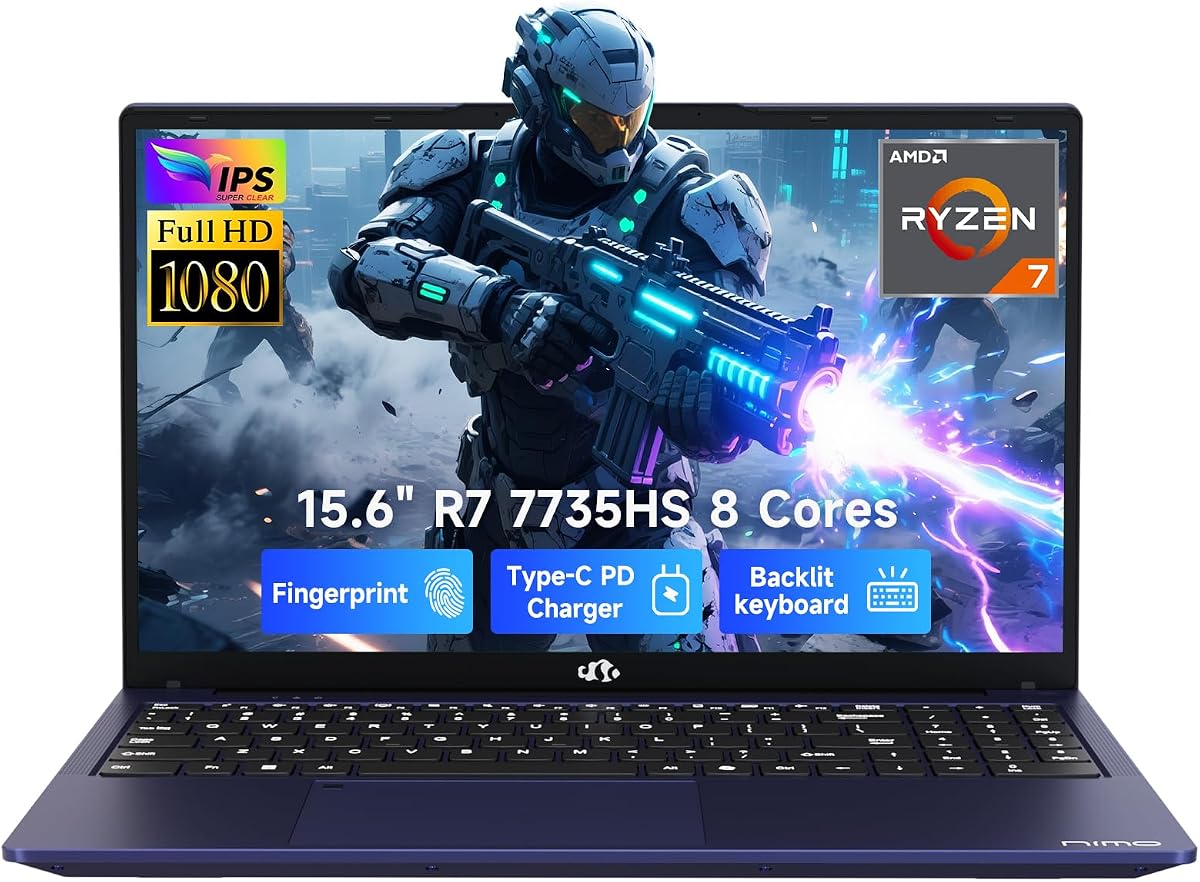


The NIMO 15.6-inch Light Gaming Laptop pairs an AMD Ryzen 7 7735HS processor with Radeon 680M RDNA 2 graphics, giving it more emulator-oriented capability than a typical office notebook without requiring a bulky discrete-GPU design. Its 4.4 rating reflects a generally favorable balance of performance, features, and portability, and the eight-core processor gives demanding emulators plenty of CPU headroom.
We may earn a commission when you buy through this link, at no additional cost to you.
Its most useful traits extend beyond raw processing power. A PCIe 4.0 M.2 drive improves game-loading times, while dual DDR5 SO-DIMM slots make the system easier to expand as emulator collections, browser tools, and companion applications become more demanding. The 15.6-inch 1920-by-1080 display provides enough room for 16:9 game windows, and the 180-degree hinge is convenient when sharing a screen or arranging the laptop at different angles.
The main limitation is that Radeon 680M remains integrated graphics, so it does not provide the same headroom as a discrete GeForce GPU. Users emulating demanding PC titles or applying intensive graphical filters may need to lower settings. The supplied configuration also does not list the exact installed RAM quantity, and its 53.58Wh battery is more realistic for general productivity than for extended, high-load gaming sessions.
Despite those compromises, this is a strong recommendation for people who want a capable, portable emulator machine for console, arcade, handheld, and moderately demanding PC emulation. Its expandable memory, useful ports, fast storage, and capable processor offer a more balanced platform than many basic laptops while remaining lighter and simpler to carry than a full-size gaming machine.
The Ryzen 7 7735HS and Radeon 680M combination provides enough CPU and graphics capability for a broad range of emulators. It is particularly well suited to users who play varied retro catalogs rather than focusing exclusively on demanding PC games.
Two full-featured USB-C ports, HDMI 2.0, three USB-A ports, and a microSD reader provide useful options for controllers, external storage, headsets, and displays. Fingerprint login also keeps daily use convenient when the laptop is shared.
We may earn a commission when you buy through this link, at no additional cost to you.
This NIMO 17.3-inch Gaming Laptop is built around an AMD Ryzen 5 6600H processor, Radeon 660M RDNA 2 graphics, 32GB of DDR5 memory, and a 1TB SSD. That combination suits emulator users who like to run a game alongside documentation, browser tabs, recording tools, and other utilities. Its 4.2 rating indicates a capable package with some room for improvement.
We may earn a commission when you buy through this link, at no additional cost to you.
The 17.3-inch FHD IPS anti-glare display is especially useful for emulator collections because it provides a generous workspace and remains readable in bright surroundings. Memory is the headline feature: 32GB is unusually generous for emulation and leaves ample capacity for demanding applications. Dual SO-DIMM slots permit expansion to 64GB, while the M.2 2280 drive can be replaced with a larger SSD, up to the stated 4TB capacity.
Graphics performance is the key limitation. Radeon 660M can handle many popular emulators and lighter games, but it is not the strongest option for systems with demanding 3D hardware, high-resolution texture packs, or intensive post-processing. The larger chassis also makes this laptop less convenient for mobile play than the 15.6-inch alternatives, even though USB-C charging helps reduce the number of cables required.
This model is best for students, collectors, and multitaskers who prioritize screen area and abundant memory over maximum graphics power. It is a particularly sensible choice for older console and arcade libraries, Game Boy Advance titles, Nintendo DS software, and many PlayStation-era games, provided the target applications do not require a dedicated GPU.
With 32GB of DDR5 memory, this laptop can comfortably accommodate substantial emulator libraries and background applications. The ability to reach 64GB adds useful longevity for users who also run development tools, virtual machines, or creative software.
The anti-glare 17.3-inch panel is more practical than a smaller screen when users organize ROMs, cheats, controls, and documentation together. Its 180-degree hinge and backlit keyboard also suit long evening sessions.
We may earn a commission when you buy through this link, at no additional cost to you.
The KAIGERR Ryzen 7 5700U configuration offers an eight-core, 16-thread processor with boost speeds up to 4.3GHz, 16GB of SODIMM DDR4 memory, and a 512GB M.2 2280 NVMe SSD. Its 4.6 rating makes it one of the strongest-rated options in the group, particularly for a value-oriented laptop centered on mainstream emulation.
We may earn a commission when you buy through this link, at no additional cost to you.
The processor provides a useful foundation for emulators that rely on multi-core CPU performance. Fast NVMe storage helps reduce loading pauses, while 16GB of RAM is enough for typical emulator use and several background applications. The thin-bezel Full HD display offers a practical 16:9 canvas for classic consoles, and the stated ports include HDMI, USB-C, USB 3.2, a 3.5mm audio jack, and a memory card slot.
Integrated AMD Radeon graphics keep the machine compact but place a ceiling on demanding 3D emulation. Users targeting older consoles will have ample capability, while those emulating recent PC systems may encounter bottlenecks. The title also omits the display size, so buyers should verify dimensions and the exact installed configuration before ordering.
This laptop is a good match for budget-conscious players whose library emphasizes two-dimensional and older three-dimensional titles. It also works well as a first emulation machine, a travel companion, and a general-purpose laptop for school or work. Its strong rating, modern connectivity, and balanced eight-core design make it an appealing option when discrete graphics are unnecessary.
Eight cores and 16 threads provide a useful foundation for multitasking and CPU-heavy emulation. The 5700U can cover a broad range of retro platforms without the power draw and bulk associated with a dedicated gaming GPU.
Wi-Fi 6, Bluetooth 5.2, HDMI, USB-C, USB 3.2, and a card reader cover most accessories a player may need. The compact construction also makes the system easier to carry than a large traditional gaming notebook.
We may earn a commission when you buy through this link, at no additional cost to you.
This NIMO 15.6-inch IPS gaming laptop combines the Ryzen 7 7735HS and Radeon 680M with 32GB of DDR5 memory and a 1TB PCIe 4.0 SSD. The result is a well-equipped emulation notebook for users who want generous memory, quick loading, and a capable processor in a relatively portable enclosure.
We may earn a commission when you buy through this link, at no additional cost to you.
Compared with many similarly positioned laptops, the 32GB memory configuration is the major advantage. It leaves room for large game libraries and many active applications, reducing the chance that background browser tabs or recording utilities will become the limiting factor. The 1TB drive also provides substantial room for ROM collections, installation files, screenshots, and videos, while PCIe 4.0 speeds help applications launch quickly.
The Radeon 680M remains the main constraint for advanced PC emulation. It should handle console and arcade libraries well, but demanding titles may require lower resolutions or reduced settings. The 15.6-inch FHD anti-glare IPS display has good practical qualities, although the supplied information does not identify its refresh rate, which matters more for action-heavy games than for slower retro platforms.
This is a strong recommendation for users who need more memory and storage than a conventional budget laptop but still prefer a 15.6-inch design over a 17.3-inch model. It also suits anyone who uses the same machine for schoolwork, content creation, and emulation. Fingerprint login, a backlit keyboard, and 100W USB-C charging improve daily convenience.
A 1TB PCIe 4.0 SSD offers room for extensive collections and fast transfer performance. Emulator users who install larger packages, keep multiple save states, or record gameplay will have much more breathing room than a smaller drive provides.
The anti-glare IPS panel reduces distracting reflections and offers wide viewing angles. At 15.6 inches with Full HD resolution, it also remains a familiar size for standard 16:9 game windows.
We may earn a commission when you buy through this link, at no additional cost to you.
The NIMO Ryzen 7 8745HS is the strongest integrated-graphics option in this roundup, combining an eight-core processor capable of 4.9GHz with Radeon 780M RDNA 3 graphics. Its 5.0 rating, 64GB of DDR5 memory, and 2TB SSD configuration make it a premium choice for emulation, content creation, and other demanding workloads.
We may earn a commission when you buy through this link, at no additional cost to you.
Radeon 780M gives this laptop a meaningful advantage over older integrated solutions. It is better suited to demanding console emulation and more demanding PC titles, while the Ryzen 7 8745HS supplies enough CPU performance for multitasking and heavy applications. The unusually generous memory and storage allow users to keep extensive libraries, multiple creative applications, and recording tools without constant cleanup.
Its 15.6-inch FHD IPS display supports sharp visuals and wide viewing angles, though it does not list a high refresh rate. Users primarily interested in 3D PC emulation may still prefer a laptop with a discrete GPU, and the size and weight of the configuration may exceed what some travelers want. Its USB4, HDMI 2.1, USB 3.2, microSD reader, and audio jack nevertheless create a versatile connection platform.
This laptop is ideal for enthusiasts who want premium performance without carrying a thick gaming notebook. It is particularly attractive to users who also edit video, stream, run development tools, or explore AI applications. For pure emulation value, the dedicated ASUS model offers stronger graphics, but this NIMO delivers exceptional integrated performance, abundant memory, fast storage, and a slim metal body.
Radeon 780M uses RDNA 3 architecture and is the most capable integrated graphics option included here. It narrows the gap with a discrete GPU for console and moderately demanding PC emulation.
The 64GB memory and 2TB storage configuration leaves substantial headroom for emulator instances, creative applications, browser tabs, and large media libraries. That capacity is particularly useful for power users who do not want to upgrade immediately.
We may earn a commission when you buy through this link, at no additional cost to you.
The KAIGERR Light Gaming Laptop offers 16GB of SODIMM DDR4 memory, a 512GB M.2 NVMe SSD, and a thin-bezel Full HD display. Its 4.6 rating indicates a favorable overall value, particularly for users interested in lighter console and handheld emulation rather than demanding PC games.
We may earn a commission when you buy through this link, at no additional cost to you.
The memory and storage combination gives this machine a competent foundation. Sixteen gigabytes is adequate for most emulator software, and the NVMe drive supports faster system and game loading than a traditional hard drive. Integrated AMD Radeon graphics, along with Wi-Fi 6 and Bluetooth 5.2, make it convenient as an everyday companion for school, work, and retro gaming.
The most important buying consideration is the inconsistent processor naming in the supplied listing. The title references an AMD Ryzen 7430U, while the descriptive bullet points refer to an AMD Ryzen R2544 with a stated 3.7GHz frequency. Because these are different identifiers, buyers should confirm the actual processor in the live listing and detailed specifications before deciding.
Graphics performance also remains modest, so this laptop is best for older two-dimensional systems, classic arcade titles, 8-bit and 16-bit consoles, and many handheld platforms. It is a sensible first emulator machine or secondary travel laptop for a buyer who values portability, memory, and storage over advanced 3D performance. The compact design helps offset the limitations of the integrated graphics.
The combination of 16GB memory and a 512GB NVMe drive gives new users enough capacity for emulator software, a respectable retro collection, and regular multitasking. These fundamentals are more valuable for casual emulation than a specialized gaming chassis.
The product title and description show different AMD processor names. Checking the current technical specifications is essential because processor capability can materially affect emulator compatibility and performance.
We may earn a commission when you buy through this link, at no additional cost to you.
The Intel Core i7 Gaming Laptop combines an unspecified Intel Core i7 processor rated up to 3.9GHz with 16GB of memory and a 512GB SSD. Its 5.0 rating reflects a well-received general-purpose package, while Windows 11 Pro and Office inclusion make it appealing to students and office users who also want to emulate games.
We may earn a commission when you buy through this link, at no additional cost to you.
The full-size backlit keyboard, 15.6-inch Full HD display, and 5000mAh battery are useful for school, work, and evening gaming. A thickness of 0.8 inches and weight of 3.5 pounds make it easier to carry than many traditional gaming laptops. Ports include two USB 3.0 connections, Mini HDMI, a microSD reader, and a headphone jack.
The product information does not identify a discrete graphics model, so buyers should not assume gaming-class graphics merely from the listing title. Wi-Fi 5 is also older than Wi-Fi 6 or Wi-Fi 7, and the 512GB drive may become limited for very large libraries. Its advantages are more visible in general computing and portable retro gaming than in demanding 3D emulation.
This is a good recommendation for a buyer who wants one laptop for coursework, business applications, casual gaming, and emulation. Windows 11 Pro provides a familiar productivity environment, while the included Office software reduces setup work. A 180-day return and replacement policy also provides extra time to evaluate emulator compatibility, although the graphics specification should be confirmed first.
Windows 11 Pro and included Office software make this a practical productivity system as well as a gaming machine. It can handle everyday documents, meetings, classes, and emulator software without requiring a separate setup for common office tasks.
The thin clamshell chassis and 3.5-pound weight are helpful for commuting and travel. A backlit keyboard preserves comfort in dim rooms, although older Wi-Fi 5 connectivity is one feature to keep in mind.
We may earn a commission when you buy through this link, at no additional cost to you.
The ASUS ROG Strix G16 is the clear choice for users who want the highest graphics headroom in this list. It combines an Intel Core i7 14650HX with an NVIDIA GeForce RTX 5060 laptop GPU based on the Blackwell architecture, plus 16GB of DDR5-5600 memory and a 1TB PCIe Gen 4 SSD.
We may earn a commission when you buy through this link, at no additional cost to you.
Dedicated graphics make a major difference for 3D emulation. The RTX 5060 offers substantially more graphical capability than the integrated GPUs used by the other models, making this laptop better suited to demanding console and PC emulation, high-resolution output, and graphically intensive filters. Its 16-inch FHD+ 16:10 screen runs at 165Hz with a stated 3ms response time, providing both a larger view and a major advantage for fast action.
Thermal design is another defining strength. The laptop includes an end-to-end vapor chamber, tri-fan technology, and Conductonaut extreme liquid metal on the chipset, helping the components sustain performance during extended workloads. The 16GB memory configuration is reasonable but modest for a system in this class, and potential buyers may want to verify upgrade options before purchasing.
This G16 is the top recommendation for dedicated gamers, emulator enthusiasts running demanding software, and anyone who wants a fast high-refresh display. It is less compelling for basic retro gaming because a simpler machine can handle that role at a lower tier. Even so, for users interested in the entire emulator landscape, the dedicated GPU, large display, and serious cooling make it the most versatile option here.
The GeForce RTX 5060 provides dedicated graphics resources rather than sharing them with the CPU. That distinction matters for 3D emulation, higher output resolutions, and effects that can overwhelm integrated graphics.
The 165Hz FHD+ panel offers a clear advantage for action-oriented games. Its 16:10 aspect ratio also provides more vertical workspace than a traditional 16:9 laptop display.
A vapor chamber, three fans, and liquid-metal chipset cooling help maintain performance under sustained emulator loads. The system is better suited to lengthy play sessions than a thin notebook with minimal cooling.
We may earn a commission when you buy through this link, at no additional cost to you.
The HP OmniBook 3 pairs an AMD Ryzen 3 30 processor, Radeon 610M graphics, 8GB of LPDDR5 memory, and a 512GB PCIe NVMe SSD with a 17.3-inch Full HD IPS display. Its 4.5 rating and broad everyday feature set make it a credible option for basic emulation and travel.
We may earn a commission when you buy through this link, at no additional cost to you.
The large display is a major advantage for emulator users who like to keep game windows alongside references or control guides. Wide viewing angles support different seating positions, while the NVMe drive provides quick startup and file access. HP also advertises up to 14 hours and 15 minutes of battery life, along with fast charging that restores the battery from zero to 50 percent in approximately 45 minutes.
The 8GB memory capacity is the clearest limitation. It can run common emulator software, but heavy multitasking and more demanding applications have less room to operate. Radeon 610M is also intended for everyday entertainment, streaming, and casual games rather than advanced 3D emulation. Users targeting demanding titles should consider a model with more memory and stronger graphics.
This OmniBook is a good fit for students, travelers, and casual players who want a large screen and long advertised runtime without a gaming chassis. It is particularly appropriate for 2D and older console libraries where 8GB is adequate. The 512GB drive has enough capacity for a curated collection, while Wi-Fi 6 and Bluetooth 5.4 provide modern everyday connectivity.
The 17.3-inch IPS panel offers comfortable viewing for emulator libraries and desktop layouts. Its wide angles make it easier to share the screen during a session, while the advertised battery life supports mobile use.
The Ryzen 3 30 and Radeon 610M are best matched to casual gaming and older 2D emulation. The entry-level hardware is less suitable for demanding 3D systems or intensive emulator features.
We may earn a commission when you buy through this link, at no additional cost to you.
The KAIGERR Ryzen 7430U Laptop combines a six-core, 12-thread Ryzen 7430U processor rated up to 4.3GHz with 16GB of DDR4 memory, a 512GB M.2 SSD, and a 16-inch Full HD display. Its 4.7 rating is the highest among the listed products, indicating strong reception for the overall configuration.
We may earn a commission when you buy through this link, at no additional cost to you.
A 16-inch panel is unusual at this level and gives emulator windows a generous canvas. The thin-bezel design maximizes the visible area, while Wi-Fi 6, USB 3.2, USB-C, and a physical webcam cover cover common everyday needs. The SSD is replaceable with a larger unit up to 2TB according to the product information, which is useful for expanding a ROM collection.
Integrated UHD graphics are the principal limitation. The system should suit 8-bit, 16-bit, classic arcade, and many older console emulators, but demanding 3D titles may require reduced settings. The 38Wh battery and stated eight-hour usage figure are also less compelling for travel than the larger batteries found in some alternatives. Emulator-specific settings and the target platform remain the decisive factors.
This is a strong value-oriented recommendation for users who want a large display, generous memory, and easy storage expansion without paying for a dedicated gaming laptop. It is particularly appealing for children, students, or casual players building a first retro library. The high rating supports its general appeal, although buyers with advanced emulator needs should look toward stronger integrated graphics or a discrete GPU.
The 16-inch Full HD display provides more room for emulator windows, documentation, and menus than a compact 14-inch system. It remains practical for home use and can be moved between rooms without the bulk of a large gaming notebook.
The 512GB SSD can be replaced with a larger drive up to the stated 2TB maximum. This gives users a practical path to expanding storage without relying on compressed collections or external drives for every title.
We may earn a commission when you buy through this link, at no additional cost to you.
The right emulator laptop depends on the platforms being emulated and whether the machine must also handle schoolwork, creative software, travel, or modern PC games. CPU cores, graphics, memory, storage, display, cooling, and connectivity should be considered together.
Emulation performance depends on how faithfully the emulator reproduces a system's CPU and graphics architecture. Multi-core processors with higher boost speeds generally have more headroom for demanding titles, recompilation, shader processing, and background applications. The Ryzen 7 7735HS, Ryzen 7 8745HS, and Core i7 14650HX provide substantial CPU capability, while a Ryzen 3 30 or Ryzen 7430U may be sufficient for lighter retro libraries.
Choose a processor with extra headroom rather than optimizing solely for a clock-speed figure. A faster single core can help individual emulated systems, while additional cores benefit multitasking and heavier workloads.
Graphics capability is often the deciding factor for 3D emulation. Radeon 780M and Radeon 680M are the strongest integrated options in this group, while the ASUS ROG Strix G16's GeForce RTX 5060 offers substantially more headroom. Integrated Radeon 610M and UHD graphics are better suited to older, less demanding titles and everyday use.
Prioritize dedicated graphics for recent console emulation, demanding PC systems, high-resolution output, or intensive graphical filters. For classic 2D libraries, modern integrated graphics may be enough.
Memory determines how comfortably the laptop can run an emulator alongside a browser, Discord, recording software, and other utilities. Sixteen gigabytes is a sensible minimum, 32GB provides comfortable headroom, and 64GB suits power users. SO-DIMM configurations can be easier to expand, while soldered LPDDR5 memory offers compactness but fewer obvious upgrade paths.
Check the maximum supported memory and whether the installed modules are replaceable. More memory does not improve every title, but it reduces stalling when several demanding applications are open.
A fast SSD improves system startup, emulator loading, shader compilation, and transfers between storage and memory. PCIe 4.0 drives provide a useful speed advantage, while even a basic NVMe drive is substantially more responsive than a mechanical hard drive. Capacity matters because some systems, portable releases, and large collections can consume considerable space.
Choose at least 512GB for a focused library and 1TB or more for broad collections, recordings, and extra software. Confirm whether the drive is replaceable before filling it with large game files.
A 15.6-inch Full HD display is a familiar match for standard 16:9 emulator output, while 16-inch and 17.3-inch screens provide more room for windows and companion applications. IPS panels can offer better viewing angles, and anti-glare surfaces help in bright rooms. High refresh rates are less important for slow retro games but are noticeable in fast action-oriented titles.
For a mixed-purpose laptop, 15.6 inches balances screen area and portability. Choose 16 or 17.3 inches for a desktop-replacement experience, or prioritize refresh rate and a higher-resolution panel for modern gaming.
Emulators can sustain high CPU and GPU loads, particularly when running demanding games, rendering at high resolutions, or using advanced filters. A larger gaming chassis with a vapor chamber, multiple fans, and strong thermal contact can maintain performance more consistently than a thin notebook with a minimal cooling system. Integrated systems also benefit from sustained airflow.
Avoid choosing a thin laptop solely by its peak processor figure. A well-cooled configuration is generally more comfortable during long sessions, although it will usually be heavier and less portable.
Emulation laptops used for travel need a balance of weight, thickness, screen size, and battery capacity. Systems around 15.6 inches are often the easiest compromise, while 17.3-inch models prioritize workspace over easy carrying. USB-C Power Delivery can simplify charging when the laptop is paired with a compatible compact adapter and other devices.
Treat advertised battery figures as a guide rather than a guarantee, because emulator load, display brightness, wireless use, and power settings all affect runtime. Choose portability first if the computer will regularly travel.
Controllers and external accessories can determine how comfortably a laptop handles emulator sessions. USB-A ports remain useful for many gamepads, while USB-C and HDMI support modern displays and docking. A microSD reader can be convenient for transferring ROM collections, and Bluetooth can support compatible wireless accessories. Users should also check whether controllers are sold separately.
Look for a connection mix that matches your accessories, not merely a long specification list. Expandable RAM and storage improve longevity, while a fingerprint reader and physical webcam shutter add useful everyday convenience.
Before installing emulators, check the operating requirements of each program and create separate save folders for games, BIOS files, shaders, and other required content. Save ROMs and personal files should be stored in clearly labeled directories, with a backup kept outside the laptop whenever possible. Use legal game dumps that you personally own, and review the emulator's instructions for correct BIOS and firmware setup.
For the best balance of responsiveness and stability, begin with a modest resolution and adjust emulator settings gradually. Avoid changing numerous graphics options at once, because that makes it difficult to identify whether an improvement came from a particular setting. Keep the laptop on a firm surface with its vents unobstructed, use performance modes when appropriate, and let the system cool between demanding sessions.
Long-term care includes keeping the operating system, drivers, graphics software, and emulator versions updated. Check the manufacturer's storage and memory guidance before upgrading components, and preserve important files before making major changes. Clean the vents gently, avoid blocking heat exhaust with fabric, and use a surge-protected outlet or suitable power strip when operating the laptop for extended periods.
It depends on the games you want to emulate. Integrated graphics are usually sufficient for many classic 2D and older console titles, while modern integrated GPUs can handle a wider range of console emulation. A dedicated GPU such as the GeForce RTX 5060 is preferable for demanding PC emulation, high-resolution output, and graphically intensive filters. Match the hardware to the most demanding system in your library.
Sixteen gigabytes is a practical minimum for a dedicated emulator machine, especially if other applications will run at the same time. Thirty-two gigabytes provides more comfortable multitasking and leaves room for demanding games, while 64GB is most useful for power users, creators, and virtualized workloads. Memory alone will not overcome weak processor or graphics performance.
A larger display is helpful when running emulator windows beside guides, maps, chat programs, or other utilities. It can also make game artwork and menus easier to see. However, 17.3-inch laptops are generally heavier and less convenient for travel, so a 15.6-inch model is often the more balanced choice for a user who values portability equally.
A modern multi-core processor provides the most flexible foundation for mixed emulator libraries. The Ryzen 7 7735HS and 8745HS offer strong CPU capability, while the Core i7 14650HX is particularly attractive when paired with the ASUS model's dedicated GPU. For lighter retro collections, a Ryzen 5, Ryzen 7 5700U, or Ryzen 7430U can still be adequate.
Fast storage improves boot time, game loading, shader compilation, and project transfers, so an SSD is strongly preferable. PCIe 4.0 provides additional speed, although emulator performance is not determined by storage alone. Capacity is also important: a 512GB drive can fill quickly with large collections, so buyers should consider 1TB or 2TB when available.
Yes, provided the platforms are not excessively demanding. The KAIGERR Ryzen 7 5700U model, HP OmniBook 3, and other entry-level choices can run many classic console, arcade, and handheld emulators. Their limitations become clearer with 3D PC emulation, high-resolution output, intensive shaders, or heavy multitasking. Dedicated gaming hardware provides much more headroom.
Most of the listed laptops include USB, HDMI, and audio connections suitable for compatible controllers, headsets, and displays. USB-C can also support suitable monitors and docking stations, although not every USB-C port necessarily supports every display mode. Users should check the port specifications and buy compatible controllers or adapters separately.
Choose the ASUS ROG Strix G16 when graphics performance, a 165Hz large display, and advanced cooling are priorities. Choose the NIMO Ryzen 7 8745HS when a thin metal design, 64GB of memory, 2TB of storage, and strong integrated graphics are more important. Both are strong all-rounders, but they serve different emulator and portability priorities.
The NIMO 15.6-inch Light Gaming Laptop is the most balanced budget-oriented recommendation, combining the Ryzen 7 7735HS, Radeon 680M, fast storage, and expandable memory. The ASUS ROG Strix G16 takes the lead for demanding emulation because its GeForce RTX 5060, 165Hz display, and advanced cooling provide the greatest performance headroom. The NIMO Ryzen 7 8745HS stands out as the premium integrated-graphics option.
Prioritize the hardware needed by the most demanding system in your collection. Retro players can focus on a capable processor, 16GB of memory, and a comfortable display, while modern console and PC emulation benefits much more from a discrete GPU. Screen size, portability, cooling, storage expandability, and the number of compatible accessories should be balanced against graphics requirements.
Finally, verify the current processor, graphics, memory, display, and connectivity details on the live listing before purchasing, particularly for models whose descriptions contain inconsistent specifications. Ratings, configurations, availability, and prices can change over time, so checking the current Amazon listing helps ensure that the selected laptop still matches your emulator library and budget.
