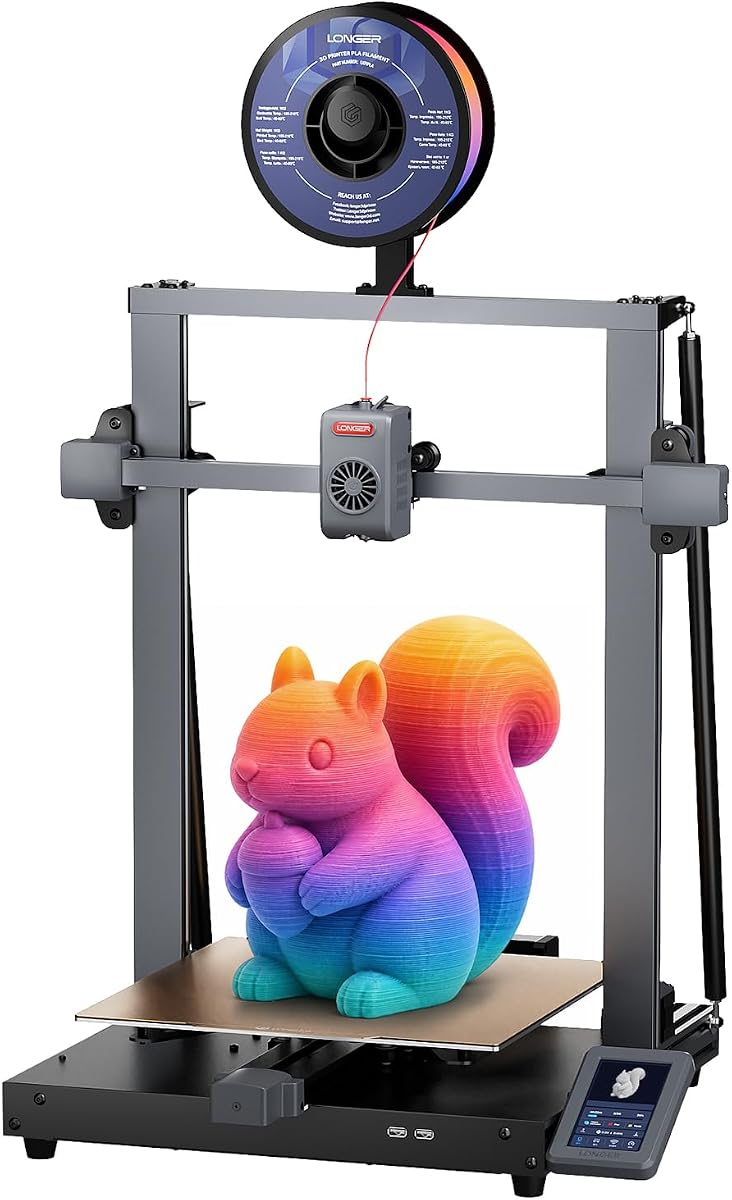
LONGER LK10 Plus
4.4Editor score
320mm-wide build platform
400mm vertical clearance
500mm/s claimed speed
Eddy-current bed sensing
Wi-Fi remote control
Our Fdm Printer for Large Prints guide compares ten spacious FDM models for big models, batch production, speed, materials, reliability, and multi-color
An FDM printer for large prints must provide more than a roomy build platform. It needs a rigid frame, dependable motion, effective cooling, and enough heated capacity to keep oversized or tall models stable from the first layer to the final layer.
This guide compares ten large-format FDM printers across build volume, maximum speed, automation, material support, multi-color capabilities, monitoring, and print-farm features. The list covers compact large-format machines, enclosed high-speed systems, open designs, and multi-material production tools.
Each pick demonstrates a different way to handle large objects or batches, from a budget-friendly 300-by-300-by-400mm machine to advanced enclosed systems with multi-color units. Ratings and product details reflect the supplied information, while current pricing and availability can change.
4.4Editor score

4.0Editor score

4.5Editor score
The comparison highlights the practical differences in build volume, motion capability, automation, chamber control, and multi-color expansion, helping buyers identify the printer that best matches their largest projects and production goals.




The Bambu Lab P1S combines an enclosed FDM design with a 4.5 rating, giving it a strong balance of accessibility and advanced capability. Its standout feature is support for as many as 16 colors when the Bambu Lab AMS is connected, while automatic bed leveling and a 500mm/s claimed speed make it appealing to users who want productive results with limited manual intervention.
We may earn a commission when you buy through this link, at no additional cost to you.
The enclosed body is particularly relevant to large prints because it helps limit external airflow around ABS, ASA, and other temperature-sensitive materials. The printer supports PLA, PETG, TPU, PVA, PET ABS, and ASA as ideal materials, with PA and PC listed as capable but less broadly recommended. The stated 20,000mm/s² acceleration and 500mm/s speed also support fast slicing profiles and batch-oriented workflows when the sliced model and machine configuration allow them.
There are trade-offs. The P1S does not provide the enormous 350mm or 400mm build areas offered by several larger picks, so exceptionally broad models may still need to be divided. Multi-color capability also depends on acquiring and connecting an AMS rather than coming as a native four-tool system. Fiber-reinforced polymers are not recommended, and buyers who require a heated production chamber or industrial thermal control may prefer a specialized enclosed model.
This is an appealing choice for makers who want one versatile FDM machine for everyday objects, tall decorative prints, and colorful segmented models without navigating a complicated modular toolhead. It is particularly well suited to users who value straightforward setup and automatic calibration. For projects that fit within its available build area and do not require native multi-material production, the P1S is an efficient, feature-rich option.
A fully enclosed body helps reduce the effect of changing room conditions on temperature-sensitive prints. That makes the P1S more versatile than a typical open-frame machine when working with ABS, ASA, or other materials that benefit from a stable environment.
With the AMS connected, the printer can handle as many as 16 colors. The external material system keeps the core machine comparatively simple while enabling colorful objects and multi-material designs.
We may earn a commission when you buy through this link, at no additional cost to you.
The Snapmaker U1 earns the highest numerical rating in this group at 4.6 and distinguishes itself through a four-toolhead system rather than a conventional filament changer. Four independent toolheads are preloaded and preheated, and the SnapSwap mechanism changes tools in about five seconds. This design is especially compelling for large colorful models that would otherwise require repeated manual changes and substantial purging.
We may earn a commission when you buy through this link, at no additional cost to you.
Its 270-by-270-by-270mm build volume is smaller than the 350mm and 400mm options in the guide, but the machine focuses on complex production rather than maximum object dimensions. It supports PLA, PVA, TPU, PETG, PCTG, ABS, ASA, PA, and PC. That broad palette enables rigid and flexible parts together, water-soluble supports, and mixed Shore-hardness TPU, all within a single print.
The trade-off is that four toolheads create a larger, more mechanically complex system than a single-extruder printer. The product also has the smallest build area of the dedicated large-format models listed, and 270mm may not accommodate the broadest scenic base or tallest architectural model. Its advertised waste reduction and faster tool changes still make it compelling for multi-color service work and intricate finished objects.
The Snapmaker U1 is best for makers, workshops, and small businesses that routinely combine colors or materials and want to minimize interruption. Choose it when production flexibility matters more than having the largest possible canvas. Its automatic toolhead calibration, built-in model library, monitoring, touchscreen, remote app, and one-year warranty create an especially complete package for multi-material creators.
Swapping entire preheated toolheads avoids repeatedly feeding, unloading, and purging filament. The stated five-second change process helps preserve print time and reduce material waste when colors alternate frequently.
The independent toolheads make practical combinations such as flexible TPU with rigid PLA or soluble PVA supports with finished material. This expands the U1 beyond decorative color into functional prototyping.
We may earn a commission when you buy through this link, at no additional cost to you.
The Creality Ender 5 Max is the most straightforward all-round answer for oversized models and print-farm work in this roundup. Its 400-by-400-by-400mm build volume is the largest listed, allowing large props, architectural elements, and multiple parts to be produced without splitting. The 4.0 rating reflects a capable platform with a 700mm/s claimed speed and extensive production-oriented automation.
We may earn a commission when you buy through this link, at no additional cost to you.
Its CoreXY motion system, reinforced die-cast aluminum frame, and precision X-axis linear rail are designed to control movement across the larger platform. The 64-point auto-leveling and automatic Z-offset improve consistency between builds, while the 1000W rapid-heating bed supports PLA, PETG, ABS, ASA, PA, and other materials. A direct-drive dual-gear extruder with hardened gears adds feeding strength and is intended for extended operation.
This is not an enclosed machine, so it is less suitable than the QIDI, Kobra S1 Max, or Bambu P1S when chamber temperature is essential. The large reinforced structure and fast heated bed also call for a sturdy work surface and enough clearance around the printer. Multi-color capability is not part of the core specification, making it less attractive for projects built around extensive color changes.
The Ender 5 Max is the recommendation for users who need maximum build volume, fast production, and remote management of multiple machines. It is a stronger fit for a studio, workshop, or growing print farm than for someone seeking native multi-material flexibility. Its combination of scale, automatic setup, and fleet-oriented controls makes it the most balanced large-format choice here.
A 400mm cube provides meaningful freedom for tall figures, wide scenery, oversized prototypes, and production batches. Builders no longer need to divide every large project into several interlocking sections.
WLAN management, grouped printer control, and a distant tri-color status indicator make the machine easier to supervise in a busy workshop. These are practical features for maintaining several units without constantly walking to each bed.
We may earn a commission when you buy through this link, at no additional cost to you.
The Creality K2 Plus Combo combines a 350mm cubic build volume with an extensive multi-color system, making it a compelling option for large models that need many colors. Its 4.0 rating is supported by a 600mm/s claimed speed, automatic calibration, two AI cameras, and a rigid Matrix frame built from die-cast aluminum alloy.
We may earn a commission when you buy through this link, at no additional cost to you.
Four CFS units can be connected to deliver as many as 16 colors. RFID filament identification allows automatic color and type recognition, while relay behavior can switch to a similar installed filament when one runs out. The machine also supports high-temperature materials through active chamber control up to 60°C, a hardened steel nozzle, and nozzle temperatures up to 350°C.
Compared with the Snapmaker U1, the K2 Plus offers a substantially larger canvas, but its CFS-based system is a different approach to material management. Buyers should account for the space taken by connected filament units and the greater complexity of automatic selection and relay behavior. Its 60°C chamber also falls below the 65°C available from the QIDI Max4 Combo and ANYCUBIC Kobra S1 Max.
The K2 Plus is a good match for large decorative pieces, colorful organizational sets, and production workflows where automatic filament management matters. It is especially attractive for users who want a substantial build area and up to 16 colors without relying on four physical toolheads. Buyers focused solely on maximum dimensions may still prefer the Ender 5 Max, while those prioritizing multi-material mixing may look to the Snapmaker U1.
Connecting four CFS units expands the color palette to as many as 16 options. Automatic filament selection and relay behavior reduce manual intervention during lengthy, visually complex jobs.
The Matrix frame and dual Z-axis arrangement help limit deformation and bed movement. A rigid platform is especially valuable when a large model places substantial weight on the build surface.
We may earn a commission when you buy through this link, at no additional cost to you.
The ANYCUBIC Kobra X prioritizes color, automation, and efficient use of workshop space rather than the largest possible build volume. Its 4.4 rating is paired with native four-color printing and expansion to as many as 19 colors using four ACE 2 Pro units. The 260mm cube remains practical for medium-to-large decorative parts and batch production.
We may earn a commission when you buy through this link, at no additional cost to you.
Its top-mounted architecture and vertical spool holder reduce the footprint associated with side-mounted material boxes. This is valuable in a dense print farm where every bench position matters. The machine's short filament-change length is stated to reduce purge waste by 81.25%, while the 49-point LeviQ 3.0 leveling mesh and automatic compensation simplify repeatable first layers.
The main limitation is size. At 260mm on each axis, the Kobra X cannot handle the broad scenic bases, oversized prototypes, or 400mm-tall assemblies supported by the largest models in this guide. The advertised 19-color maximum also requires four ACE 2 Pro units, so buyers should not interpret the headline color count as a standard configuration. Its faster production claims are most relevant when optimized for bulk jobs rather than a single delicate display piece.
The Kobra X is recommended for small businesses, custom-order workshops, and makers who want more color than a standard four-color setup without moving to a large four-toolhead machine. The camera, spaghetti detection, object detection, app-based fleet management, object skipping, automatic power recovery, and filament recovery create a strong production package for experienced users.
The ACE 2 Pro approach shortens filament changes and supports as many as 19 colors with four units. This can improve material efficiency in intricate color models and busy custom-order workflows.
Top-mounted material handling and vertical spool placement conserve bench space. That makes the Kobra X easier to deploy in a dense production area than a printer with large side-mounted boxes.
We may earn a commission when you buy through this link, at no additional cost to you.
The LONGER LK10 Plus stands out as a value-oriented large-format option with a 4.4 rating. Its 320-by-320-by-400mm build volume is especially useful for tall models, and the combination of 500mm/s claimed speed, 10,000mm/s² acceleration, and direct-drive extrusion gives it capabilities that extend well beyond a basic entry-level printer.
We may earn a commission when you buy through this link, at no additional cost to you.
Automatic bed leveling uses eddy-current sensor technology to detect the surface and compensate in real time, while automatic Z-offset calibration helps protect first-layer adhesion. A dual-gear direct-drive extruder supports PLA, PETG, ABS, TPU, Nylon, and other filaments. Filament runout detection and power-loss recovery reduce the damage that a mechanical interruption can cause during a long print.
Its primary weakness is the lack of an enclosed chamber. Large prints made from ABS, ASA, or similar materials may benefit from the stable thermal environment offered by the QIDI Max4 Combo, Kobra S1 Max, or Bambu P1S. The LK10 Plus also has no native color-changing unit, and buyers who routinely mix flexible and rigid materials should examine the Snapmaker U1 instead.
The LK10 Plus is an excellent match for makers upgrading from a smaller FDM machine without moving to a specialized industrial platform. It offers enough room for large props, engineering prototypes, and batches while retaining convenient wireless control and automatic setup. For value-conscious buyers who mainly print with common materials and do not require a heated chamber, it is a particularly persuasive large-format choice.
The 400mm Z height provides useful clearance for figures, fixtures, and vertically oriented models. Combined with a 320mm square footprint, it offers a practical balance for workshops with limited floor space.
Eddy-current sensing, automatic Z-offset, runout detection, and power-loss recovery work together to protect long jobs. These features are particularly helpful when printing large models that consume substantial filament and time.
We may earn a commission when you buy through this link, at no additional cost to you.
The QIDI Max4 Combo is the premium pick for users who need serious large-format capability alongside tight thermal control. Its 4.5 rating is supported by a 390-by-390-by-340mm build volume, an active 65°C heated chamber, an 800mm/s claimed printing speed, and a system designed for professional prototyping and production.
We may earn a commission when you buy through this link, at no additional cost to you.
Closed-loop X and Y motors, a 2mm lead screw, an anti-backlash Z nut, and 30,000mm/s² acceleration emphasize precision and speed. The 40mm³/s high-flow hotend uses a hardened steel nozzle, allowing the machine to handle standard PLA and ABS as well as abrasive carbon-fiber-reinforced nylon. Its chamber and Polar Cooler system create appropriate conditions for ABS-CF, PC, and PPS-CF materials.
The Polar Cooler must be purchased separately, so buyers who want the full temperature-management package need to account for that extra component. The QIDI BOX also expands multi-color capability, but it is an additional system rather than an inherent four-color core printer. As a premium machine, its complexity and total ownership cost are naturally higher than those of a basic open-frame large printer.
The Max4 Combo is a strong choice for professional designers, engineers, industrial modelers, and advanced makers working with large parts and demanding materials. Its large platform nearly matches the Ender 5 Max without requiring a space as broad in every dimension, while the heated chamber offers better control for warp-prone or high-temperature filaments. It is the most technically complete large-format option in this group.
A 65°C active chamber helps reduce warping and cracking in demanding polymers. The Max4 Combo can therefore serve users who need more than standard PLA or PETG and value consistent layer bonding.
Closed-loop X and Y feedback, a lead screw Z axis, and an anti-backlash nut support repeatability. These details are valuable when fast profiles, tall parts, and precise dimensions are all priorities.
We may earn a commission when you buy through this link, at no additional cost to you.
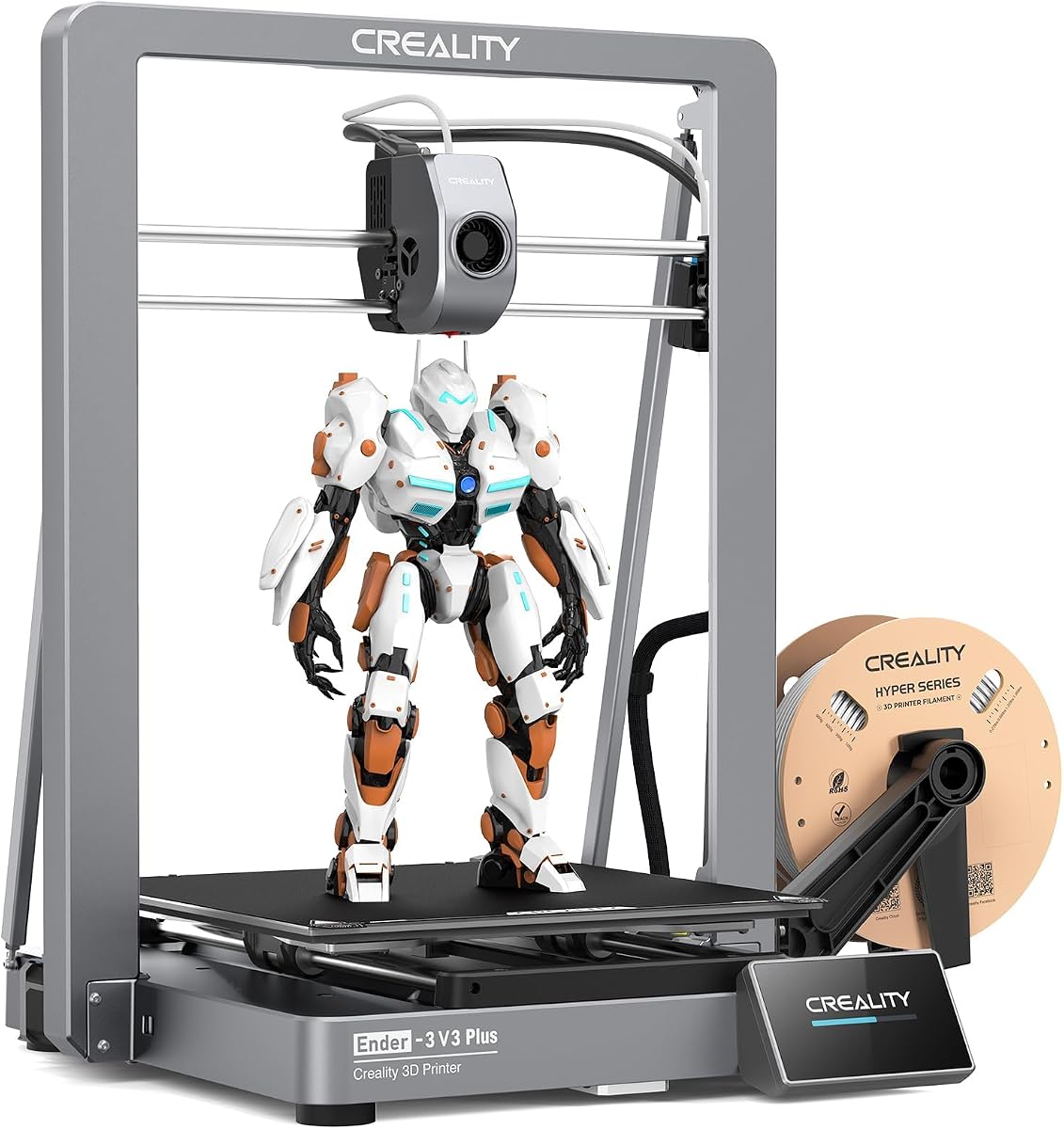
The Creality Ender 3 V3 Plus brings a 300-by-300-by-330mm build volume, 600mm/s claimed speed, and CoreXZ motion to a broadly accessible large-format platform. Its 3.7 rating is the lowest supplied numerical score in the group, but that should be viewed alongside the machine's useful balance of speed, automatic setup, and structural support.
We may earn a commission when you buy through this link, at no additional cost to you.
The CoreXZ arrangement and two Y-axis motors are designed to handle fast movement without excessive wobble. A precision optical shaft and synchronous belt support the Z axis, while added support rods form a rigid triangular structure. Automatic leveling, automatic Z-offset, an input-shaping test, and largely preassembled modules reduce setup work for new users.
The direct-drive extruder uses a spring and ball-plunger arrangement intended to maintain filament grip, while the tri-metal nozzle and hardened steel tip support durable material delivery. The trade-off is that the 330mm height is less accommodating than the 400mm available from the LK10 Plus or Ender 5 Max, and the open frame offers little protection for temperature-sensitive materials. Its 3.7 rating also suggests a more mixed customer experience than the higher-rated models.
The V3 Plus is well suited to creators who want a faster, more automated alternative to an entry-level open printer. It can handle life-size-style items, batches of smaller parts, and large models that no longer fit on a compact bed. Users seeking greater height, a heated chamber, multi-color support, or print-farm management should move up to one of the specialized alternatives.
Dual Y-axis motors, a rigid triangular brace, and the CoreXZ layout help control movement at high speed. The structure is intended to reduce the wobble that can spoil surface quality and dimensional accuracy.
One-touch leveling, automatic Z-offset, and an input-shaping test streamline the beginning of a job. Preassembled modules also shorten the path from unpacking to a prepared printer.
We may earn a commission when you buy through this link, at no additional cost to you.
The LONGER LK5 Pro 3 offers a traditional large-format approach with a 300-by-300-by-400mm build volume, open-source electronics, and a 4.1 rating. It is positioned for users who want substantial printing capacity and the freedom to modify firmware, G-code, or hardware without moving to a fully integrated production platform.
We may earn a commission when you buy through this link, at no additional cost to you.
The triangular rod structure helps resist vibration, while the dual blower kit cools filament immediately after extrusion to reduce deformation and stringing. A TMC 2208 driver supports quieter operation, and the open-source motherboard allows experimentation. The 4.3-inch full-color touchscreen provides a clear view of real-time print information, while the machine is approximately 90 percent preassembled.
Compared with the newer LK10 Plus, this model lacks the listed eddy-current sensing, dual-band Wi-Fi, high-speed acceleration figures, and power-loss recovery. It also offers no native color system or advanced AI monitoring. The open frame is useful for flexible placement and service access, but it is a less controlled environment for ABS, ASA, and other warp-sensitive filaments.
The LK5 Pro 3 is a practical entry point for makers who prioritize build height, modifyability, and straightforward large prints. It is particularly attractive to users interested in the open-source ecosystem and willing to perform some configuration or maintenance. If automatic recovery, contemporary monitoring, and faster motion are more important, the LK10 Plus provides a more advanced path.
The motherboard and firmware approach gives technically inclined users the ability to adjust G-code and experiment with machine behavior. A BLTouch installation is also provided, although the unit is not included in the package.
The upgraded dual blower kit cools deposited filament quickly, which helps reduce deformation and unwanted strands. Better cooling is particularly useful on intricate vertical features and models with narrow bridges.
We may earn a commission when you buy through this link, at no additional cost to you.
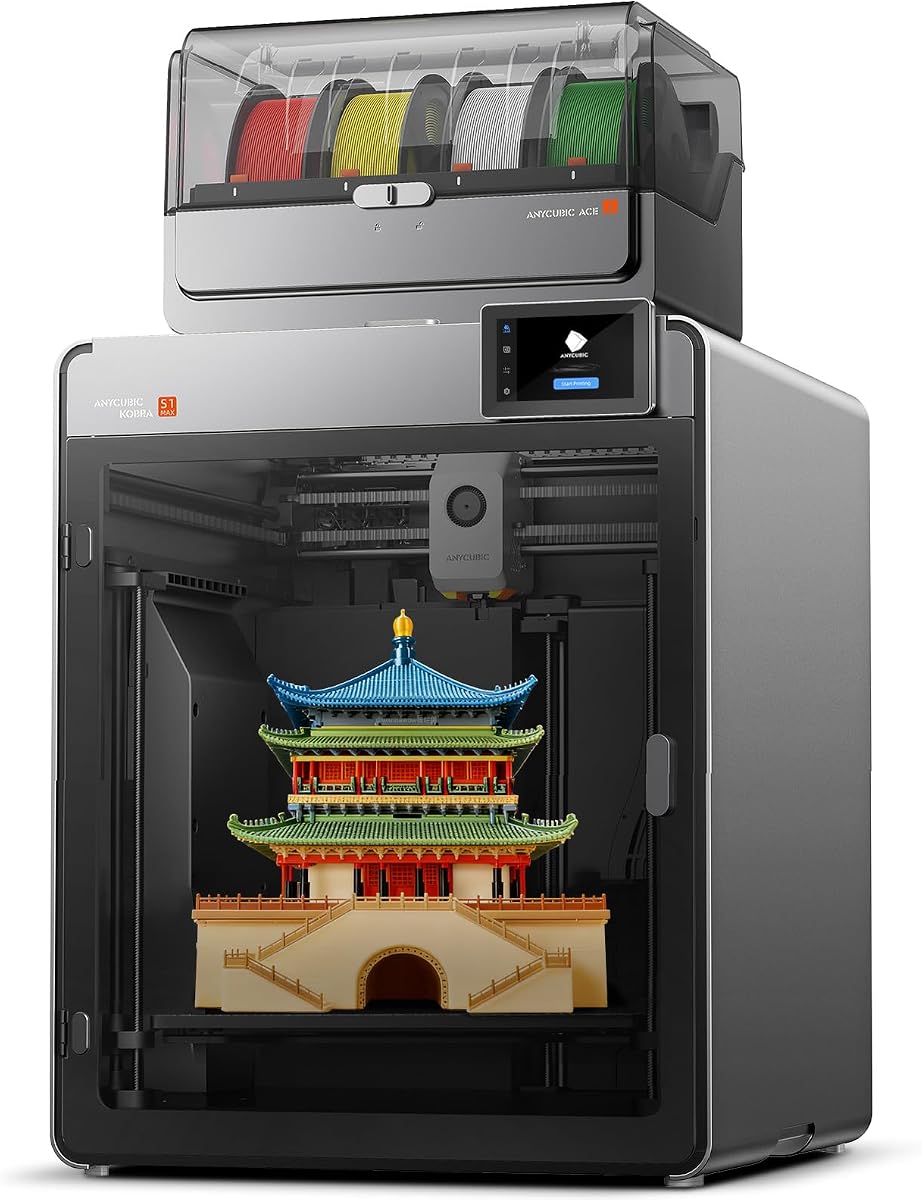
The ANYCUBIC Kobra S1 Max Combo is a well-rounded enclosed large-format system with a 350mm cubic build volume, native four-color printing, and expansion to as many as 16 colors. No numerical customer rating was supplied for this product, so its evaluation here rests on the documented capabilities rather than a rating comparison.
We may earn a commission when you buy through this link, at no additional cost to you.
Its fully enclosed CoreXY design supports 600mm/s claimed speed while active vibration compensation helps reduce ringing. A 65°C heated chamber and 350°C hotend support PLA, PETG, TPU, ABS, ASA, and PVA. Hardened steel extruder gears and nozzle improve wear resistance, while the titanium alloy throat tube is intended to support smooth feeding and reduce clogging.
The ACE 2 Pro provides four colors out of the box, but reaching 16 requires connecting four units. The build cube is smaller than the Ender 5 Max and QIDI Max4 Combo in width and depth, and it is shorter than the 400mm models. Its lack of a supplied rating also means buyers should examine current customer feedback and warranty details for the exact model and bundle being offered.
The Kobra S1 Max Combo is a strong option for users who want a single machine to handle large models, multiple colors, engineering-oriented materials, and high-speed production. It sits between the more specialized Snapmaker and QIDI systems, combining a generous workspace with enclosed CoreXY motion. It is especially suitable for advanced hobbyists, educators, and professional creators who want color and thermal control without an oversized multi-tool mechanism.
The enclosed CoreXY frame helps isolate the chamber while active vibration compensation controls ringing. This combination supports faster profiles without giving up the environmental stability of an enclosed printer.
The included ACE 2 Pro enables four-color printing, while four connected units can expand the system to 16 colors. That provides a practical path from colorful personal projects to more complex production orders.
We may earn a commission when you buy through this link, at no additional cost to you.
The right large-format FDM printer depends on the dimensions, materials, colors, and production schedules of your projects. Build volume is only the starting point; rigidity, thermal control, automation, and recovery features often determine whether large jobs finish successfully.
Choose a build area with margin beyond your largest intended object. Clearances around the model are especially important for supports, brim, skirts, and calibration features.
Prioritize a rigid frame and stable motion system, especially for tall, heavy, or hour-long prints. Speed claims are useful only when the structure can remain controlled.
If your regular materials include engineering polymers, select an enclosed and heated machine. If you mostly print PLA, PETG, or TPU, an open frame may be adequate.
Compare realistic sliced profiles rather than maximum specifications. A stable machine that maintains quality at moderate speed can be more productive than one pushed to extreme settings.
Match the material system to the type of work. Choose a toolhead system for mixed materials, and choose a filament-feed system for color-rich decorative work with less frequent material changes.
Look for automatic leveling, Z-offset control, and a repeatable first-layer process. These features matter even more when the printer will operate with minimal supervision.
Prioritize recovery and remote monitoring for unattended or batch printing. Fleet management becomes more valuable as the number of active printers increases.
Measure the full production cell, not just the printer footprint. Include material units, filament paths, access space, ventilation, and the surface needed to support the machine safely.
Begin by confirming the printer's physical build dimensions, leveling area, and available clearance. Level and calibrate the machine according to its manual, inspect the nozzle, and verify that the filament path is clean. For a new filament, confirm the correct nozzle temperature, bed temperature, and material profile rather than assuming settings from a different machine. Large models benefit from a first-layer test in the intended orientation, especially when supports, brim, or a textured surface are involved.
Slice the model with a profile matched to the printer, material, and quality target. Avoid forcing a maximum-speed profile onto a large model that requires fine walls, sharp overhangs, or heavy top surfaces. Inspect the preview for the actual print boundaries, layer height, wall count, support placement, and estimated filament use. For multi-color or multi-material machines, confirm that every color or tool is loaded, identified correctly, and mapped to the correct feature in the sliced file.
Monitor the first layers closely, then use the camera, app, status light, or touchscreen to check progress at appropriate intervals. Keep the surrounding area clear, avoid moving the printer while a job is active, and ensure the bed can support the weight of the design. Clean the nozzle and build plate routinely, replace worn nozzles and gears as needed, and keep the filament dry and free of dust. Periodic frame, belt, rail, and sensor checks will help preserve alignment and calibration across long production runs.
A build platform around 300mm square is a common threshold for a large-format FDM printer, but the best size depends on the model. Users making tall objects should check vertical clearance, while wide scenery and oversized props require more X- and Y-axis space. A 400mm cube offers the most flexibility in this group but also requires the largest work area.
An enclosure is helpful but not absolutely required for every large print. It matters most for ABS, ASA, PC, PA, and other warp-sensitive or temperature-dependent materials because it reduces external airflow and helps maintain conditions. PLA, PETG, and many TPU projects can be produced on a well-calibrated open-frame machine.
No. Maximum speed is only useful when the motion system, cooling, extrusion flow, and sliced profile can sustain it without losing quality. Material, layer height, model geometry, travel moves, supports, and bed heating can make a well-tuned moderate-speed print faster than an aggressive maximum-speed attempt.
Multi-color printing changes filament color, while multi-material printing can combine different filament properties. For example, a toolhead system may place rigid PLA and flexible TPU in one model, or use soluble PVA as a support. Multi-color systems generally focus on visual color changes, although some can also switch material types.
It can be, but users should include clearance for the physical object, supports, brim, and any nozzle-travel restrictions. A model that exactly matches the stated dimensions may not print reliably. Leaving a margin is advisable, and orientation can sometimes reduce the required X, Y, or Z clearance.
The Creality Ender 5 Max is specifically highlighted for WLAN multi-printer control, grouped management, and a distant tri-color status indicator. The Kobra X also provides app-based fleet management, while the K2 Plus Combo includes two AI cameras for monitoring. The most convenient choice depends on whether remote grouping, cameras, or automatic recovery matter most.
They add moving enclosure components and may require more chamber maintenance, but they also protect sensitive materials and electronics from dust. Regular nozzle cleaning, filament inspection, sensor care, and bed maintenance remain important on every machine. Keeping the enclosure vents unobstructed and following the manufacturer's cleaning guidance helps preserve stable operation.
Using the manufacturer's recommended slicer is usually the safest starting point because profiles, limits, control settings, and material libraries may depend on machine-specific details. Other slicers can work well after calibration and profile tuning. Users who change firmware or firmware-derived settings should verify motion limits, offsets, temperatures, and control behavior before starting a valuable large print.
The LONGER LK10 Plus is the best budget choice for buyers seeking a tall, capable 300-class platform with automatic sensing and wireless control. The Creality Ender 5 Max stands out as the editor's choice because its 400mm cube, fast motion, and print-farm tools cover the broadest large-format production needs, while the QIDI Max4 Combo is the premium option for advanced materials, thermal control, and expandable color.
The right decision starts with the largest model you actually need to print. Choose extra width and height for oversized objects, a heated chamber for engineering polymers, a four-toolhead system for mixed materials, and native multi-color support for decorative production. Also consider bed leveling, failure detection, power recovery, and remote controls before committing to a machine intended to run unattended.
Finally, verify the exact bundle, build dimensions, supported materials, accessories, warranty, and current availability before purchasing. Large-format hardware requires sufficient space, and some color systems or temperature accessories are optional. Prices and promotions change, so compare the complete configuration and current offering rather than judging one machine by a promotional figure alone.